
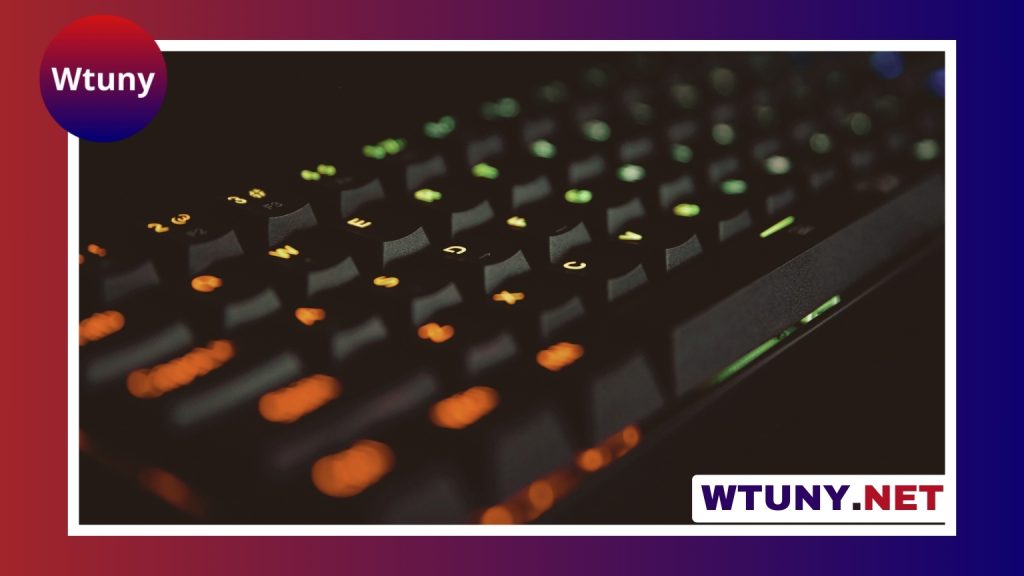
A gaming keyboard should suit the way you play, work, and use your desk. The best choice is not always the most expensive or feature-packed model. Switch feel, keyboard size, responsiveness, comfort, and software support all affect whether a keyboard feels right over hours of use.
Start with the keyboard layout
The layout determines how much desk space the keyboard uses and which controls are available.
- Full-size: Includes a number pad and is useful if you regularly work with numbers or need a complete set of dedicated keys.
- Tenkeyless: Removes the number pad, creating more room for a mouse while retaining the main navigation and function keys.
- Compact: Saves the most space and is convenient for smaller desks or travel, but may move functions such as arrows and navigation controls to secondary layers.
Think about your desk position as well as your games. A smaller keyboard can give your mouse more room for broad movements, while a full-size model may be more practical for work and everyday productivity.
Choose a switch style you enjoy using
On a mechanical keyboard, the switch beneath each key affects its movement, sound, and actuation feel. There is no single switch type that is best for every player.
- Linear switches move smoothly from top to bottom without a tactile bump. They can suit users who prefer an uninterrupted feel for repeated key presses.
- Tactile switches provide a noticeable bump during the key press without necessarily producing a loud click. They offer feedback that can be useful for both typing and gaming.
- Clicky switches add an audible click to the tactile response. They can be enjoyable for typing, but the sound may be unsuitable in a shared room or during voice chat.
Switch sound also depends on the keycaps, case, desk surface, and how firmly you type. If possible, try a switch tester or use a keyboard in person before buying. Hot-swappable boards make it easier to replace switches without soldering, which is helpful if you want to experiment later.
Pay attention to responsiveness
Gaming keyboards are often marketed around polling rate, latency, rollover, and actuation settings. These specifications can matter, particularly for fast-paced games, but they should be considered alongside comfort and reliability.
Key rollover helps a keyboard register several simultaneous key presses correctly. N-key rollover is designed to support multiple keys being pressed at once, which can be useful for complex movement and command combinations. Polling rate describes how frequently the keyboard reports input to the computer, while latency concerns the delay between pressing a key and that input being registered. A high specification is only valuable if the keyboard remains comfortable and dependable in everyday use.
Some keyboards use optical or Hall effect switches rather than conventional contact-based designs. These may provide additional actuation controls or different adjustment options, but the usefulness of those features depends on the games you play and the keyboard’s software.
Look for features that match your routine
Extra features are worthwhile when they solve a problem you actually have. Consider the following:
- Remappable keys and macros: Useful for shortcuts, repeated commands, or switching between software profiles. Make sure any use of macros follows the rules of the games you play.
- Onboard memory: Can store settings on the keyboard, which is convenient when moving between computers.
- Media controls: Dedicated volume and playback controls are convenient during games, streaming, or general desktop use.
- RGB lighting: Adds visual customization and can make commonly used keys easier to locate, but lighting software varies considerably in quality.
- Wrist support: A detachable wrist rest can improve comfort for some users during longer sessions.
- Wired or wireless connection: Wired keyboards provide a straightforward connection. Wireless models create a cleaner desk and offer more flexibility, but battery life, charging, and connection reliability should be checked before purchase.
Match the keyboard to how you play
Competitive players may prefer a compact board, consistent switches, and responsive input, especially when desk space for the mouse is important. Streamers may place more value on lighting, remappable controls, and profiles for switching between applications. Players who also type frequently may prefer tactile feedback, quieter operation, and comfortable keycaps over the lowest possible actuation point.
For casual gaming, a well-built mid-range keyboard with a layout you like may offer better value than a premium model filled with unused features. If you travel to events or move between setups, weight, cable management, and compact dimensions become more important.
Check comfort, construction, and long-term value
A sturdy case and a rigid backplate can make a keyboard feel more stable, while replaceable keycaps, a detachable cable, and hot-swappable switches can make maintenance or customization easier. Also check the warranty and the availability of replacement parts before committing to a model.
Noise deserves attention too. Clicky switches can be disruptive in shared spaces, and even quieter switches may produce sound from the keys bottoming out. Software should be simple enough to configure lighting, remapping, and profiles without becoming a daily annoyance.
A practical buying checklist
- Choose the layout that fits your desk and productivity needs.
- Select a switch feel and noise level you can enjoy for long sessions.
- Give priority to comfort and build quality over specifications you will not use.
- Decide whether macros, onboard profiles, media controls, or lighting are genuinely useful.
- Compare wired and wireless convenience with your tolerance for charging and connectivity concerns.
- Read reviews that discuss extended use, not only first impressions.
The right gaming keyboard balances responsive input with a comfortable, dependable design. By choosing around your games, workspace, and daily habits, you can find a board that improves both play and productivity without paying for features that do not matter to you.
Related Guides
- Alloy Fps Keyboard
- Alloy Gaming Keyboard
- Anime Keyboards
- Best 60 Percent Keyboard For Gaming
- Best Cheap Gaming Keyboard Mouse
- Best Gaming Keyboard Under 50
- Best Rapid Trigger Keyboards
- Best Wireless Gaming Keyboard
- Compact Mechanical Gaming Keyboard
- Fastest Keyboard
- Fighting Game Controller Xbox
- Fortnite Xbox Controller
- Gaming Keyboard With Macro Keys
- Gaming Keypad
- Gaming Wrist Rest
- Keyboard And Mouse For Fortnite
- Keyboard Gaming Controller
- Keyboard Mouse Combo Gamer
- Led Gaming Keyboard And Mouse
- Ps5 Mouse
- Streaming Keyboard
- Tt Esports Keyboard






