
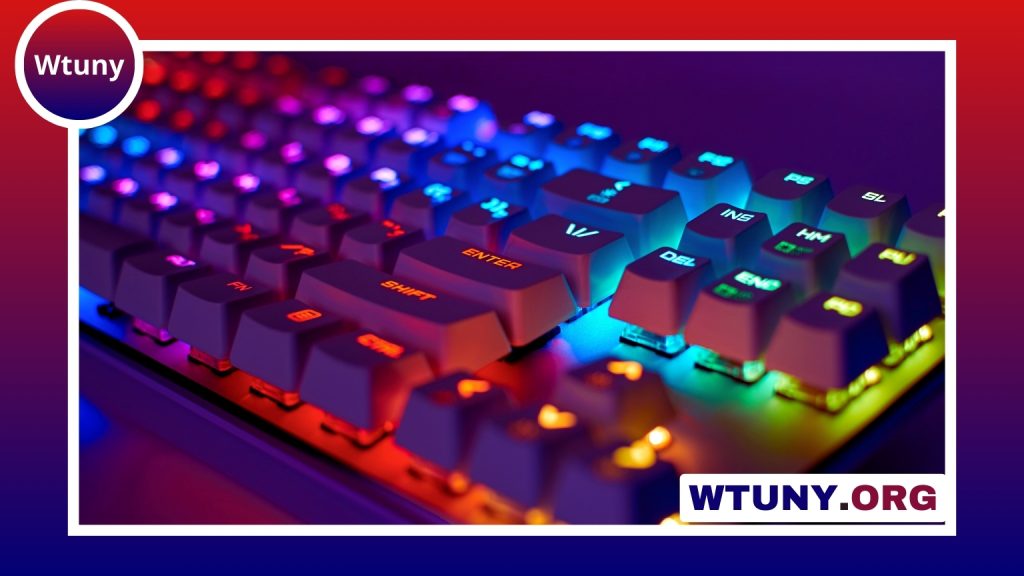
A keyboard affects more than movement and shortcuts. It also shapes how comfortably you play, type, stream, and manage everyday tasks. The Tt Esports keyboard range includes compact gaming boards, full-size layouts, mechanical models, and simpler membrane or hybrid options. Because features vary between models, the best choice depends on your preferred switch feel, desk space, software needs, and budget. Tt Esports mechanical keyboards showcase switch types and build quality relevant to broader gaming keyboard comparisons.
Start with the keyboard layout
Layout is one of the easiest differences to identify. A full-size Tt Esports gaming keyboard includes a number pad and is useful if you work with numbers, use media controls, or want a traditional desktop arrangement. A tenkeyless or compact keyboard removes some of that extra width, leaving more room for mouse movement and making the board easier to position on a smaller desk.
Compact designs can suit tournament-style setups and players who do not need a number pad. Full-size models may be a better fit for streamers, creators, and people who use their keyboard for both gaming and general computer work. Check the key arrangement carefully before buying, particularly if you rely on dedicated navigation or media keys.
Choose a switch type that matches your preferences
The switch is responsible for much of a keyboard’s sound, resistance, and typing character. Tt Esports keyboards may use different technologies, so the product description for the specific model matters more than the brand name alone.
Mechanical switches
Mechanical keyboards generally provide a more distinct and consistent key response. Depending on the switch, the feel may be tactile, clicky, or relatively smooth. This can appeal to players who want clear feedback during fast inputs and to people who spend a lot of time typing. Mechanical boards can also feel louder, especially when using clicky switches, so consider the room and the people nearby.
Membrane and hybrid designs
Membrane and hybrid keyboards typically offer a softer, quieter press and can be a sensible choice for shared spaces or a tighter budget. They may not provide the same clearly defined feedback as a mechanical model, but they can still cover gaming, browsing, and everyday typing. If you prefer a quieter board or want a straightforward plug-and-play experience, this category deserves consideration.
Compare the features you will actually use
Gaming keyboards often include more than basic input. Depending on the model, a Tt Esports keyboard may offer some of the following:
- RGB lighting with zone-based or per-key controls
- Programmable keys and macro recording
- Anti-ghosting and N-key rollover for handling simultaneous key presses
- Dedicated media controls
- An adjustable wrist rest or fold-out feet
- Onboard profile storage
Lighting is useful when you want to coordinate a desk or improve visibility, but it should not outweigh the fundamentals of switch feel and comfort. Macro keys can help with repeated commands or complex shortcuts, while media controls are convenient for music and streaming. Anti-ghosting and rollover features are particularly relevant if your games require several keys to be pressed at once. When comparing Tt Esports Keyboard layouts, explore console mouse options for compatible PS5 gaming setups and responsive controls.
Consider construction and ergonomics
Build quality differs across the lineup. Some boards use lightweight plastic chassis designs, while others may include a metal top plate or reinforced frame for a sturdier feel. Certain models may also include features such as a braided USB cable or spill-resistant construction, but these details should be confirmed for the individual keyboard rather than assumed across the range.
Ergonomics matter during long sessions. Look for a comfortable key height, stable feet, and a wrist rest if you prefer additional support. A heavier board may stay in place more effectively, while a lighter compact model is easier to move between desks or carry to events.
Review software and platform support
Higher-featured models may include configuration software for remapping keys, creating macros, adjusting lighting, and saving profiles. Other keyboards may rely on built-in shortcuts and offer little or no software, which can be preferable if you want to avoid installing utilities.
Advanced customization is generally most useful on a Windows PC, while console support may be limited to basic keyboard functions. Compatibility for macros, lighting, and configuration tools can vary, so check the specifications before purchasing if you plan to use the keyboard with a console or multiple computers.
Which Tt Esports keyboard is right for you?
- Competitive players: Consider a mechanical model with a responsive feel, rollover support, and useful remapping options.
- Streamers and creators: A full-size board with media controls, profile support, and customizable lighting may be more practical.
- Small-desk users: A tenkeyless or compact layout can leave more space for the mouse.
- Casual and budget-conscious gamers: A membrane or hybrid board may provide the essential gaming functions without extra cost.
Final buying checklist
Before choosing a Tt Esports gaming keyboard, confirm the layout, switch technology, key rollover features, software support, and connection requirements. Think about whether you need macros, onboard profiles, lighting controls, or dedicated media keys. If possible, try the keyboard in person or consult reviews that describe its key travel, sound, and long-session comfort.
Tt Esports keyboards cover several types of gaming setup, but no single model suits everyone. Matching the board’s layout and switch feel to your play style will usually matter more than choosing the one with the longest feature list.






