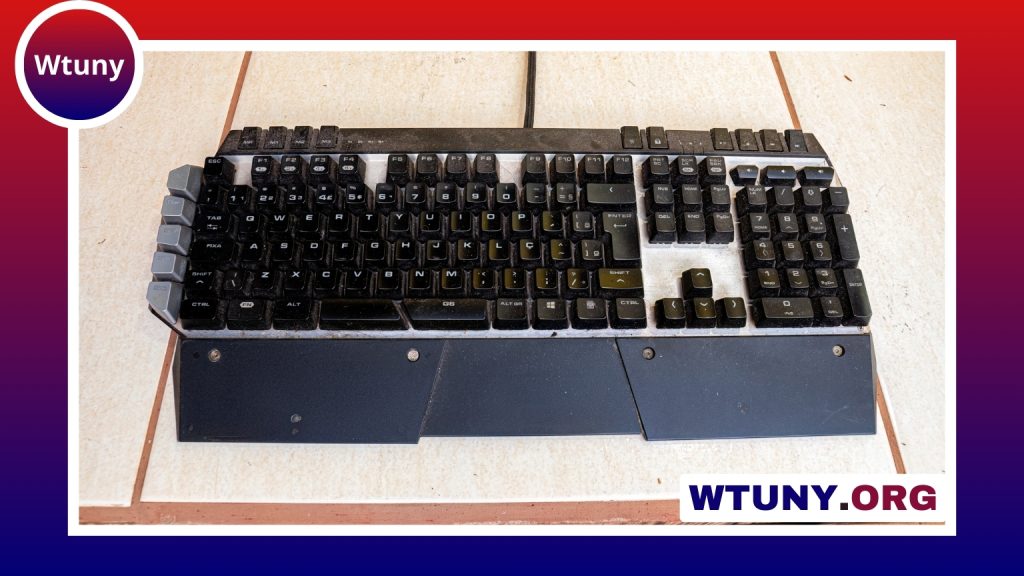
A gaming keypad is a compact input device designed to place frequently used controls close to one hand. Instead of replacing every key on a conventional keyboard, it concentrates on the commands players use most, such as movement, abilities, weapon selection, item access, and shortcuts. This focused layout can reduce hand travel and make it easier to build a control scheme around a particular game or play style. If you want expanded controls beyond a gaming keypad, consider full size keyboards for broader layouts and macros.
Gaming keypads are available in several formats. Some are small, one-handed devices with a cluster of programmable keys, while others include a thumb-operated joystick or analog control. Mechanical and membrane versions are also available, with different preferences for feel, noise, and cost. The right choice depends less on the label and more on the games you play, the controls you need, and how comfortably the device fits into your desk setup.
What a gaming keypad can do
The main advantage of a gaming keypad is control placement. A compact layout can keep important inputs within reach while leaving the other hand available for a mouse or another device. Many models allow keys to be remapped, and some support macros, multiple profiles, lighting controls, or onboard storage for settings.
Common features include:
- Programmable keys: Assign commands, shortcuts, or game-specific actions to positions that feel natural.
- Mechanical switches: Provide a distinct key feel and tactile feedback for users who prefer mechanical input.
- Membrane switches: Offer a quieter, often more affordable alternative.
- Thumb controls: A joystick or analog stick can add movement or camera input to selected games.
- Profile support: Store different layouts for different games or activities.
- Ergonomic features: Wrist rests, adjustable positioning, and shaped layouts may help make long sessions more comfortable.
Who benefits from a gaming keypad?
MMO and ability-heavy games
Players who manage many abilities, items, mounts, or consumables may appreciate having a large set of dedicated inputs. An MMO-oriented keypad can group related commands together, making a complicated action bar easier to reach without repeatedly moving to a distant part of a full keyboard.
Action games, MOBAs, and RPGs
Programmable keys can provide convenient access to skills, inventory actions, and other shortcuts. The benefit is most noticeable when the default keyboard layout feels awkward or when several commands must be reached quickly and consistently.
Competitive shooters
A mechanical keypad may appeal to players who want a clearly defined key press and a compact cluster for movement or frequently used actions. However, a keypad does not automatically improve aim or reaction time. Its value depends on whether the layout helps you perform controls more consistently.
Streamers and general PC users
Dedicated keys can also be useful outside the game. Depending on the device and its software, they may be assigned to shortcuts such as scene changes, audio controls, or other repeated commands. A keypad can therefore complement a full keyboard rather than replace it. For a coordinated setup, consider RGB keyboard and mouse options that complement a responsive gaming keypad.
How to choose the right gaming keypad
Start by listing the controls you want to move onto the keypad. If you mainly need a few extra shortcuts, a small compact model may be enough. If you play an MMO or another command-heavy game, look for a larger programmable layout with software that supports remapping, macros, and separate profiles.
Consider these factors before buying:
- Layout and hand position: Check whether the keys suit your preferred hand and whether the device leaves enough room for your mouse.
- Switch type: Mechanical switches emphasize feedback and a defined feel; membrane switches may be quieter and less expensive.
- Joystick or analog input: Choose this only if you have a practical use for analog movement or camera control.
- Software: Confirm that the configuration utility supports the profiles, remapping, and macro options you actually need.
- Connectivity: Detachable cables or wireless support may be useful when portability and desk organization matter.
- Compatibility: Check support for your operating system and the games or applications in which you plan to use the keypad.
- Onboard memory: Stored profiles can be helpful if you move between computers.
- Comfort: Look for a position that keeps your wrist reasonably neutral and your forearm supported.
Setting up and maintaining a keypad
Begin with the actions you use most often, placing them on the easiest keys to reach. Group related functions together so the layout is easy to remember, then test it in a low-pressure setting before relying on it in a competitive match. Separate profiles can be created for different games, work tasks, or streaming controls when the device software supports them.
Macros should be used responsibly and within the rules of the games and services involved. Some environments restrict automation or rapid command sequences, so review the applicable rules before assigning complex actions.
Good positioning matters as much as key assignments. Keep the keypad close enough to avoid stretching, leave adequate room for the mouse, and manage the cable so it does not pull against the device. Periodically clean the keycaps and update firmware when appropriate to help maintain reliable operation.
Is a gaming keypad worth it?
A gaming keypad is most useful when a standard keyboard feels too broad, too difficult to reach, or poorly suited to the controls you use. MMO players, shortcut-heavy users, streamers, and players who value a dedicated compact layout may gain the most from one. Others may prefer a full-size or wireless gaming keyboard for a more familiar, flexible layout.
Choose based on the games you play, the number of controls you need, and the comfort of the physical design. With sensible mappings and a well-positioned desk setup, a gaming keypad can become a practical extension of your keyboard rather than an unnecessary extra device.