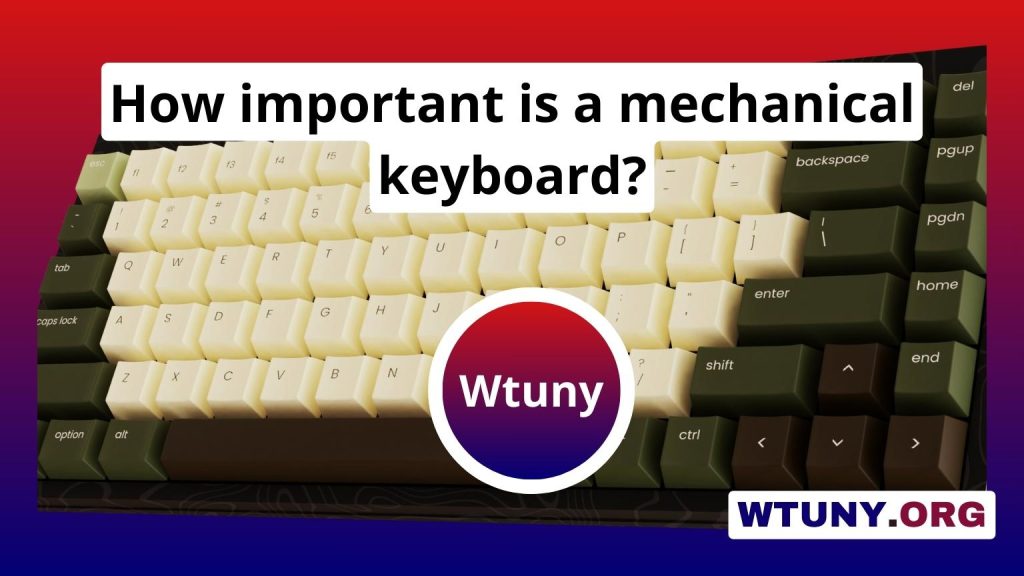
Finding the right keyboard can transform your daily computing experience, whether you type all day, compete in fast-paced games, or build a custom setup for creative work. This pillar article collects practical advice, feature breakdowns, and review-reading tips to help you navigate the many options on the market. If you want a reliable resource that compares real-world performance, ergonomics, and long-term value, this guide to the best keyboard guides & reviews will point you toward the models and review approaches that matter most.
How to use keyboard guides and reviews effectively
Not all reviews are created equal. Some focus on specs and marketing claims, while the most useful guides include hands-on testing, long-term impressions, and comparisons across similar price ranges. When consulting the best keyboard guides & reviews, look for articles that describe typist experience, switch feel, sound levels, build quality, and compatibility with your setup. Reviews that include high-resolution photos, sound tests, and switch sampling give a clearer sense of what to expect than spec sheets alone. Also value multiple independent reviews to avoid one-off opinions that may reflect personal bias or unusual sample units.
Key technical factors to evaluate in reviews
Useful guides break down the technical elements that affect daily use. Switch type is often the most discussed factor: linear, tactile, and clicky switches each offer distinct feedback and sound. Key travel distance, actuation force, and wobble are practical measurements that influence typing speed and comfort. Build materials and stabilizer quality affect lifespan and feel, while keycap profiles and plastic types change the tactile experience. Connectivity options like wired USB, Bluetooth, and multi-device pairing are crucial for people who switch between desktops, laptops, and tablets. Battery life and firmware support are also frequent differentiators in modern keyboards, and the best reviews test these features under realistic conditions.
Real-world use cases: matching keyboards to needs
Choosing the right keyboard depends on how you use it. For writers and programmers who type for hours, a comfortable layout with low-fatigue switches, a generous wrist rest, and a quiet sound profile is often best. Mechanical switches with tactile feedback can reduce typing errors for many professionals. Gamers typically prioritize low latency, anti-ghosting, and programmable macros; here, reviews that measure input lag and report how keys respond under rapid actuation are most helpful. Content creators and designers who toggle between devices benefit from keyboards with reliable multi-host switching and robust macro support for productivity. For portable setups, compact tenkeyless or 65 percent keyboards save space without sacrificing essential keys. Look for guides that evaluate each of these scenarios rather than offering one-size-fits-all verdicts.
Customization and longevity explained in guides
Customization is a major appeal of modern keyboards. The best guides and reviews explain the extent of modding possible: hot-swappable sockets for switches, replaceable keycaps, and firmware that supports remapping and macros. They also cover how easy it is to maintain and repair a keyboard over time, which can be just as important as initial specs. Reviews that test hot-swap reliability, longevity of key legends, and the availability of spare parts give you a clearer picture of long-term ownership costs. Moreover, articles that compare out-of-the-box sound and feel to the keyboard’s modded potential help users decide between a plug-and-play model and one suited for custom builds.
How to interpret scores, pros and cons, and final recommendations
Many review sites use scoring systems, but numbers alone rarely tell the full story. The best keyboard guides & reviews pair scores with detailed pros and cons that explain which users will gain the most from the product. Pay attention to the review’s criteria: some prioritize typing comfort, others emphasize esports performance or build quality. Look for balanced recommendations that outline scenarios where a keyboard excels and where it falls short. For example, a keyboard with loud clicky switches might earn high marks for tactile feedback but be marked down for shared office use due to noise. Reviews that include alternative picks at different price points make it easier to find a keyboard that fits both budget and use case.
Practical tips for buying after reading reviews
After consulting guides and reviews, test practical steps before purchasing. If possible, try key switches in a store or at meetups to feel real-world actuation and sound. Check return policies and warranty terms, since preferences are subjective and a keyboard that looks perfect on paper may feel wrong in practice. Consider buying from retailers with generous return windows, or purchase from brands that offer robust after-sales support. Finally, weigh the total cost of ownership: aftermarket keycaps, replacement switches, and accessories like wrist rests add value but also expense. Use reviews to estimate what additional purchases are likely and whether they fit your customization goals.
Choosing a keyboard is a personal process that balances ergonomics, performance, and aesthetics. By relying on comprehensive sources and the best keyboard guides & reviews, you can move beyond specs and marketing to understand how a keyboard will perform in your everyday workflow. Armed with the right review criteria and practical buying steps, you’ll be prepared to select a keyboard that feels right from day one and grows with your needs over time.
Related Guides
- Best Budget Mechanical Keyboard
- Best Corsair Keyboard
- Best Led Keyboard
- Best Magnetic Keyboard
- Best Mechanical Keyboard For Programmers
- Cheap Keyboard
- Cool Ios Keyboards
- Good Looking Keyboard
- Mechanical Keyboard For Fast Typing
- Mechanical Keyboard Guide
- Most Expensive Keyboard In The World
- Music Keyboard
- Optimum Keyboard
- Portable Mechanical Keyboard
- Smart Keyboard Folio Vs Magic Keyboard
- Wireless Keyboard Deals