
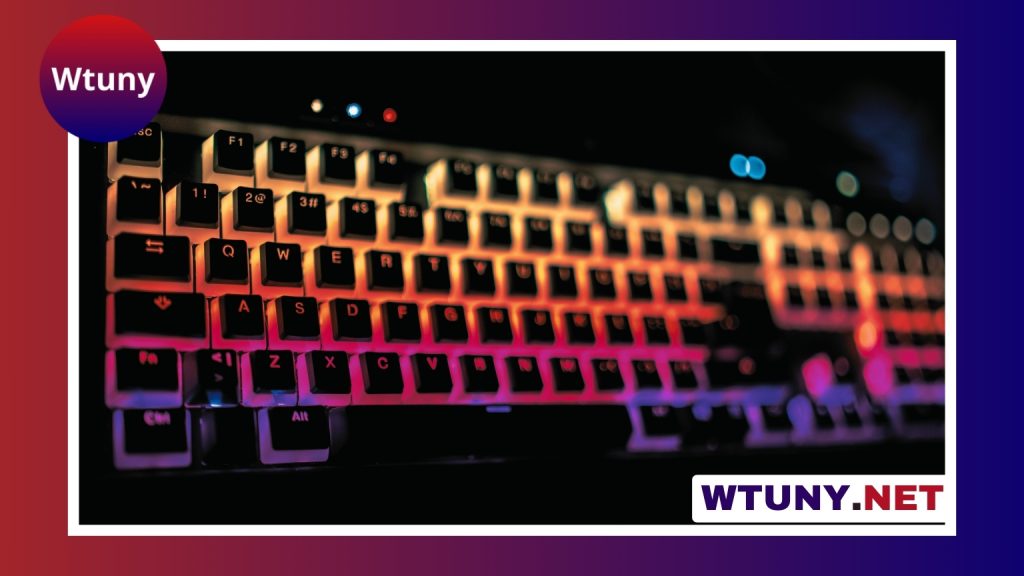
A mechanical keyboard can make typing feel more controlled and consistent, but the fastest keyboard is not automatically the one with the lightest switches or shortest travel. Typing speed depends on technique, familiarity, accuracy, posture, and the way a keyboard suits your hands. The right mechanical keyboard should help you press keys confidently, reduce unnecessary movement, and remain comfortable throughout long sessions. For deeper comparisons and setup tips, check our mechanical keyboard reviews covering models optimized for fast typing.
What makes a mechanical keyboard useful for typing?
Mechanical keyboards use individual switches beneath the keycaps. Each switch provides a defined response when a key is pressed, giving the typist more predictable feedback than a soft or uneven key feel. This consistency can make it easier to develop muscle memory and notice missed or unintended keystrokes.
That does not guarantee a higher words-per-minute score. A new layout or unfamiliar switch may slow you down at first. The practical benefit comes from finding a board whose feel, spacing, and ergonomics allow you to type accurately without excessive effort.
Choose a switch based on feel, not marketing claims
Switch categories provide a useful starting point, but personal preference matters more than labels such as “speed” or “fast.”
- Linear switches: Move smoothly from the top of the keypress to the bottom without a tactile bump. They suit typists who prefer an uninterrupted motion and may work well for rapid, light keystrokes.
- Tactile switches: Have a noticeable bump during the press. This feedback can help you confirm that a key has registered and may support accurate typing without fully bottoming out every keystroke.
- Clicky switches: Combine tactile feedback with a distinct clicking sound. Some people enjoy the audible confirmation, while others may find it unsuitable for shared offices, classrooms, or quiet rooms.
If possible, try a switch tester or test keyboards in person. Sound, spring weight, and tactile response can feel very different from descriptions. A switch that feels quick to one typist may feel unstable or tiring to another.
Actuation force and travel distance
Actuation force is the pressure needed for a switch to register a keypress. Lighter switches can reduce the effort required for repeated keystrokes, but they may also produce accidental inputs if you tend to rest your fingers heavily on the keys. Heavier switches can feel more deliberate, although they may cause fatigue during long periods of writing.
Travel distance describes how far a key moves. Shorter actuation can feel responsive, but it is only one part of the typing experience. Key stability, spring feel, keycap shape, and your own technique also influence speed and accuracy. Prioritise a controlled, comfortable press rather than selecting the shortest specification available.
Pick a layout that supports your workflow
Keyboard size affects both hand movement and desk space. Fast typists may appreciate how premium mechanical models combine responsive switches with remarkable craftsmanship and exclusivity.
- Full-size: Includes a number pad and is practical for spreadsheets, finance, and frequent numerical input. Its wider footprint can place the mouse farther away.
- Tenkeyless: Removes the number pad while retaining the main navigation keys. It provides a familiar layout with less horizontal reach.
- 75 percent: Keeps a compact footprint while generally retaining function and navigation keys in a compressed arrangement.
- Smaller compact layouts: Save the most space but may require function layers or shortcuts for keys you would otherwise press directly.
For text-heavy work, a tenkeyless or 75 percent keyboard may leave more room for natural mouse placement. For number-heavy work, removing the number pad could create more inconvenience than it solves. Choose based on the tasks you perform every day, not just the dimensions of the keyboard.
Do not overlook ergonomics
A keyboard that feels fast for ten minutes may become uncomfortable after several hours. Look for a stable case, consistent key spacing, and a height that lets your wrists remain relaxed. A modest tilt may feel natural, but a steep angle can encourage wrist extension and increase strain for some users.
Keycap profile also changes the typing experience. Sculpted profiles can help your fingers distinguish rows, while flatter profiles may feel more uniform. Neither is universally better. A detachable wrist rest can be useful if it supports the palms without forcing the wrists upward.
Features worth considering
Once the basic feel is right, practical features can improve the keyboard’s long-term value:
- Hot-swappable switches: Allow switches to be changed without soldering, making experimentation and repairs easier.
- Durable keycaps: PBT keycaps are often chosen for their textured feel and resistance to developing a glossy surface, while ABS keycaps can offer a different smoothness and appearance.
- Programmable keys: Useful for shortcuts, repeated commands, or workflows that involve more than ordinary text entry.
- Reliable stabilisers: Important for larger keys such as the space bar, Enter, and Shift keys. Rattle or inconsistent movement can become distracting during frequent use.
- Adjustable connectivity: Wired, wireless, or detachable-cable options can help the keyboard fit your desk and working habits.
Build speed through accuracy and practice
A mechanical keyboard works best when paired with good technique. Keep your hands relaxed, avoid striking keys harder than necessary, and focus on accurate touch typing before chasing higher speed. Short, regular practice sessions are generally easier to sustain than occasional marathon sessions. Use typing exercises to identify common errors, then adjust your technique rather than simply pressing faster.
Maintenance and final buying advice
Dust and debris can affect key feel over time. Remove the keycaps occasionally and clean the board with suitable tools, taking care not to damage the switches or electronics. If a keyboard supports replaceable switches and keycaps, individual worn parts may be easier to address than replacing the entire board.
The best mechanical keyboard for fast typing is the one that matches your switch preference, layout, posture, and daily workload. Compare the feel before committing when possible, and give yourself time to adapt to a new board. Comfort, accuracy, and consistency are more dependable foundations for speed than any single specification.






