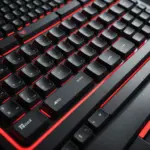
A wireless gaming keyboard can make a setup feel cleaner and more flexible without necessarily giving up the responsiveness associated with wired peripherals. The best choice depends on how you play, how much desk space you have, and whether the keyboard will also be used for work or everyday typing.
Rather than judging every model by its feature list, compare the areas that affect daily use most: connection reliability, input response, battery life, key feel, layout, and software support. A keyboard that excels for competitive play may not be the most comfortable option for a streamer, laptop user, or casual gamer.
Key features to compare
Wireless connection and latency
Most gaming-focused wireless keyboards use a dedicated USB receiver for a fast, stable connection. This is usually the better option for gaming than Bluetooth, particularly when minimizing input delay is important. Bluetooth remains useful for switching between devices, such as a desktop, laptop, or tablet.
Check whether the keyboard supports both connection types and whether it can also be used with a cable. A wired fallback is helpful when the battery is empty or wireless interference affects performance.
Battery life and charging
Battery performance varies with features such as backlighting, RGB effects, and wireless settings. A keyboard with impressive lighting may require more frequent charging than a simpler model. If you play for long sessions, consider how easy it is to check the remaining charge and whether the keyboard can continue working while connected by USB.
Switches and typing feel
Mechanical switches are popular because they provide distinct feedback and are designed for repeated use. However, they are not automatically the right choice for everyone. Membrane and hybrid designs can be quieter, less expensive, and more suitable for shared spaces.
When comparing reviews, look for descriptions of actuation, noise, key wobble, and comfort over extended sessions. The switch that feels fastest on paper may not be the most enjoyable if it is too stiff, too loud, or poorly suited to your typing style.
Layout and controls
Full-size keyboards provide a number pad and often leave room for dedicated media controls. They can be useful for streamers, productivity work, and games that rely on many shortcuts. Tenkeyless models remove the number pad to create more mouse space, while compact 60 percent designs save even more room by omitting additional keys.
Before buying a smaller keyboard, make sure you are comfortable using function layers or shortcuts for missing keys. Also check whether the layout matches your expectations, particularly if you frequently type as well as play.
Choosing a keyboard for your play style
- Competitive gaming: Prioritize a reliable USB receiver, low-latency performance, consistent key actuation, and a layout that leaves enough room for mouse movement.
- Streaming and content creation: Look for convenient media controls, programmable keys, comfortable long-session typing, and lighting or software features that suit your setup.
- Mixed gaming and productivity: Battery life, quieter switches, multi-device pairing, and a comfortable layout may matter more than extensive lighting effects.
- Compact desks: Tenkeyless and 60 percent keyboards can free up valuable space while retaining the essential controls needed for gaming.
- First-time buyers: A keyboard-and-mouse bundle can simplify setup and reduce the number of USB receivers on your desk.
Should you buy a wireless keyboard and mouse combo?
A matched wireless keyboard and mouse set is appealing when convenience and a coordinated setup are priorities. Some bundles allow both devices to share one receiver, which reduces cable and dongle clutter. They can also offer a straightforward plug-and-play experience for buyers who do not want to compare separate peripherals.
However, evaluate the two devices independently before choosing a bundle. A keyboard may have the right layout but a mouse that does not fit your hand, or a mouse may be responsive while the keyboard lacks the switch feel and controls you want. A separate purchase gives you more flexibility, while a bundle may provide better simplicity and value.
Finding value on a limited budget
A lower price does not automatically mean poor gaming performance. For an affordable wireless keyboard, focus first on connection stability, usable key rollover or anti-ghosting, dependable construction, and a sensible warranty. Basic lighting and fewer software features may be acceptable if the core typing and gaming experience is solid.
Be cautious of paying extra for effects you will not use. RGB customization, extensive macro support, and elaborate software can be useful, but they may also increase cost and reduce battery life. A simple keyboard with dependable wireless performance can be a better fit for casual gaming than a feature-heavy model.
How to read wireless gaming keyboard reviews
Use reviews to combine objective testing with personal comfort. Measured latency can help identify connection differences, but it should be considered alongside battery results, key consistency, noise, and long-session usability. Repeated complaints about disconnects, charging problems, or uncomfortable layouts deserve more attention than one isolated negative comment.
Also check what connection was used during testing. Results from a dedicated receiver may not represent Bluetooth performance, and lighting settings can significantly affect battery estimates. Finally, consider warranty coverage and support, since troubleshooting a wireless device can be more complicated than dealing with a basic wired keyboard.
Setup tips for reliable performance
- Place the USB receiver close to the keyboard, using a short extension if needed.
- Keep the receiver away from metal surfaces and potential sources of wireless interference.
- Install available firmware or driver updates when compatibility or performance improvements are provided.
- Reduce backlighting or enable a power-saving profile when you want longer battery life.
- Clean the keyboard regularly and keep a charging cable nearby for wired use when necessary.
The best wireless gaming keyboard is the one that matches your connection needs, preferred key feel, available space, and budget. Compare real-world reviews carefully, then give the greatest weight to features you will use every day rather than an impressive but unnecessary specification list.