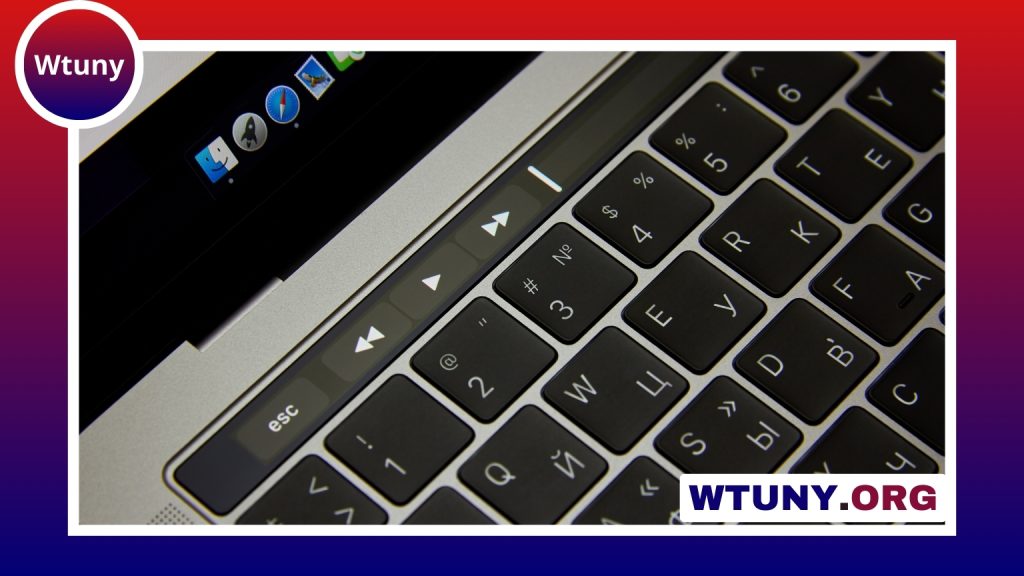
The best gaming mouse and keyboard combination is not necessarily the one with the longest feature list. It is the pairing that feels comfortable, responds consistently, and suits the games you play most often. A competitive shooter player may value a compact keyboard and lightweight mouse, while an MMO player may benefit more from extra keys and extensive remapping options.
Rather than choosing devices solely by appearance or brand, compare their layout, switches, shape, controls, connectivity, and software. The right combination can make everyday play more comfortable and give you easier access to the functions you use most.
What to look for in a gaming keyboard
Choose a layout that fits your desk and games
Keyboard size affects both available controls and desk space. A full-size keyboard includes a number pad and is useful if you need many dedicated keys. Tenkeyless models remove the number pad, leaving more room for mouse movement, while 75 percent keyboards provide a compact layout without removing as many essential keys.
Players who mainly use a mouse for aiming often prefer a smaller keyboard because it leaves more space for broad mouse movements. MMO and strategy players may instead appreciate the additional keys on a full-size model, particularly when they regularly use complex shortcuts or macros.
Understand mechanical switch types
Mechanical switches provide distinct feedback and can be selected according to personal preference:
- Linear switches: Smooth key presses with no tactile bump, often preferred for rapid repeated inputs.
- Tactile switches: Provide a noticeable bump during the press, making the actuation easier to feel.
- Clicky switches: Add an audible click as well as tactile feedback, though the sound may not suit shared spaces.
Switch choice is largely about control, comfort, and sound. If possible, try different switch types before buying, since specifications alone cannot predict which one will feel best during long sessions.
Consider useful keyboard features
Key rollover, build quality, key remapping, per-key lighting, and programmable profiles can all be valuable. Software is especially useful when you want separate configurations for different games. Wired keyboards are a straightforward choice for a stable connection, while wireless models can reduce cable clutter if their battery life and connection meet your needs.
How to choose the right gaming mouse
Start with shape and grip
A mouse should match the way you hold it. Palm, claw, and fingertip grips place different demands on its shape and weight. A larger, fuller design may suit a relaxed palm grip, while a smaller or lighter mouse can feel easier to control for claw or fingertip users.
Weight is also important. A heavier mouse can feel stable, but it may become tiring during long sessions or rapid movements. A lightweight mouse can make flicks and repositioning easier, although the best choice depends on your control preferences rather than a particular number on the specification sheet.
Prioritise reliable tracking
Look for a mouse with a dependable optical sensor, adjustable sensitivity, and consistent tracking across your mousepad. Adjustable DPI settings allow you to create different sensitivity stages—for example, a slower setting for precise aiming and a faster setting for general navigation.
Polling rate describes how often the mouse reports its position to the computer. A consistent polling rate can help the mouse feel responsive, but it should be considered alongside comfort, sensor performance, and software quality rather than treated as the only measure of performance.
Also check the primary buttons, scroll wheel, and side buttons. They should feel easy to press without requiring excessive force. Extra side buttons are particularly useful for games with many abilities, inventory commands, or shortcuts.
Match the combination to your play style
- Competitive FPS: A compact mechanical keyboard with responsive linear switches pairs well with a light, accurate mouse that allows broad, controlled movements.
- MMOs and RPGs: A full-size keyboard with programmable keys and a mouse with several side buttons can make frequently used abilities and commands easier to reach.
- MOBA and strategy games: Prioritise comfortable access to key commands, reliable key presses, and a mouse shape that remains comfortable during long sessions.
- Casual gaming and mixed use: Focus on comfort, sensible software, and a layout that works for both games and everyday tasks. Wireless devices may be appealing if reducing cables is important.
- Budget setups: Spend first on a comfortable keyboard layout and a mouse with dependable tracking. Extra lighting and advanced controls are less important if they do not support how you play.
Set up and maintain your devices
After choosing your hardware, create profiles for the games you play regularly. Map only useful functions to extra keys, set practical DPI stages, and avoid changing sensitivity so often that your muscle memory becomes inconsistent. If the keyboard supports adjustable actuation or debounce settings, make changes gradually and test them in real play.
Keep the keyboard free of dust and debris by cleaning the keycaps and surrounding areas periodically. Wipe the mouse, check the condition of its feet, and keep device software and firmware updated when appropriate. A consistent mousepad surface also helps maintain predictable glide and tracking.
Ultimately, the best gaming mouse and keyboard combination balances performance with comfort. Start with your games, grip, desk space, and preferred controls, then choose specifications that support those priorities. A well-matched pair will usually serve you better than two feature-heavy devices that do not feel natural to use.