
Choosing a keyboard is primarily a question of fit. The right choice depends on how you use your computer, how much desk space you have, the typing feel you prefer, and which features you will actually use. Brand reputation can help narrow the field, but the layout, switch technology, connectivity, and software often matter more than the logo on the case.
Start with your main use case
Identify the activity that matters most before comparing specific models. A keyboard for competitive gaming may prioritise responsive input and low-latency connectivity, while an office keyboard may need a comfortable feel, quiet operation, and a practical layout.
- Gaming: Look for dependable wired or wireless performance, responsive switches, anti-ghosting, and useful configuration controls.
- Office work and typing: Focus on comfort, noise level, key stability, and compatibility with your operating system.
- Data entry: A full-size layout with a dedicated number pad is usually more practical than a compact design.
- Small or portable setups: Tenkeyless, 75%, 65%, or 60% keyboards reduce desk space, though they may omit navigation keys or the number pad.
- Content creation and power use: Programmable keys, macro support, multi-device pairing, and reliable companion software can be valuable.
Keyboard features that deserve attention
Switch type and typing feel
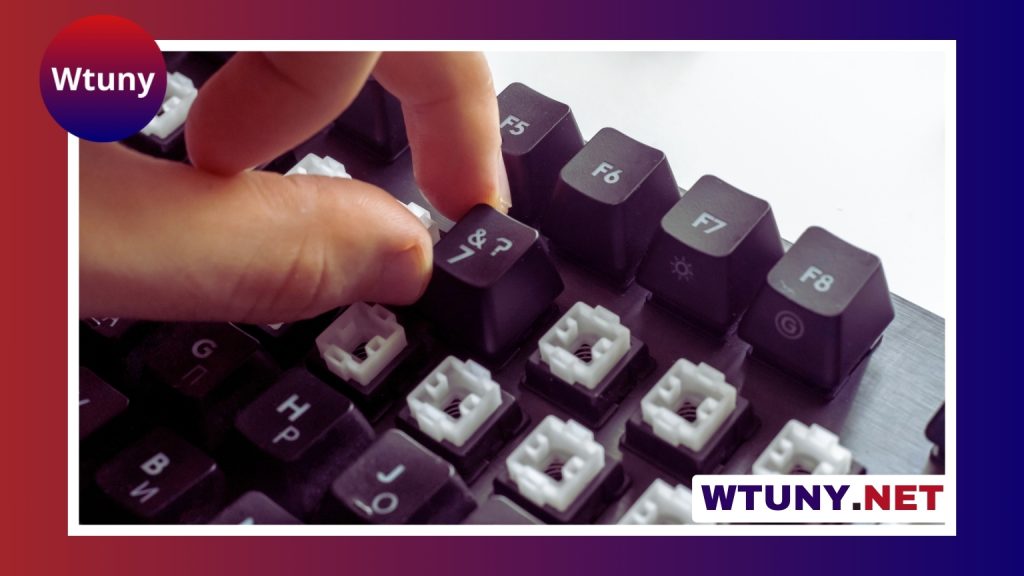
Mechanical switches use individual mechanisms beneath each key. Linear switches have a smooth press, tactile switches provide a noticeable bump, and clicky switches add an audible click. Mechanical keyboards offer many ways to customise feel, sound, and actuation, but they can cost more and may be louder.
Membrane keyboards use a shared pressure layer. They are often quieter and less expensive, making them suitable for basic office use or shared spaces. Their feel is generally less customisable than that of a mechanical keyboard. Optical and hybrid designs provide another option, particularly for users interested in fast actuation or alternative switch characteristics.
Layout and size
Keyboard size affects both functionality and mouse placement. Full-size models include the number pad and navigation cluster. Tenkeyless models remove the number pad, while 60% keyboards typically remove the function row and dedicated navigation keys. Compact layouts can make a desk feel less crowded, but confirm that you are comfortable using function layers or shortcuts for missing keys.
Connection, compatibility, and software
Wired keyboards avoid battery management and are straightforward to configure. Wireless models may connect through Bluetooth or a dedicated dongle, which is useful for multi-device workspaces and cleaner desks. Check the operating systems supported, the availability of Mac-specific keycaps or legends, battery requirements, and whether key remapping or lighting depends on desktop software.
Software quality is easy to overlook. A keyboard may have excellent hardware but become frustrating if its configuration tool is unreliable, limited, or required for basic functions. Hardware controls and onboard memory can be useful when moving between computers.
What different keyboard brands tend to emphasise
Brand strengths can provide a useful starting point, although each manufacturer may offer models outside its usual focus.
- Logitech and Corsair: Broad ranges covering gaming, office work, and productivity, often supported by established configuration software.
- Razer: Gaming-focused keyboards with strong attention to lighting, performance features, and proprietary switch designs.
- SteelSeries: Gaming and esports-oriented models, including designs focused on responsive performance and wireless use.
- Keychron: Compact mechanical keyboards, Mac compatibility, hot-swappable options, and layouts suited to home or remote work.
- Ducky and Varmilo: Enthusiast-oriented keyboards known for compact formats, decorative designs, and attention to keycaps and construction.
- Filco and Leopold: Straightforward mechanical keyboards aimed at users who value durability and a refined typing experience.
Examples of models by category
Model families can help illustrate the range of choices. Logitech’s G915 and G413 lines represent different approaches to gaming keyboards, while Corsair’s K70 and K95 families add mechanical switches and gaming-focused features. Razer’s Huntsman and BlackWidow lines demonstrate the distinction between optical and more traditional mechanical designs.
For compact mechanical layouts, the Keychron K2 and K6, Ducky One 2 Mini, and Anne Pro 2 are examples worth comparing. Users seeking a more traditional typing experience may look at the Filco Majestouch or Leopold FC families. These examples should be assessed by their exact configuration, since switch type, size, connectivity, and included features can vary between versions.
Build quality and customisation
Construction affects both longevity and sound. Pay attention to the case, plate, keycap material, stabilisers, and the overall amount of flex. PBT keycaps are often selected for their texture and resistance to developing a polished surface. Hot-swappable circuit boards allow switches to be changed without soldering, making them useful for anyone who wants to experiment.
Enthusiast keyboards may also include gasket-mounted plates, internal dampening, tuned stabilisers, and programmable firmware. These features can improve the feel or sound, but they are not automatically necessary for a comfortable everyday keyboard.
How to compare before buying
- Choose the required layout and decide whether you need a number pad.
- Select a preferred switch feel and an acceptable noise level.
- Decide between wired, Bluetooth, and dongle-based wireless use.
- Check operating-system compatibility and the quality of configuration software.
- Compare keycap quality, warranty coverage, replacement parts, and customer support.
- Read reviews that discuss sound, stabilisers, wireless reliability, and long-term use—not just specifications.
If possible, test several switch types in person. A keyboard that looks ideal on paper may feel too stiff, too loud, or too compact for your habits. The best match is the one whose layout and typing experience remain comfortable throughout the tasks you perform every day.
Related Guides
- Are Ducky Keyboards Good
- Black Widow 75
- Duck Keyboard
- Ducky Keyboard Change Lighting
- Filco Majestouch 2 Keyboard
- Hero Aulastar
- Hyperx Fury X Ram
- Is The Razer Huntsman Mini Wireless
- Keyboards Like Wooting
- Logitech Mx Master Series
- Logitech Pro Headset
- Logitech Sound System For Pc
- Logitech Touch Mouse
- Mx Cherry Red Silent
- Naya Keyboard
- Surface Pro 6 Keyboard
- Via Software Keyboard






