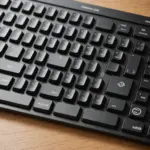
A retro wireless mouse combines nostalgic styling with the convenience expected from a current desktop accessory. Rounded profiles, muted colors, metal details, and other vintage-inspired touches can give a workspace more personality, while wireless connectivity keeps the desk clear of cable clutter. Confirm the retro wireless mouse's brand specific compatibility to ensure it supports your mainstream model and features.
Appearance is only part of the decision, however. The best choice should also feel comfortable, track reliably, connect easily to your devices, and provide the controls you actually use. By comparing the design with the underlying hardware, you can find a retro-style mouse that works as well for everyday tasks as it looks on your desk.
Why choose a retro wireless mouse?
The main attraction is often visual. A vintage-inspired mouse can complement a classic keyboard, wood-finish desk, muted-color accessories, or a carefully themed home office. Unlike a purely decorative accessory, a wireless mouse can also provide practical benefits for daily computing.
- Less cable clutter: Wireless operation keeps the area around a laptop or desktop tidy.
- Flexible placement: You can use the mouse comfortably without routing a cable across the desk.
- Modern tracking: Optical sensors are designed for accurate cursor movement during browsing, office work, and general creative tasks.
- Personal style: Retro shapes and finishes make an otherwise ordinary peripheral part of the room’s design.
Some models pair their classic appearance with curved shapes intended to fit the hand comfortably. That is not guaranteed by the styling alone, so size, grip, and button placement still deserve close attention.
Features to compare before buying
Wireless connection
Most retro wireless mice use either Bluetooth, a 2.4 GHz USB receiver, or both. Bluetooth is convenient for compatible laptops, tablets, and other devices because it does not require a free USB port. A dedicated receiver can be useful with desktop computers and may offer a direct, dependable connection for everyday use.
Some models are designed to switch between multiple devices, while others support only one connection method. Check the product specifications rather than assuming that a particular retro design will work with every computer or tablet.
Sensor and cursor control
For office work and web browsing, a dependable optical sensor and smooth movement are usually more important than a high maximum DPI figure. If you edit images, work across large displays, or frequently change between detailed and broad cursor movements, adjustable sensitivity may be useful.
A smooth scroll wheel is also worth checking. It can make long web pages, documents, and spreadsheets easier to navigate, especially when the mouse will be used for several hours at a time.
Power and battery life
Retro wireless mice may use rechargeable batteries or replaceable cells. Rechargeable models reduce the need to keep spare batteries available, while replaceable-battery designs can be returned to service quickly when power runs low. Look for clear information about charging, battery replacement, and expected operating time. For a coordinated setup, pair the retro wireless mouse with a matching laptop keyboard for comfortable everyday typing.
Buttons and software
A minimalist design may include only the standard buttons and scroll wheel. That layout can be ideal for simple use, but it may not suit someone who relies on side buttons, middle-click actions, or programmable shortcuts. If customization matters, confirm whether the manufacturer provides configuration software and whether that software supports your operating system.
Compatibility and setup
Setup is generally simple, but compatibility depends on the particular model. Bluetooth versions can be paired through the device’s normal settings. A USB-receiver model typically requires the receiver to be connected to the computer before the mouse is switched on or paired.
Before purchasing, verify support for the platform you use most, such as a Windows PC, Mac, iPad, Android tablet, or another compatible device. Basic cursor movement may work without additional software, while button remapping, gesture controls, or device switching may require a manufacturer utility that is available only on selected platforms.
If the mouse is supplied with a proprietary receiver, check how that receiver works and whether it can also connect a compatible keyboard. Do not assume that every receiver can be shared across peripherals, even when the products come from the same brand.
Where a retro mouse fits best
For email, documents, spreadsheets, and browsing, comfort and reliable tracking are the key considerations. A compact model can work well in a living-room media setup or beside a laptop, while a larger shape may be more comfortable for extended desk work.
For photo editing or light video work, prioritize a precise sensor, adjustable sensitivity, and a wheel that feels controlled. If the main goal is a coordinated desk aesthetic, finishes such as metal-colored accents or textured surfaces may matter more, but they should not outweigh an uncomfortable shape or limited controls.
Care and maintenance
- Clean the sensor area and mouse feet periodically so tracking and movement remain smooth.
- Use a soft, slightly damp cloth on textured or coated surfaces, and avoid harsh cleaning chemicals.
- Follow the recommended charging instructions for rechargeable models.
- Replace batteries when needed and remove them if the mouse will be stored for an extended period.
- Check the manufacturer’s support information for firmware updates or troubleshooting guidance.
Final buying advice
A retro wireless mouse is at its best when its appearance and performance support each other. Start by choosing a shape that suits your hand and the way you work, then compare connection options, sensor control, power requirements, button layout, and operating-system support. A stylish finish can make the accessory enjoyable to use, but dependable compatibility and comfort are what make it a practical daily mouse.