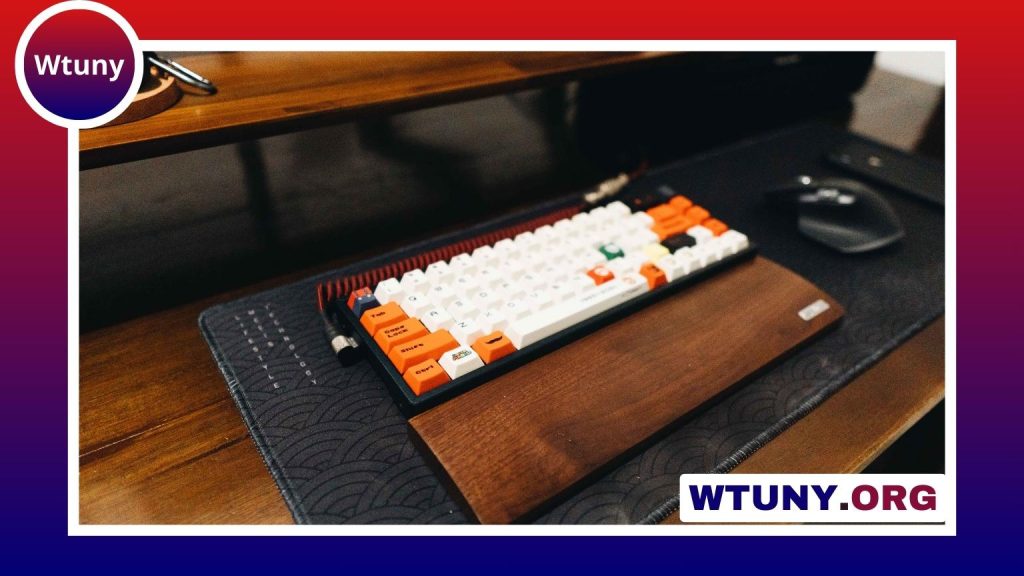
A mouse and mousepad work as a pair. The mouse determines how movement is detected and controlled, while the pad provides the surface that supports tracking, comfort, and consistent gliding. Choosing them together is especially useful when building a tidy wireless workstation with a wireless keyboard, whether you mainly work with documents, edit creative projects, play games, or move between locations.
Why the mousepad matters
A mouse sensor can feel noticeably different depending on the surface beneath it. A suitable mousepad gives movement a predictable feel and can make precise pointing easier. It also provides a more comfortable, consistent area than a bare desk, which may have dust, uneven textures, or reflective sections that interfere with tracking.
The right pad should give you enough room to move without repeatedly hitting its edges. A larger surface can also let your keyboard and mouse share one stable area, reducing abrupt changes in height or position as you move between them.
Match the pad to the mouse
Mouse design, sensor technology, weight, and shape all affect which pad feels best. There is no single material that suits every user, so consider how you control the mouse and what kind of movement your tasks require.
Cloth mousepads
Cloth pads are a versatile choice for office work, general use, and detailed creative tasks. Their textured surfaces provide controlled movement and are often comfortable during long sessions. They are available in many sizes, including desk-length versions that accommodate both a keyboard and mouse.
Hard mousepads
Hard pads typically provide a smoother, faster glide. They may appeal to users who make broad, rapid movements, including some gamers. Their firm surface is also easy to wipe clean, although the feel can be less padded than that of a cloth model.
Ergonomic mice
Vertical and other ergonomic mice are designed around hand and wrist comfort rather than maximum speed. Make sure the pad is large enough for the mouse’s shape and movement pattern. A padded or slightly thicker surface may be preferable if you want additional support, but the mouse should still move freely without catching on the pad’s edges.
Think about size, speed, and control
Choose the pad’s size according to your sensitivity settings and available desk space. A compact pad may be sufficient for a laptop or a small workstation, while a larger model is more practical for low-sensitivity mouse use or frequent movement across a wide area.
- Small: suitable for limited desks and light pointing tasks.
- Medium: a balanced option for everyday office work and general use.
- Large or extended: useful when you want room for broad movements or space for both a keyboard and mouse.
Also consider the mouse’s weight and feet. A heavier mouse may feel more controlled on a smooth, durable pad, while a lightweight mouse can benefit from a surface that offers enough texture to prevent movements from feeling overly loose. If possible, test the mouse on more than one material before making a final choice.
Wireless setup considerations
Wireless mice generally connect through Bluetooth or a dedicated USB receiver. Bluetooth can preserve USB ports, while a receiver may be preferable when you want the mouse to respond through a dedicated connection. Check the mouse’s connection method against your computer and the rest of your desk equipment before buying.
Receiver placement also matters. Keep a USB receiver clear of unnecessary obstructions and avoid burying it behind a crowded cluster of devices. If the computer is positioned far from the mouse, a USB extension can help place the receiver closer to the working area.
Charging mousepads are another option for compatible mice. They can reduce the need to connect a charging cable or replace batteries during long sessions, but they may be thicker and can have a different glide than a standard pad. Confirm that the mouse supports the charging system before choosing one.
Choose for the way you work
Office and everyday productivity
Comfort and reliable navigation are usually more important than maximum speed. A medium cloth pad, or an extended pad that keeps the keyboard and mouse on one surface, can make frequent switching between typing and pointing feel more natural.
Photo and video editing
Detailed work benefits from controlled movement and a surface with a consistent texture. A mouse with adjustable sensitivity paired with a densely woven cloth pad can help with careful selections, timeline work, and other tasks requiring fine control.
Gaming
Gamers often compare pads by glide, stopping control, and available movement area. A hard, low-friction pad may suit fast movements, while a cloth pad can offer more resistance and cushioning. Prioritize a consistent surface and enough room for your preferred sensitivity rather than choosing based only on appearance.
Travel and remote work
A compact wireless mouse and rollable or foldable cloth pad are easy to carry with a laptop. A portable pad also provides a predictable surface when a temporary desk has an uneven or reflective finish. Store the mouse receiver safely so it does not become separated from the device.
Maintenance and buying checklist
Dust and debris can affect both glide and tracking. Clean a cloth pad according to its care instructions, typically using mild soap and allowing it to dry fully before use. Hard pads can usually be wiped with a damp cloth. Clean the mouse sensor area and feet periodically, and replace worn feet if the mouse begins to drag.
- Choose a mouse shape that feels comfortable in your hand.
- Select a pad large enough for your normal range of movement.
- Compare cloth and hard surfaces according to your preferred glide and control.
- Check wireless compatibility, battery type, and charging requirements.
- Inspect the pad’s edges and surface quality, not just its design or lighting.
The best mouse and mousepad combination is the one that matches your hand, movement style, desk, and daily tasks. Evaluating those practical details first will create a more comfortable and dependable wireless workspace.