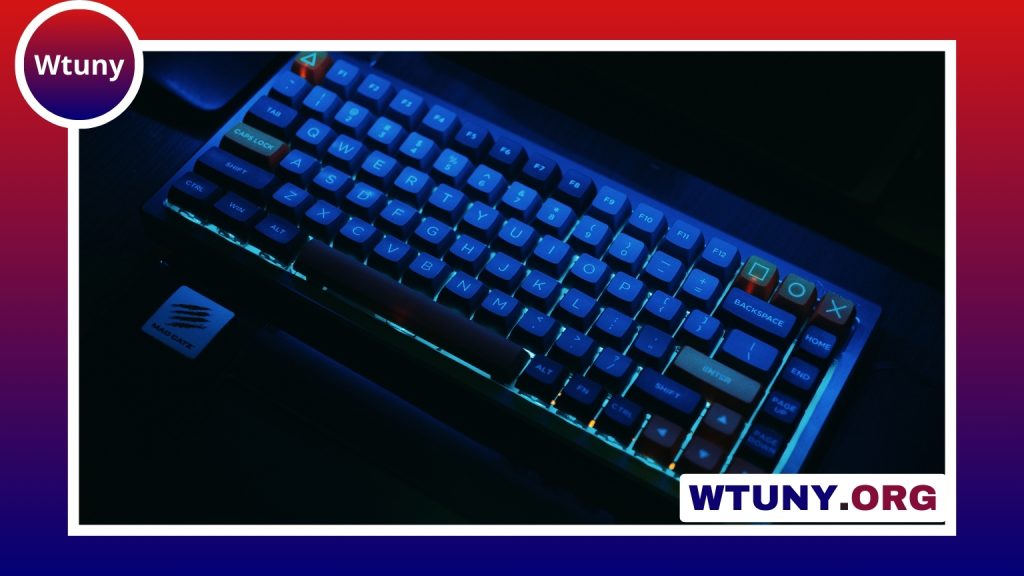
A backlit keyboard uses built-in lighting to make the key legends easier to see and to add visual customization to a desk setup. It can be useful in a dim room, during late-night work, or when you want quick visual access to frequently used keys. Models range from simple single-colour designs to advanced RGB keyboards with individually controlled keys.
How backlit keyboards work
Most backlit keyboards use LEDs positioned beneath the keycaps or around the keyboard’s internal frame. Light passes through or around the keycaps, illuminating the printed legends and sometimes creating a glow beneath the keys.
The lighting arrangement affects both appearance and visibility:
- Single-colour backlighting: Provides straightforward illumination, often in white or one fixed colour.
- RGB lighting: Allows a broad range of colours and animated lighting effects.
- Per-key lighting: Lets you assign colours or brightness levels to individual keys.
- Zone lighting: Divides the keyboard into sections that can be controlled separately.
- Edge lighting: Uses light around the keyboard’s frame to create ambient illumination rather than lighting every legend directly.
Direct lighting beneath the keys can provide more even visibility, while the quality of the keycap legends and the keyboard’s construction also affects how clearly the light appears.
Why use an illuminated keyboard?
The main practical benefit is improved visibility when the surrounding light is low. A backlit keyboard can help you identify keys without turning on bright overhead lighting, which is useful for home offices, shared rooms, and evening work.
Lighting can also support different activities. Gamers may use highlighted movement keys, shortcut keys, or macro keys. Creative professionals can assign colours to frequently used commands in image-editing, audio, or other software. Streamers and desktop enthusiasts may choose RGB effects primarily for appearance, while users who prefer a quieter design may want a simple, steady backlight.
Backlighting is not a substitute for large, high-contrast legends or good room lighting. If readability is the priority, compare the keycap design, font size, contrast, and brightness controls rather than judging a keyboard by colour effects alone.
Wired or wireless backlit keyboard?
A wired backlit keyboard receives continuous power through its cable. This avoids battery management and generally makes it easier to use brighter lighting or longer animated effects without worrying about runtime. A wired connection may also appeal to competitive players and fast typists who want a consistent connection.
Wireless models provide a cleaner desk and make it easier to move the keyboard between devices. Bluetooth can be convenient for connecting to multiple compatible devices, while some keyboards use a dedicated USB receiver. The trade-off is that wireless keyboards must manage power consumption. Depending on the model and lighting settings, battery life may be reduced when the backlight is bright or constantly animated.
Choose wired if uninterrupted lighting and a permanent workstation matter most. Choose wireless if portability, flexible placement, and a less cluttered desk are higher priorities.
Features to compare before buying
Lighting controls
Check whether the keyboard offers adjustable brightness, a quick way to turn the lighting off, and useful preset modes. RGB models may include per-key colours, reactive effects, and application-specific profiles, but advanced software is not essential if you only need basic visibility.
Key feel and layout
Lighting should not be the only deciding factor. Compare the keyboard’s switch type, key travel, noise level, layout, and presence of a number pad or dedicated controls. A keyboard that looks impressive but feels uncomfortable will not be a good fit for regular use.
Gaming and productivity support
For gaming, look for features such as dependable USB connectivity, n-key rollover, configurable profiles, and software that makes lighting and macros easy to manage. For productivity, shortcut indicators and application-based profiles may be more useful than animated effects.
Device compatibility
Confirm that the keyboard works with your computer or other intended devices. Some lighting features may depend on manufacturer software, and wireless models may offer different functions through Bluetooth, a USB receiver, or a wired connection.
Maintenance and accessibility
Dust and residue beneath the keycaps can reduce the visible brightness and make the keyboard harder to keep clean. Use compressed air carefully and follow the manufacturer’s guidance before removing keycaps. Keeping food and drinks away from the keyboard also helps protect both the switches and the lighting components.
For users who need stronger visual contrast, look for large, clearly printed legends, bright adjustable lighting, and keycaps designed to transmit light cleanly. The ability to dim or disable effects can reduce distraction and make the keyboard more comfortable in different environments.
Finding the right backlit keyboard
The best backlit keyboard depends on how and where you work. A simple single-colour model may be sufficient for occasional low-light typing, while a per-key RGB keyboard offers more control for gaming, creative work, and custom desktop setups. Compare lighting quality, key feel, connectivity, layout, software, and power requirements together. A keyboard that combines comfortable typing with lighting controls suited to your routine will provide more value than one chosen for visual effects alone.