
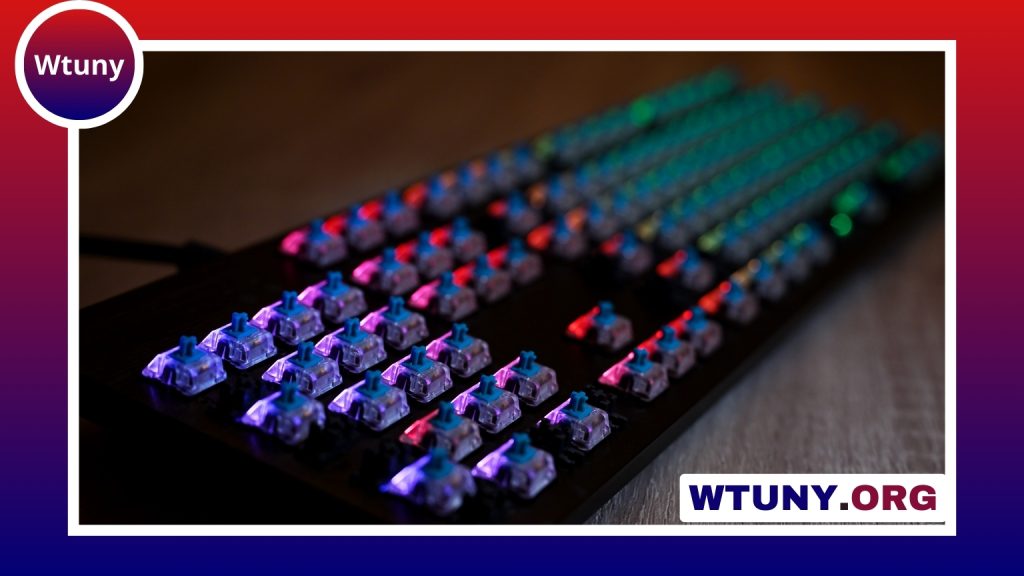
Mechanical vs. membrane keyboards: the main difference
The choice between a mechanical keyboard and a membrane keyboard comes down to more than personal preference. The two designs register key presses differently, which affects how the keys feel, how much noise they make, how easy they are to maintain, and how long they may remain useful. If you're comparing models, our guide explains mechanical switch types and how they affect typing feel.
Mechanical keyboards use a separate physical switch beneath each keycap. Membrane keyboards, sometimes called standard or regular keyboards, use rubber or silicone domes that collapse against a membrane to register a press. Neither design is automatically best for everyone. The right option depends on your work, games, environment, budget, and preferred typing feel.
How mechanical keyboards feel
A mechanical keyboard gives each key its own switch, allowing manufacturers to create different responses. The most common switch categories are linear, tactile, and clicky:
- Linear switches: Move smoothly from top to bottom without a tactile bump. They are often chosen by people who prefer a consistent press and by gamers who want a smooth, predictable response.
- Tactile switches: Provide a noticeable bump during the key press. This feedback can help typists recognise when a key has actuated without pressing it all the way down.
- Clicky switches: Combine tactile feedback with a distinct clicking sound. They can be enjoyable for users who like audible confirmation, but may be unsuitable in shared or quiet spaces.
Switches within the same category can still vary in resistance, travel, and sound. A tactile keyboard from one manufacturer may feel substantially different from another, so trying a keyboard in person can be useful before buying.
How membrane keyboards compare
Membrane keyboards generally offer a softer, more uniform typing experience. The keys may feel less sharply defined than mechanical switches, although the exact experience depends on the keyboard’s construction and build quality.
Their advantages are often practical. Membrane models are commonly affordable, quiet, and simple to use. They can be a sensible choice for basic office work, shared workspaces, school setups, or anyone who does not have strong preferences about key feel. Some are also designed with spill resistance or other features suited to everyday workplace use.
Gaming, writing, and everyday work
Gaming
Mechanical keyboards are popular with gamers because their switches provide clear feedback and can support features such as key rollover and anti-ghosting. These features may be valuable when a game requires several simultaneous key presses. Mechanical models also offer a wide range of switch responses and layouts.
However, a membrane keyboard can be perfectly adequate for casual gaming. If affordability, low noise, or a softer feel matters more than customisation, choosing a membrane model does not prevent you from enjoying games. When comparing mechanical keyboards, linear switch performance offers smoother actuation for fast-paced gaming and consistent key presses.
Typing and programming
People who write or code for long periods often appreciate the defined feedback of a tactile mechanical switch. Others prefer the gentler and quieter action of a membrane keyboard. Comfort depends on the individual, so a mechanical keyboard is not automatically less tiring or more accurate for every typist.
Office and shared spaces
Noise should be a central consideration. Clicky switches can be loud, while linear and tactile switches vary depending on their design and the way they are used. A quiet mechanical model with dampened switches may work in a shared office, but a membrane keyboard is often the simpler choice when keeping sound to a minimum is the priority.
Durability, maintenance, and customisation
Mechanical switches are designed for very large numbers of keystrokes and are generally associated with a longer service life than membrane designs. Many mechanical keyboards also make it possible to replace keycaps, and some models allow individual switches to be replaced. This can make cleaning, repairs, and personalisation more practical.
Membrane keyboards usually have fewer parts for the user to customise and may be less convenient to repair. On the other hand, their straightforward construction and lower purchase price can make replacement easy when the keyboard eventually wears out. Build quality varies in both categories, so the design label alone does not tell the whole story.
What to consider before buying
- Typing feel: Decide whether you want a smooth, soft, tactile, or clicky press.
- Noise: Consider other people nearby, especially in an office, classroom, or shared home.
- Budget: Membrane keyboards usually provide a lower-cost route, while mechanical models offer more switch and customisation choices.
- Layout: Choose between full-size, tenkeyless, compact, or other layouts based on whether you need a number pad and how much desk space you have.
- Gaming features: If you play games that require multiple simultaneous inputs, check for rollover and anti-ghosting features.
- Testing: If possible, try several switches rather than judging all mechanical keyboards by one example.
Which keyboard is right for you?
Choose a mechanical keyboard if you value distinct key feedback, switch variety, customisation, and long-term durability. A membrane keyboard may be the better fit if you want a quiet, affordable, low-maintenance option for general use.
There is no universal winner in the mechanical keyboard versus membrane keyboard debate. Compare the way each design feels with the tasks you perform every day, then balance comfort, noise, features, and price before making your decision.






