
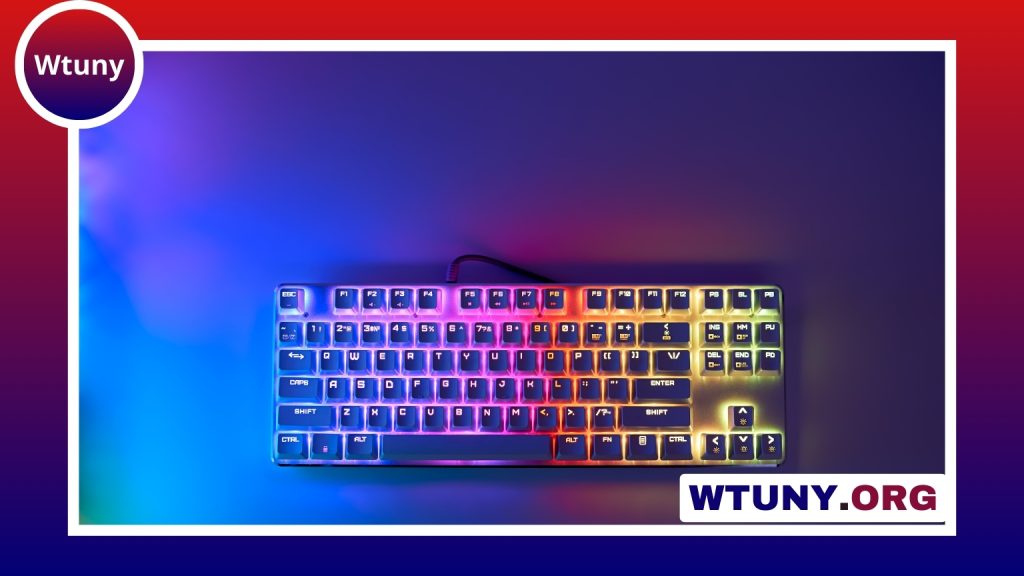
A computer keyboard can influence how comfortably and efficiently you work, study, create, or play. The best choice depends less on having the most features and more on finding the right combination of layout, key feel, connectivity, durability, and price. By understanding the main keyboard designs and matching them to your routine, you can avoid paying for features you will rarely use. See our pillar on keyboard basics for comprehensive explanations of switches, layouts, and maintenance for computers.
Start with the keyboard type
The mechanism beneath the keys has a major effect on typing feel, noise, maintenance, and cost.
- Membrane keyboards: These are common, affordable, and usually quiet. They are suitable for everyday office work, schoolwork, and general computer use.
- Mechanical keyboards: Each key uses an individual switch. Mechanical models offer a broader range of feedback and travel, and they are often selected by frequent typists, programmers, and gamers.
- Scissor-switch keyboards: Often associated with laptop-style designs, these have short key travel and a relatively slim profile. They can be a good choice for compact desk setups.
- Ergonomic keyboards: Split or tented designs are intended to provide an alternative hand and wrist position. They may take time to adjust to, but can suit people who place a high priority on desk comfort.
Layout is just as important as the key mechanism. A full-size keyboard includes a number pad, while compact formats remove some sections to save space. Smaller layouts can be convenient for travel or gaming, but make sure they still include the keys you use regularly.
Understand mechanical switch choices
Mechanical keyboards are commonly described by their switch response. Linear switches move smoothly from top to bottom. Tactile switches provide a noticeable bump as a key is pressed. Clicky switches add an audible click as well as tactile feedback.
There is no universally best switch. A clicky keyboard may be distracting in a shared workspace, while someone who enjoys audible feedback may find it satisfying. If possible, test a keyboard before buying or use a switch tester to compare the feel of different designs.
Features worth comparing
Once you have narrowed down the type and layout, consider the features that affect your daily use:
- Connectivity: Wired USB models are simple to set up and avoid battery management. Bluetooth keyboards reduce cable clutter and can be convenient when switching between compatible devices.
- Backlighting: Single-color or RGB lighting can make keys easier to see in dim conditions. Advanced lighting is useful only if you value the customization.
- Programmable keys: Macro keys and remapping can speed up repetitive commands for content creation, gaming, or specialized workflows.
- Media controls: Dedicated volume and playback controls can be convenient if you frequently adjust audio.
- Hot-swappable switches: Some mechanical keyboards allow compatible switches to be replaced without replacing the entire keyboard, which adds flexibility for customization and repair.
- Construction: Plastic cases are often lighter and less expensive, while heavier materials and reinforced construction may provide a more substantial feel.
Do not assume that a longer feature list means a better keyboard. Prioritize the functions that support your actual workflow. Readers comparing computer keyboards can also explore the Surface Laptop keyboard layout, shortcuts, and replacement considerations.
How much does a keyboard cost?
Keyboard prices vary considerably by design and construction. Basic membrane models for everyday tasks may cost roughly $10 to $20. Mid-range mechanical keyboards commonly fall in the $70 to $150 range, while premium or enthusiast models can cost $200 to $400 or more.
Wireless connectivity, custom keycaps, specialized switches, aluminum cases, programmable controls, and compact layouts can all affect the price. For many people, a reliable mid-range keyboard offers a practical balance between typing quality, durability, and cost. If you spend several hours each day typing, investing in comfort and construction may be more worthwhile than choosing the cheapest available model.
Match the keyboard to your routine
- Office work and study: Look for a quiet keyboard with a comfortable layout. A membrane or scissor-switch model may provide everything you need, especially if you use a number pad.
- Writing and programming: A mechanical keyboard with tactile feedback can appeal to people who want a more distinct response from each key. Noise level should be considered in shared spaces.
- Gaming: Mechanical switches, anti-ghosting, programmable controls, and optional lighting are common priorities. A wired connection may be preferred when minimizing input delay is important.
- Content creation: Custom shortcuts, macro keys, and media controls can reduce repetitive actions when editing or managing applications.
- Travel and small desks: Compact wireless keyboards save space and are easier to carry, though you should check whether the reduced layout affects your workflow.
- Ergonomic comfort: Split or tented designs may be worth considering if a conventional keyboard position does not feel comfortable.
Compatibility, cleaning, and care
USB keyboards are generally straightforward to connect, while Bluetooth models require pairing and may need to be switched between devices. Basic typing normally works without special software, although manufacturer software may be needed for lighting, macros, or custom profiles.
Keep a keyboard functioning well by disconnecting it before cleaning, brushing away loose debris, and wiping the surface with a soft, suitable cloth. Keycaps on many mechanical keyboards can be removed for more thorough cleaning. Membrane models require more care, since liquid or aggressive cleaning can damage the internal layers. If a key becomes sticky or unresponsive, clean around it before assuming the entire keyboard needs replacement.
Make the final choice
Focus on the layout, key feel, noise level, connection method, and comfort you need most. Try a keyboard in person when possible, because typing preferences are personal. A well-chosen computer keyboard should fit your workspace and habits rather than simply offer the largest number of specifications. With regular cleaning and sensible care, a dependable model can remain a useful part of your setup for a long time.






