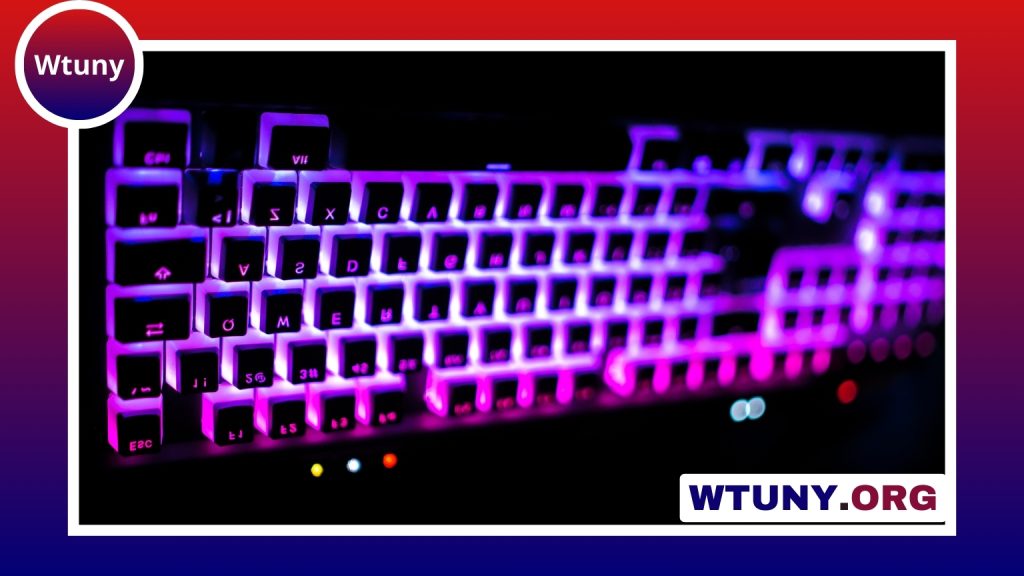
Shine-through keycaps are designed to let keyboard lighting show through the legends or other translucent areas of each key. They can make a backlit mechanical keyboard easier to read in low light while also giving the board a more defined appearance than underglow alone. Whether you are replacing worn keycaps, building a custom keyboard, or refining a desktop setup, the right set can change both the look and feel of the board.
What are shine-through keycaps?
On a shine-through keycap, the lettering, symbols, or selected sections of the cap allow light from the keyboard’s LEDs to pass through. When the backlight is switched on, the legends become illuminated rather than remaining dark against the key surface.
The result depends on both the keycaps and the keyboard beneath them. Per-key lighting usually produces more even illumination, while boards with LEDs positioned farther from the centre of each key may create brighter areas or hotspots. Shine-through keycaps improve the visibility of the available light, but they cannot completely change the lighting hardware or layout of the keyboard.
Why material matters
Keycap material affects texture, durability, sound, and the way the keycap handles daily use. ABS is widely used and can provide clear, bright legends, but its surface may become smoother and develop a noticeable shine as it is exposed to fingers over time.
PBT is often chosen by users who want a more textured surface and greater resistance to visible wear. PBT shine-through keycaps commonly combine an opaque outer shell with translucent legends or inserts. The exact result varies by manufacturer and production method, so material alone does not guarantee a particular brightness or finish.
Construction is another important consideration. Double-shot keycaps form the legend from a separate piece of material, which can create a clean, durable opening for light. Other keycaps use printed, coated, or etched legends. Check product details carefully if consistent backlighting is a priority.
Key factors when choosing a set
Start with compatibility rather than colour or lighting effects. A keycap set must match the switch stem and provide the correct sizes for your keyboard. Many mechanical keyboards use a Cherry MX-style cross stem, but not every keyboard follows that standard.
Layout support is equally important. A set made for a standard full-size board may not include the unusual modifiers or right-side keys required by a compact keyboard. Before buying, compare the included key sizes with your board, paying particular attention to:
- 60%, 65%, and 75% layouts
- ISO versus ANSI arrangements
- Split or non-standard spacebars
- Shortened Shift, Enter, Backspace, or bottom-row keys
- Additional keys required by your specific keyboard
Profile affects typing comfort and appearance. OEM, Cherry, and other sculpted profiles arrange rows at different heights and angles, while uniform profiles offer a more consistent shape across the board. Keycap thickness also influences the sound and may affect how much light reaches the legend. Thicker caps can produce a fuller sound, but they may not appear as bright as thinner alternatives.
Installing shine-through keycaps
Installation is usually simple. Disconnect the keyboard if appropriate, then use a keycap puller to lift the original caps straight upward. Align each replacement cap with the switch stem and press down gently until it is seated. Avoid twisting or forcing a cap, especially if the switch stem and keycap are not aligned.
For larger keys, stabilisers need extra care. If a spacebar or modifier does not sit correctly, remove it and check that the stabiliser bars and inserts are positioned properly before trying again. Keep the original keycaps until you have confirmed that the new set fits every key.
Getting better lighting results
Use the keyboard’s lighting controls to adjust brightness, colour, and effects. A static colour often makes legends easier to read, while animated modes draw more attention to the keyboard and can make brightness appear less consistent. Lowering the brightness may also reduce glare in a dark room.
Light-coloured keycaps generally reflect more illumination across the surface, while darker designs can create a stronger contrast between the legend and the surrounding cap. The best choice depends on whether your priority is maximum readability, a restrained appearance, or a particular desk theme.
Cleaning and long-term care
Remove loose dust with a soft brush or compressed air. For a deeper clean, take off the keycaps and wash them gently in warm water with mild soap. Rinse them thoroughly and allow them to dry completely before reinstalling them. Moisture left around the switches can cause problems.
Avoid harsh chemicals and abrasive scrubbing, which may damage coatings or reduce the clarity of translucent areas. Even PBT caps benefit from occasional cleaning, particularly on frequently used keys. Keeping the keyboard away from prolonged direct sunlight can also help protect colours and finishes.
Final buying checklist
- Confirm the switch-stem standard.
- Check the complete layout and key sizes.
- Choose a profile that suits your typing position.
- Compare legend construction and expected light transmission.
- Balance brightness, surface texture, sound, and appearance.
- Check the keyboard’s LED placement before expecting perfectly even illumination.
With the right compatibility checks and realistic expectations about the keyboard’s lighting hardware, shine-through keycaps can provide clearer legends and a more distinctive backlit setup without requiring a complete keyboard replacement.