A number pad is a dedicated group of keys for entering digits and performing basic arithmetic. It may be built into a full-size keyboard or used as a separate peripheral alongside a laptop or compact keyboard. Although many modern keyboard layouts omit the numeric section to save space, a number pad remains useful wherever fast, repeated number entry matters.
Why use a number pad?
The layout of a conventional number pad resembles a calculator, with digits arranged for quick access and commonly used arithmetic keys placed nearby. This arrangement can be more efficient than reaching across the top row of a standard keyboard, particularly when entering long sequences of figures.
A dedicated numeric section can be useful for:
- Entering figures in spreadsheets and accounting software
- Updating records or completing data-entry tasks
- Performing calculator-style arithmetic
- Entering prices, quantities, or codes in business applications
- Assigning shortcuts or macros in creative software and games
A full-size keyboard keeps the number pad permanently available, but it also takes up more desk space. A separate keypad offers a more flexible alternative: the main keyboard can stay centered in front of the user, while the numeric keys can be moved into position only when needed.
Common number pad designs
Integrated number pads
Full-size keyboards typically combine the alphanumeric keys, navigation keys, function row, and numeric keypad in one unit. This is a practical choice for people who enter numbers frequently and do not need to change their desk layout.
Standalone keypads
A standalone number pad connects separately through a wired or wireless connection. It can supplement a tenkeyless, compact, or laptop keyboard without requiring a larger primary keyboard. Depending on the model, it may include only numeric and arithmetic keys or add navigation and programmable keys.
Mechanical and compact models
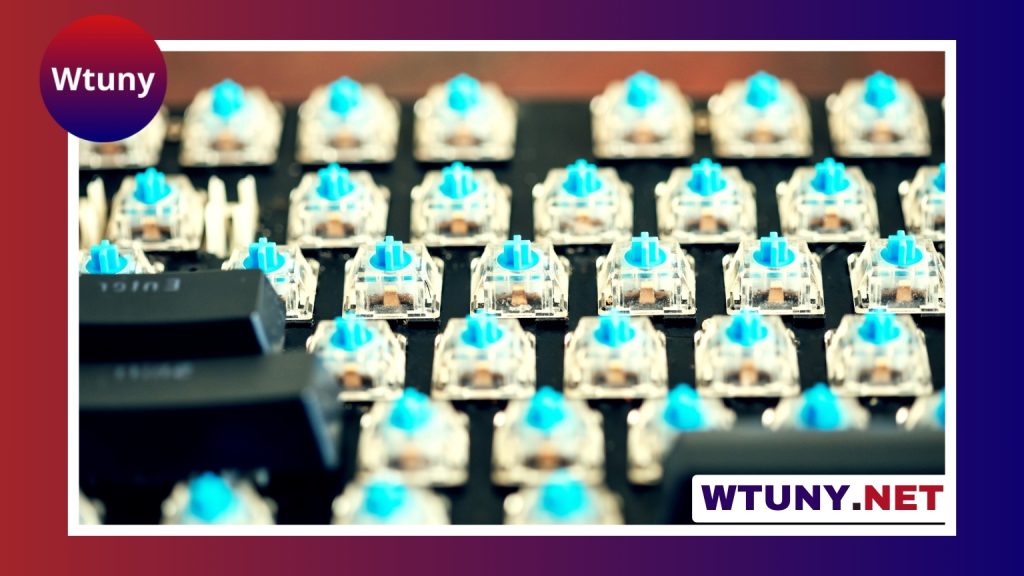
Mechanical number pads use individual switches beneath the keys. They may appeal to users who prefer a particular typing feel or want a keypad that matches a mechanical keyboard. Compact models reduce the amount of desk space required, while some designs focus on portability for use with laptops or multiple workstations.
How to choose a number pad
The best choice depends on how often you enter numbers, how much desk space you have, and whether you want the keypad permanently attached to your keyboard.
- Frequent numeric entry: An integrated number pad provides immediate access and avoids managing a separate device.
- Occasional use: A basic wired keypad can add numeric functionality without replacing a compact keyboard.
- Flexible workspaces: A wireless model can be positioned independently and may help reduce cable clutter.
- Custom setups: Look for programmable keys or macro support if the keypad will also control shortcuts.
- Mechanical keyboard users: Consider switch type, keycap style, and whether the keypad’s height matches the main keyboard.
- Limited desk space: A low-profile or compact design may provide the needed keys without occupying as much room as a full-size keyboard.
Wired, wireless, and compatibility considerations
Wired number pads commonly connect through USB and are straightforward to install. They draw power through the cable and avoid the need to manage a separate battery. Wireless models provide more freedom when positioning the keypad, but you should check their connection method, battery arrangements, and whether they support the devices you plan to use.
Basic number entry often works without additional software. However, programmable keys, custom layouts, lighting controls, and macros may depend on manufacturer software or drivers. If you intend to switch between a computer and a tablet, verify device compatibility and whether the keypad supports the required pairing method.
Placement and ergonomics
Placement can make a separate number pad more useful than an integrated one. Keep the primary keyboard centered relative to your body, then place the keypad close enough that you do not need to reach repeatedly. Many users position it on their dominant-hand side, although placing it on the opposite side can leave the dominant hand available for a mouse or other control.
Try to keep your wrist and forearm in a neutral position while entering numbers. Adjustable feet, a low-profile case, or a wrist rest can help the keypad sit at a similar height to the main keyboard. Matching the two devices reduces abrupt changes when moving between text and numeric entry.
Care and maintenance
Dust and debris can affect any keypad over time. Disconnect a wired model before cleaning, remove loose debris carefully, and follow the manufacturer’s guidance before removing keycaps. For wireless models, monitor the battery and keep any required software or firmware maintained. Inspect cables and connectors periodically, especially on a keypad that is moved frequently.
Finding the right balance
A number pad is not necessary for every keyboard user, but it remains a practical tool for repetitive numeric work. Choose an integrated design when constant access matters, or use a separate keypad when you want a compact keyboard and a more adaptable workspace. Considering layout, connectivity, key feel, placement, and frequency of use will help you select a number pad that fits both your tasks and your desk.