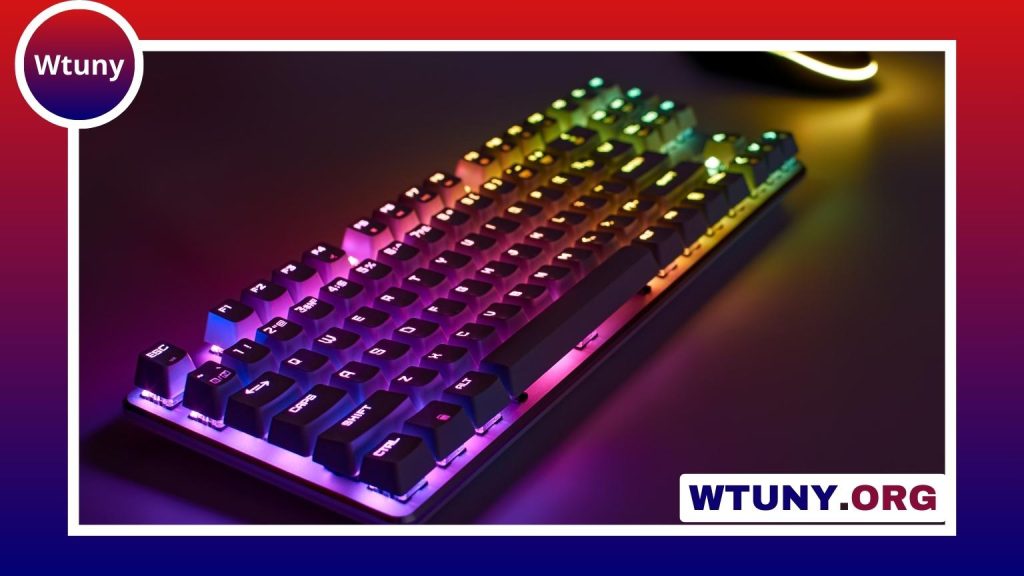
Keyboard size affects more than the amount of space a board occupies. The layout you choose can change how easily you enter numbers, reach navigation keys, position your mouse, and transport your setup. The main options range from full-size keyboards with a number pad to compact 60% models that place more functions behind keyboard layers.
What keyboard percentages mean
Keyboard percentages describe a layout in relation to a traditional full-size keyboard. The percentage is a useful shorthand, but it does not guarantee an identical key count or exact arrangement between manufacturers.
- 100% or full-size: Includes the main typing area, function row, navigation cluster, arrow keys, and numeric keypad.
- Tenkeyless (TKL): Removes the numeric keypad while keeping the function row and most dedicated navigation keys.
- 75%: Keeps the function row and arrow keys in a more tightly arranged layout, usually combining or compressing the navigation area.
- 65%: Removes the function row but generally retains arrow keys and a small selection of navigation keys.
- 60%: Removes the function row, navigation cluster, and often the arrow-key block. These functions are accessed through a function layer.
- 96%: Keeps nearly all of the keys found on a full-size board but compresses the spacing between sections to reduce width.
Typical keyboard dimensions and key counts
Exact measurements vary by brand, case design, wireless hardware, media controls, and included wrist rests. The following figures are useful planning estimates rather than fixed standards:
| Layout | Approximate key count | Typical size or footprint |
|---|---|---|
| 100% full-size | 104–108 keys | About 17–18.5 in (43–47 cm) wide and 5–7 in (12–18 cm) deep |
| TKL | About 87 keys | Often around 12–13.5 in wide |
| 75% | About 84–87 keys | Narrower than TKL because the keys are more tightly arranged |
| 65% | About 67–68 keys | Compact, with arrow keys commonly retained |
| 60% | About 61 keys | Often around 11–12 in wide |
When someone asks how long a standard computer keyboard is, a full-size model is commonly about 17 to 18 inches wide. A TKL or compact keyboard can reduce that width considerably, leaving more room for a mouse or other desk equipment.
Full-size versus compact layouts
Full-size keyboards
A full-size keyboard is the practical choice for frequent numerical entry. The dedicated number pad is useful for spreadsheets, accounting, data entry, and other tasks that involve entering many numbers. It also preserves the familiar separation between the typing area, navigation keys, and numeric keypad.
Tenkeyless keyboards
TKL models remove the number pad but retain the function row, arrow keys, and navigation cluster. This makes them a middle ground for people who want a conventional layout with a smaller footprint. The reduced width can also provide more space for mouse movement.
75%, 65%, and 60% keyboards
A 75% keyboard keeps more dedicated keys than a 65% or 60% board while arranging them closely together. It can suit users who want function keys and arrow keys without the width of a TKL keyboard.
A 65% board usually retains arrow keys but removes the function row and much of the navigation cluster. A 60% keyboard is even smaller and is often chosen for portability, minimal desk setups, or maximum mouse space. The trade-off is that commonly used functions may require a function-layer shortcut instead of a dedicated key.
Key count, switches, and layout standards
On a mechanical keyboard, each physical key normally uses one switch, so a 100% board with roughly 104–108 keys will have approximately the same number of switches. Extra controls, media keys, and layout differences can change the total.
ANSI, ISO, and JIS layouts also affect key shapes and placement. This matters when replacing keycaps or selecting a case, particularly on compact keyboards. Most full-size and TKL boards use familiar sizing for their main alphanumeric keys, but compact layouts may use unusual modifier sizes or a nonstandard bottom row.
How to choose the right keyboard size
- Choose full-size if you regularly use a numeric keypad or want every major key group in a familiar arrangement.
- Choose TKL if you want dedicated navigation and function keys but do not need a number pad.
- Choose 75% for a compact layout that still preserves many everyday keys.
- Choose 65% if arrow keys matter but you are comfortable using layers for function-row commands.
- Choose 60% when portability and a minimal footprint are more important than dedicated keys.
Before buying, measure the available desk space and account for accessories such as a wrist rest. Then consider your actual workflow: numeric entry favors a full-size or 96% design, while typing, gaming, and portable setups may benefit from TKL or smaller layouts. The best keyboard size is the one that provides the keys you use most without consuming space you need elsewhere.