
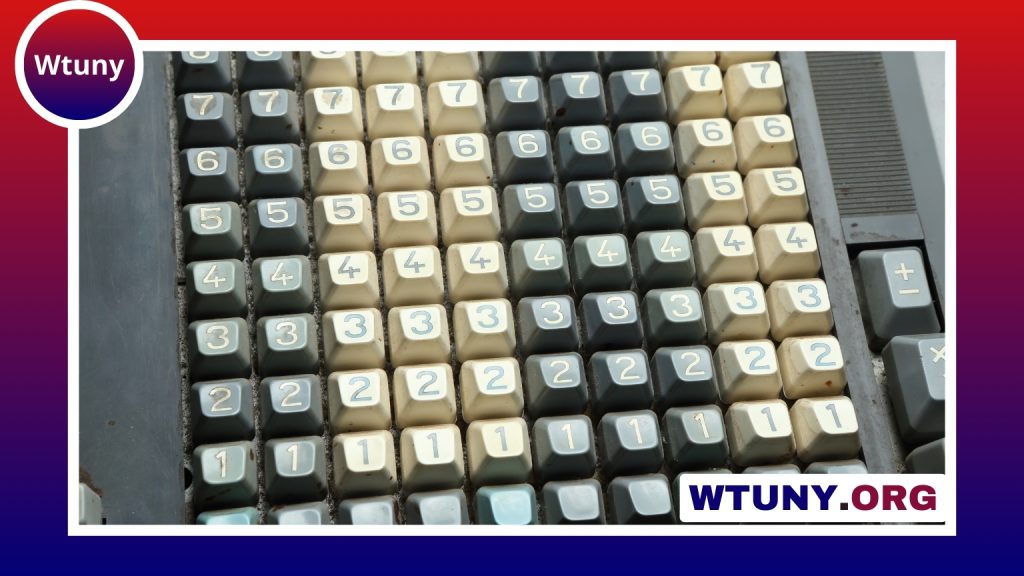
A keyboard gaming controller is designed for players who want the accuracy and flexibility of keyboard input in a more focused, ergonomic, or customizable format. Depending on the design, it may resemble a compact keyboard, combine a key cluster with a thumbstick, or add programmable controls to a conventional gaming keyboard.
These devices are useful when a standard keyboard feels too large, when frequently used commands need to be easier to reach, or when you want a control layout tailored to particular games. The best choice depends less on a feature list than on the games you play, the position of your hands, and how much customization you actually need.
What makes a keyboard gaming controller different?
A basic office keyboard is built primarily for typing. A gaming-oriented controller or keyboard typically gives greater attention to input consistency, compact layouts, key rollover, and customization. Many models also use mechanical switches, which provide a distinct feel and may be selected for their tactile response or lighter actuation.
Layouts vary considerably. A full-size model keeps the familiar number pad and navigation keys, while a compact device removes less-used sections to leave more room for a mouse. A dedicated gaming keypad may include only the keys needed for movement and actions. Some hybrid designs add a thumbstick or other controller-style input, allowing the player to use keyboard commands without keeping both hands in a traditional typing position.
Which games and setups benefit most?
Fast-paced games often reward a layout that makes movement, abilities, and combinations easy to reach. First-person shooters and multiplayer online battle arenas can benefit from responsive keys and a compact arrangement that leaves more desk space for mouse movement. In role-playing and strategy games, additional programmable buttons can make commonly repeated commands easier to access.
Macro controls can also be useful outside direct gameplay. Streamers and content creators may assign buttons to actions such as changing scenes, controlling audio, or triggering other software functions. However, macros should be used in accordance with the rules of the game or service being played.
A keyboard gaming controller can also suit a portable or shared setup. Smaller devices are easier to pack than a full keyboard, while hybrid models may appeal to players who regularly move between keyboard-and-mouse play and a traditional gamepad.
Keyboard, hybrid, or modular design?
Compact keyboard controllers
These retain the familiar key-based control scheme but remove keys that are rarely needed during gameplay. They are a practical option for players who already prefer keyboard input and want a smaller footprint.
Hybrid controllers
Hybrid devices combine a keyboard section with a thumbstick or another controller-style control. They may feel more natural to players who prefer thumb-based movement but still want dedicated keys for abilities, commands, or shortcuts.
Modular designs
Modular controllers allow parts of the layout to be rearranged, removed, or replaced. This flexibility can be valuable for enthusiasts who use different control schemes across several games, although a more complex design may take longer to configure.
Setting up a keyboard gaming controller on a PC
Start by connecting the device and confirming that the computer recognises its default inputs. Test the keys in a text editor or the manufacturer’s configuration software before changing the layout. If the device supports profiles, create one for each game or activity rather than constantly overwriting a single arrangement.
- Place movement and frequently used actions where they can be reached without stretching.
- Assign extra buttons only to commands you use regularly.
- Give profiles clear names so they are easy to identify.
- Save settings to on-board memory when available, especially if you use the device with more than one computer.
- Check whether actuation, lighting, or switch settings can be adjusted before changing them extensively.
If keys do not respond, check the selected device mode, connection type, active profile, and wireless status. Firmware or configuration software updates may address stability problems, but it is sensible to record your preferred settings before updating.
What to look for when buying
- Layout: Choose a full, compact, keypad-style, or hybrid arrangement that suits your hand position and desk.
- Switch feel: Tactile, linear, and other switch types produce different levels of feedback and sound.
- Build quality: A rigid case and dependable key construction matter if the device will be used frequently.
- Software: Remapping tools should be understandable and support the profiles you need.
- Connectivity: Compare wired and wireless operation, along with any limitations of the connection method.
- Replaceable parts: Swappable keycaps or switches can make future maintenance and personalisation easier.
- Support: Review the warranty and firmware support before committing to a specialised device.
Maintenance and everyday comfort
Keep the device free of dust and debris by cleaning around the keycaps regularly and following the manufacturer’s cleaning guidance. Wireless users should keep the receiver unobstructed and monitor the device’s power level. More importantly, choose a layout that allows a relaxed wrist and hand position. A controller with many features is not an improvement if its controls are difficult to reach or cause discomfort during longer sessions.
The right keyboard gaming controller should make your preferred games easier and more comfortable to control. Compare the layout, switch feel, customisation options, and connection method against your actual habits rather than choosing solely by the number of buttons. Testing the shape and key placement, when possible, is one of the most reliable ways to find a setup you will continue using.






