
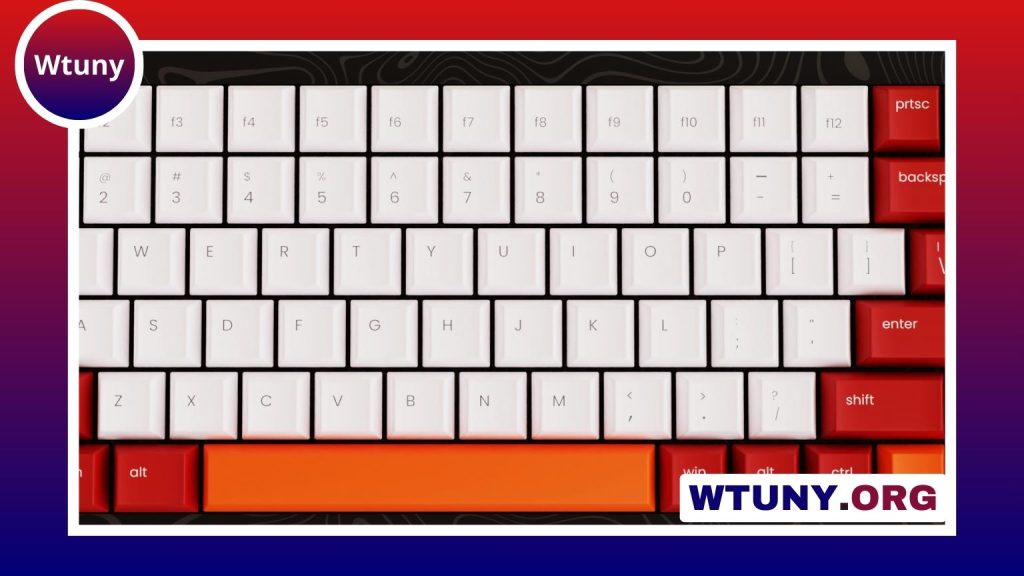
A budget 75% keyboard is a practical middle ground for people who want a smaller desk footprint without giving up the keys they use every day. This layout is more compact than a tenkeyless keyboard but usually keeps a dedicated function row, arrow keys, and several navigation controls. It can suit office work, gaming, studying, and general computer use while costing less than many premium mechanical keyboards.
Why choose a 75% keyboard?
The main advantage of a 75% layout is its balance between size and accessibility. Smaller keyboards can save valuable desk space, but layouts that remove the function row or arrow cluster may require shortcuts or unfamiliar key combinations. A 75% board keeps these controls within easy reach while reducing the width of the keyboard.
This compact arrangement can be useful for students, remote workers, gamers, and anyone working at a limited-size desk. It also leaves more room for a mouse, documents, or other equipment. If you are moving from a laptop keyboard or an inexpensive membrane board, a mechanical 75% keyboard may also provide a more deliberate and customizable typing experience.
Features to check before buying
Price alone does not determine whether a budget keyboard is a good choice. Focus on the features that affect how the board feels and how easily it can adapt to your setup.
- Switch type: Linear switches provide a smooth keypress, tactile switches have a noticeable bump, and clicky switches add a sharper sound and audible feedback. Your preferred option depends on typing style and noise tolerance.
- Hot-swappable sockets: These allow compatible switches to be replaced without soldering. They are particularly useful if you want to experiment with different feels later.
- Stabilizers: Large keys such as the spacebar, Enter, Backspace, and Shift should feel steady rather than rattling or wobbling.
- Keycap material: PBT keycaps are generally valued for their durability and resistance to developing a shiny surface. ABS keycaps are also common on lower-cost keyboards and may still be perfectly suitable.
- Connectivity: USB-C wired connections are straightforward for desk use. Bluetooth can be convenient for mobile devices, shared workspaces, or setups where fewer cables are preferred.
- Layout compatibility: A standard arrangement makes it easier to replace keycaps and find compatible accessories.
- Lighting: Single-color backlighting and RGB lighting can improve visibility or add customization, but lighting should not take priority over typing feel and construction quality.
Plastic or aluminum construction?
Case material is worth considering, but it should not be the only measure of quality. Aluminum can give a keyboard more weight and a firmer, more substantial feel. Some affordable models use an aluminum top section with a plastic base to control costs while adding rigidity where it matters most.
A full aluminum case may be appealing if you prefer a heavier board, but a well-designed plastic keyboard can offer better value than a poorly assembled aluminum model. Pay attention to the overall construction, key stability, and typing experience rather than choosing a material based on its name alone.
Using a budget 75% keyboard for work and gaming
For office work and long writing sessions, the compact layout preserves commonly used keys while freeing space around the keyboard. Switch choice, keycap shape, and stabilizer quality can have a greater effect on comfort than the case material.
Gamers may appreciate having dedicated function keys and arrow keys without moving to a larger tenkeyless or full-size board. The layout also works well for general shortcuts and commands. For content creation, the function row can remain useful for software shortcuts while the smaller footprint suits a compact or shared workspace.
Choose wired connectivity when a simple, consistent desktop connection is your priority. Bluetooth may be more useful when moving between devices or keeping a workspace uncluttered. Consider your actual routine rather than paying extra for connection options you are unlikely to use.
How to get the best value
Start with the typing experience you want, then narrow the options by layout and connectivity. If customization matters, prioritize hot-swap support, compatible keycaps, and a standard bottom row. If you want a keyboard that stays in one place, a heavier case may be worthwhile. If portability and price are more important, a solid plastic model may make more sense.
Before buying, look for user feedback about typing noise, stabilizer rattle, wireless behavior, long-term reliability, and support. These practical details can reveal differences that specifications do not show. The best budget 75% keyboard is not necessarily the one with the most features; it is the one that delivers the right combination of layout, feel, build quality, and connectivity for your daily use.






