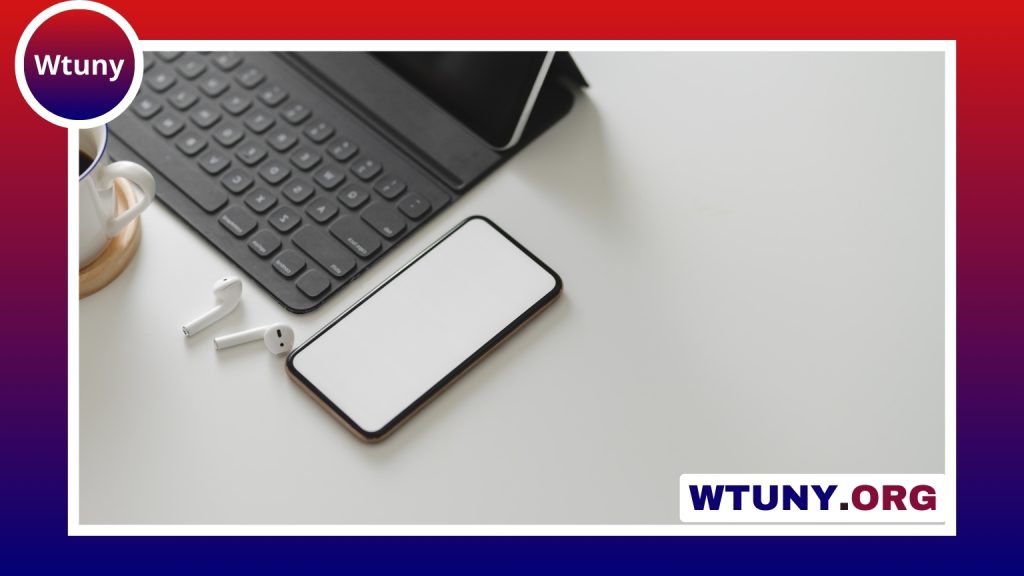
A wireless keyboard can make a desk more flexible, reduce cable clutter, and provide a more comfortable typing position. It can also serve very different purposes: a full-size keyboard may be ideal for office work, while a compact model can make a tablet or travel setup easier to use. The best choice depends on how you work, which devices you use, and how much you value portability, key feel, battery life, or specialist features.
Why use a wireless keyboard?
Removing the keyboard cable gives you more freedom to arrange your workspace. You can move the keyboard when switching between typing, reading, or presenting, and you can position a laptop at a more comfortable viewing height while using a separate keyboard.
Wireless models are also useful beyond a conventional desk. A compact Bluetooth keyboard can turn a tablet or phone into a more practical writing device, while a keyboard with a USB receiver can be used with a desktop computer, media setup, or gaming system. Many keyboards also support backlighting, programmable keys, media controls, and connections to more than one device.
Wireless connection options
Bluetooth
Bluetooth keyboards connect directly to devices that support Bluetooth, including many laptops, tablets, and phones. They are especially convenient for mobile setups because they do not require a separate receiver. Some models can store multiple pairings and provide a button or shortcut for switching between devices.
Before buying, check that the keyboard supports the operating systems and device types you plan to use. Key layouts and shortcut labels may differ between Windows, macOS, iOS, and Android, even when the keyboard can connect successfully.
2.4 GHz USB receivers
Keyboards that use a dedicated 2.4 GHz receiver generally connect by plugging a small USB dongle into the computer. This can offer a straightforward setup and is common among desktop and gaming keyboards. The receiver does, however, occupy a USB port and can be easy to misplace. Check whether it can be stored inside the keyboard when travelling.
Wireless performance depends on distance, obstructions, and nearby devices. Keeping the keyboard within the manufacturer’s recommended range and positioning the receiver where it has a clear connection can help avoid interruptions.
Choose a key-switch style
Mechanical keyboards
Mechanical keyboards use individual switches beneath the keys. Depending on the switch type, they can provide a pronounced tactile response, a smooth linear feel, or an audible click. They are popular with people who type frequently and with gamers who want a distinctive, responsive key action. Mechanical models are often heavier, taller, and more expensive than other designs.
Membrane and scissor-switch keyboards
Membrane keyboards are usually quieter and more affordable, making them suitable for shared workspaces and general office use. Scissor-switch designs are common in thin keyboards and tend to offer a short, stable key press. Both styles can be good choices for travel or for anyone who prefers a low-profile keyboard.
Trying a keyboard in person, when possible, is one of the best ways to judge key travel, resistance, noise, and spacing. Product descriptions alone cannot fully convey how a keyboard feels during extended typing.
Match the layout to your work
- Full-size: Includes a number pad and is useful for spreadsheets, accounting, and frequent numeric entry.
- Tenkeyless: Removes the number pad to save desk space while retaining the main navigation and function keys.
- Compact or 60 percent: Reduces the footprint substantially, which is helpful for travel or small desks, but may place navigation and function commands behind shortcuts.
- Ergonomic: May use a split, curved, or angled design to support a more natural hand position. Make sure you are comfortable with the layout before committing to it.
Features worth considering
Battery arrangements vary. Rechargeable batteries avoid regular disposable-battery purchases and are convenient for frequent use, particularly when the keyboard includes a wired mode or quick charging. Models with replaceable batteries can be useful when you want to keep a spare set available or expect to store the keyboard for long periods.
Backlighting helps when working in dim conditions, although it can increase power consumption. Media controls, programmable keys, and a dedicated number pad can speed up repetitive tasks. For gaming, look for a connection mode and performance specifications that suit your games, along with features such as anti-ghosting and the option to use the keyboard with a cable if needed.
Pairing and everyday maintenance
For Bluetooth, enable Bluetooth on the device, put the keyboard into pairing mode, and select it from the available devices. For a receiver-based model, insert the dongle and follow the keyboard’s connection instructions. If the keyboard supports multiple devices, label or remember each connection so switching remains simple.
Keep the keyboard free of dust and debris with a soft brush or brief bursts of compressed air. Clean spills promptly and follow the manufacturer’s cleaning guidance; never assume a keyboard is washable unless it was designed for that purpose. Replace disposable batteries before they leak, and recharge the keyboard before its battery is completely depleted when convenient.
Security and reliability
Wireless keyboards transmit what you type, so security matters in offices and other sensitive environments. When available, choose a model with encrypted wireless communication and a manufacturer-supported firmware update process. Keep the keyboard and receiver within their intended range, and investigate repeated dropouts before assuming the keyboard itself is faulty.
Final buying checklist
Start with your main use: office work, travel, gaming, media control, or multi-device typing. Then confirm the connection type, operating-system compatibility, layout, key style, battery arrangement, and physical size. A keyboard that feels comfortable and fits your routine will usually be more valuable than one with features you rarely use.
Related Guides
- Backlit Mac Keyboard Wireless
- Best Budget Wireless Keyboard And Mouse
- Bluetooth Keyboard For Iphone
- Keyboard Bluetooth Phone
- Remote Control Keyboard
- Super Slim Wireless Keyboard
- Wireless Keyboard Nearby
- Wireless Keyboard With Trackball
- Wireless Num Pad