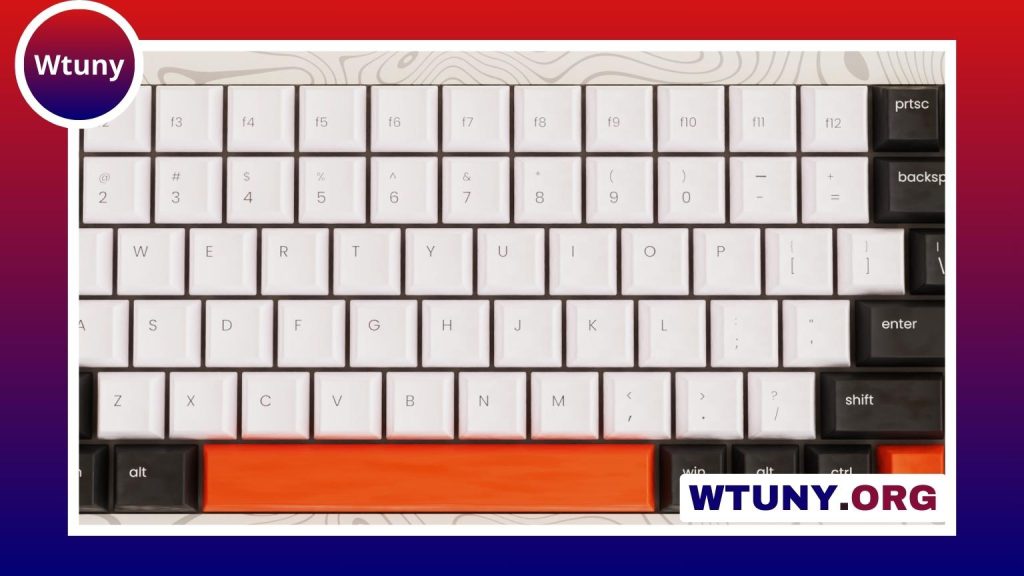
A tablet is convenient for browsing, reading, and watching videos, but extended typing can be slower and less comfortable on an on-screen keyboard. A portable keyboard adds physical keys without turning your tablet into a permanently bulky laptop replacement. With the right setup, you can write documents, answer email, take notes, and manage other everyday tasks more comfortably.
The best choice depends on how you use your tablet, how often you travel, and whether portability or typing comfort matters most. Size, connectivity, compatibility, battery life, and ergonomics should all be considered before you buy.
Why use a portable keyboard with a tablet?
Physical keys generally make longer typing sessions easier to manage than tapping on a screen. A separate keyboard can be useful for students, writers, remote workers, and anyone who regularly handles messages, documents, or spreadsheets on a tablet.
A separate keyboard also lets you position the tablet and your hands independently. When the tablet is placed on a stand at a suitable viewing angle, you do not have to keep looking down at the screen while typing. Adding a Bluetooth mouse can provide a more desktop-like setup when the tablet operating system and apps support pointer input.
Key features to compare
Size and layout
Compact keyboards are easier to carry, but smaller dimensions can mean reduced key spacing or an abbreviated layout. They work well for short notes, travel, and occasional email. If you expect to type for hours, a wider keyboard with familiar spacing may be more comfortable.
Folding models are particularly convenient when bag space is limited. A keyboard designed for a smaller tablet can also be practical, but check that the keys are not so cramped that accurate typing becomes difficult.
Connection type
Bluetooth is the most practical wireless connection for many tablets because it avoids a cable between the tablet and keyboard. Before purchasing, confirm that the keyboard supports your tablet’s operating system and that the tablet can pair with external Bluetooth accessories.
Some keyboard and mouse sets use a USB receiver instead of, or in addition to, Bluetooth. This may require an adapter or OTG support, so it is important to check the tablet’s ports and the accessory requirements. A model with multi-device pairing can be useful if you plan to switch between a tablet and a phone.
Battery and charging
Wireless keyboards may use rechargeable batteries or replaceable cells. Consider how frequently you want to charge the keyboard and whether the charging connection fits your existing cables. Battery indicators and automatic sleep features can make travel use more convenient, while a wired option avoids battery management altogether if your tablet supports it. Tablet users comparing portable keyboards may also appreciate quieter gaming setups for comfortable, distraction-free typing sessions.
Key feel and additional controls
Key travel, spacing, and resistance have a major effect on comfort. Scissor-style keys are often found in slim portable designs, while other keyboards may offer a more traditional feel. Backlighting can help in dim environments, although it may increase power consumption.
Look for shortcut keys that work with your tablet’s operating system, such as controls for volume, media, screen brightness, or navigation. These are helpful, but compatibility can vary between devices and software.
Keyboard covers, folding models, and standalone keyboards
A keyboard cover attaches to or fits around the tablet and may also provide protection or a built-in stand. It is convenient for users who want one integrated accessory, especially when the cover is made for a specific tablet model. The trade-off is that model-specific covers may be less flexible if you change devices.
Standalone Bluetooth keyboards offer greater freedom. You can use one with different tablets or a phone, and you can place it separately from the screen for a better posture. Folding keyboards are a middle ground: they pack down for travel while providing a physical typing surface when opened.
Choosing a setup for common uses
- Occasional typing: Choose a lightweight, compact keyboard that is easy to store and quick to pair.
- Study and writing: Prioritize comfortable spacing, dependable battery life, and a layout that resembles a standard computer keyboard.
- Business travel: Consider a durable keyboard cover or folding model with a stand, provided it fits your tablet securely.
- Phone and tablet use: Look for Bluetooth multi-device pairing so you can switch between devices without repeating the setup process.
- Desk-based work: Use a separate tablet stand and, if useful, a Bluetooth mouse to keep the screen and input devices in more comfortable positions.
Ergonomics and comfort
A keyboard cannot correct an awkward workstation by itself. Place the tablet high enough that you are not constantly bending your neck, and keep the keyboard at a height that allows your shoulders to relax. A slight rear elevation can make the keys more comfortable to reach, but avoid angles that force your wrists sharply upward.
For longer sessions, use a stable surface rather than balancing the keyboard and tablet on your lap. Take regular breaks, vary your posture, and pay attention to discomfort in your wrists, hands, neck, or shoulders. The best portable setup is one that remains comfortable after more than a few minutes of typing.
How much should you spend?
Lower-cost keyboards can be suitable for occasional use, but construction, key feel, and battery performance may be less consistent. Mid-range models often provide a useful balance of portability and comfort. Premium options may be worthwhile for frequent typists who need a sturdier build, improved ergonomics, or more refined controls.
Rather than choosing solely by price, match the keyboard to your routine. A compact model is sensible for travel and short tasks, while a more spacious wireless keyboard is usually a better fit for regular document work. Check the tablet’s compatibility, the keyboard’s dimensions, and the connection method before buying. With the right combination of keyboard, stand, and optional mouse, a tablet can become a practical mobile workstation without giving up its portability.