
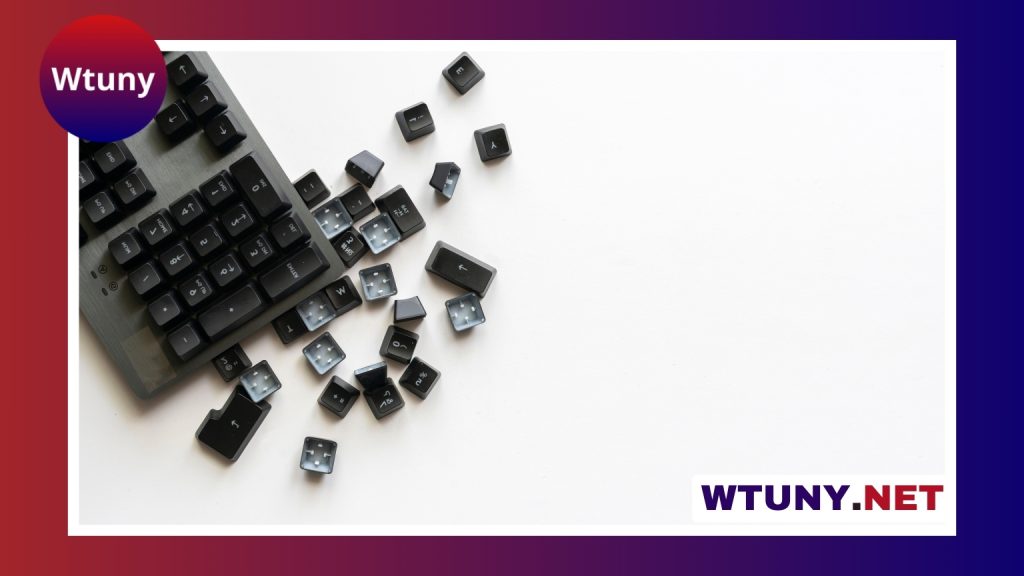
Keyboards differ in more than appearance and price. Their switches, layout, keycaps, connectivity, and programmable controls all affect how they feel and perform. The best choice depends on what you do most often, how much space you have, and whether comfort, quiet operation, portability, or customization matters most.
Choose a switch type based on feel and noise
The switch beneath each key is one of the most important differences between keyboard designs.
- Mechanical switches: Each key uses an individual switch, creating a more distinct and consistent typing feel. Linear switches move smoothly, tactile switches provide a noticeable bump, and clicky switches combine tactile feedback with an audible click.
- Membrane keyboards: These use rubber domes and a pressure-sensitive sheet. They are generally quiet and affordable, making them suitable for casual use or shared workspaces.
- Scissor and hybrid designs: These typically use low-profile keys with shorter travel and stable movement. They are common in laptops and compact desktop keyboards.
There is no universally best switch. Linear models may appeal to people who prefer an uninterrupted keypress, while tactile designs can make it easier to feel when a key activates. Clicky switches provide the clearest audible feedback but may be distracting in an office or shared room. If noise is a concern, a membrane keyboard or a mechanical model with quieter switches may be a better fit.
Compare keycaps and keyboard layouts
Keycap material and profile
Keycaps influence both the surface feel and the long-term appearance of a keyboard. ABS keycaps are often smooth and may develop a glossy shine with use. PBT keycaps generally have a more textured surface and tend to resist visible wear better. The quality of the keycaps supplied with a keyboard can vary, and many models allow them to be replaced.
Keycap profile describes the height and shape of each row. Profiles such as OEM, Cherry, and SA produce different angles and heights, which can change hand position and typing comfort. Because preferences are subjective, trying a keyboard—or at least its switch and keycap style—can be more useful than relying on specifications alone.
Size and layout
- Full-size: Includes the function row, navigation keys, arrow keys, and numeric keypad. This layout is useful for frequent data entry and number work.
- Tenkeyless: Removes the numeric keypad to reduce width and free more desk space while retaining the main navigation and function keys.
- Compact layouts: Designs such as 60-percent and 65-percent keyboards reduce or combine keys to prioritize portability and desk space. Some omit the function row or navigation cluster.
Before choosing a compact keyboard, consider how often you use the number pad, function keys, and navigation controls. A smaller model can make a desk less crowded, but it may require alternate key combinations or a separate numeric keypad.
Look for features that match your workflow
Programmable keys, remapping, and layers can turn a keyboard into a more flexible productivity tool. They allow users to assign shortcuts, create macros for repetitive actions, or switch between application-specific configurations. These features may be useful for coding, creative software, gaming, and any workflow involving repeated commands.
Hot-swappable switch sockets provide another form of flexibility. They allow compatible switches to be changed without soldering, making it easier to experiment with different key feels or replace a worn switch. Replaceable keycaps and programmable firmware can similarly help a keyboard adapt as your preferences change.
Decide how you want to connect and use the keyboard
Wired USB, Bluetooth, and dedicated wireless adapters are the main connectivity options described in keyboard designs. Wired connections avoid battery management and are often preferred where consistent low-latency performance is important. Bluetooth is convenient for mobile setups and can support connections to multiple devices, depending on the keyboard. Some models combine Bluetooth with a dedicated wireless connection.
Backlighting can improve visibility in dim conditions, while RGB lighting and per-key illumination provide additional customization. Lighting is primarily a visual feature, so it should not outweigh more important considerations such as switch feel, layout, or comfort.
Consider ergonomic and specialty keyboards
Ergonomic keyboards use alternative shapes or arrangements to support a more comfortable hand and wrist position. Split designs separate the two key clusters so they can be aligned more naturally with the shoulders. Tentable models raise the center of the keyboard, and ortholinear layouts arrange keys in aligned rows rather than the familiar staggered pattern.
These designs may reduce unwanted hand positioning for some users, but they usually require an adjustment period. Other specialty options include low-profile keyboards, standalone numeric keypads, one-handed models, and spill-resistant or industrial keyboards. The right choice depends on your physical needs, working environment, and available desk space.
Match the keyboard to your main activities
- Gaming: Consider the preferred switch response, connection type, build quality, and programmable controls.
- Writing and extended typing: Prioritize a comfortable layout, suitable tactile feedback, keycap feel, and ergonomic support.
- Office work: Quiet membrane or silent mechanical designs may be more appropriate for shared spaces.
- Coding and creative work: Remapping, layers, macros, and convenient access to frequently used shortcuts can improve efficiency.
- Portable setups: Compact dimensions, low-profile keys, and Bluetooth may matter more than a full set of dedicated keys.
When possible, test a keyboard before buying it. Switch weight, sound, keycap texture, and layout preferences are personal, and a short trial can reveal issues that a product description cannot. Also review durability, replaceable parts, and warranty terms. Comparing these specific keyboard types and features makes it easier to choose a device that suits your habits rather than simply selecting the most expensive or feature-heavy model.
Related Guides
- Buttons For Keyboard
- Creamy Sound Keyboard
- Detachable Keyboard Tablet
- Fun Keyboard
- Handheld Keyboard Instrument
- Ios Keypad
- Keyboard 104 Keys
- Keyboard Button Functions
- Keyboard Key Placement
- Keyboard Top Row
- Keyboard With Trackball
- Mechanical Keyboard With Touch Id
- Pc Keyboard Numbers
- Pos Keyboard
- Programmable Numeric Keypad
- Touch Screen Phone With Slide Out Keyboard
- Windows Surface Rt Keyboard






