
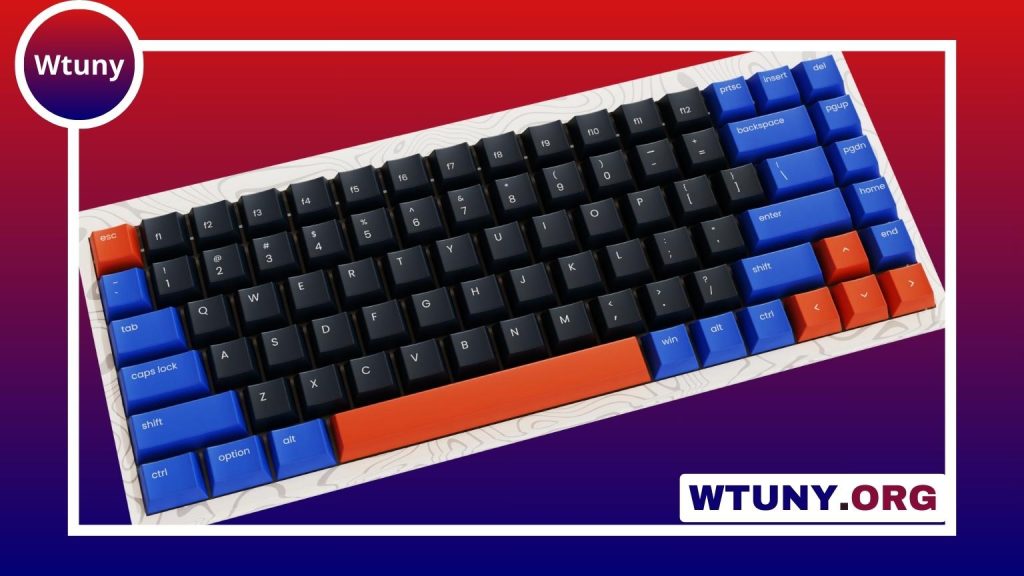
A Cherry MX Blue switch keyboard is designed for people who want every keystroke to feel and sound deliberate. Unlike linear switches, which move smoothly from top to bottom, MX Blue switches combine a noticeable tactile bump with a mechanical click during actuation. That combination makes them especially popular with typists, writers, editors, and keyboard enthusiasts.
The same characteristics that make Cherry MX Blue switches satisfying can also make them a poor fit for some environments. They are louder than non-clicky switches, and their tactile mechanism may not suit rapid, repeated inputs. Understanding the trade-offs is the best way to decide whether a blue-switch keyboard belongs on your desk.
What are Cherry MX Blue switches?
Cherry MX Blue switches are clicky mechanical switches with a tactile actuation point. They typically have approximately 4 mm of total travel, actuate near 2 mm, and require roughly 50 to 60 grams of force. Their internal click mechanism produces the characteristic sharp sound associated with a Cherry Blue keyboard.
They are also built for long-term use, with commonly cited ratings of up to 50 million actuations. Actual keyboard lifespan depends on the complete design, including the switches, circuit board, stabilizers, keycaps, and general handling, but the switch rating makes MX Blue a durable option for regular typing.
Typing feel and sound
The defining feature of MX Blue is the combination of physical and audible feedback. As you press a key, resistance increases until the tactile bump is crossed. The switch then actuates and produces a click, clearly indicating that the input has registered.
Many users enjoy this feedback because it makes typing feel controlled and precise. It can also discourage pressing each key all the way to the bottom, which may make long typing sessions feel more deliberate. However, preference is subjective: some people find the bump and click motivating, while others prefer the smoother motion of a linear switch.
Noise is the main practical consideration. The click is louder and sharper than the sound produced by linear or quiet tactile switches. In a private room, that may be part of the appeal. In an office, classroom, shared bedroom, or voice-chat setup, it may disturb other people or be picked up by a microphone.
Who should consider a Cherry MX Blue keyboard?
MX Blue switches are a strong match for users who spend much of their time writing, editing, coding, or entering text. The tactile bump and click provide clear confirmation for each press, which many typists find satisfying during extended sessions.
They can also work for gaming, but they are not universally ideal for it. The tactile event and reset behavior may feel less immediate for rapid repeated presses than a smooth linear switch. The sound can also become distracting during team communication. Gamers who value clicky feedback may enjoy them, while those focused on fast, uninterrupted inputs may prefer another switch type.
What to look for when buying one
The switches are only one part of a keyboard’s overall experience. When comparing prebuilt models or planning a custom build, consider the following:
- Layout: A full-size board includes a number pad, while tenkeyless and compact layouts leave more desk space available.
- Stabilizers: Large keys such as the space bar, Enter key, and Shift keys should feel steady rather than rattly.
- Keycaps: PBT and well-made ABS keycaps can change both durability and sound. Keycaps with compatible stems are easier to replace or customize.
- Construction: The case, plate, and mounting design affect firmness, resonance, and the way the switches sound.
- Hot-swappable support: A hot-swappable circuit board makes it easier to experiment with other switches without soldering.
- Lighting and features: Check whether the board includes the backlighting, connectivity, and layout features you actually need.
Two keyboards using the same Cherry MX Blue switches can sound noticeably different because of their cases, plates, keycaps, and internal materials. If possible, judge the complete keyboard rather than choosing based on the switch name alone.
Reducing noise and changing the sound
Modifications can adjust the overall sound, although they cannot remove the basic click without changing the switch. Case foam may reduce hollow resonance, while different keycaps can shift the tone. Thicker PBT keycaps often produce a deeper sound than thinner keycaps.
O-rings or soft landing pads can reduce the noise made when a key reaches the bottom of its travel. They do not eliminate the switch’s internal click, so they are best viewed as a way to soften bottom-out noise rather than turn an MX Blue keyboard into a quiet one. Lubrication and switch films are also used by keyboard enthusiasts to refine movement and stability, but modifications should be undertaken carefully because they can alter the original feel.
Advantages and disadvantages
Advantages
- Distinct tactile feedback and a clear audible click
- Engaging feel for typing and text-heavy work
- Long-rated switch life
- Available in both prebuilt and custom mechanical keyboards
Disadvantages
- Noise can be disruptive in shared or quiet spaces
- The tactile mechanism may not suit rapid gaming inputs
- Sound and feel vary substantially between keyboard builds
- Reducing the click without replacing the switches is difficult
Is Cherry MX Blue right for you?
Choose a Cherry MX Blue keyboard if you want a pronounced tactile bump, a crisp click, and strong sensory feedback while typing. If quiet operation, rapid repeated inputs, or a softer keypress is more important, compare non-clicky tactile or linear switches instead. Your workspace, tolerance for sound, preferred layout, and willingness to modify the keyboard should all influence the final decision.






