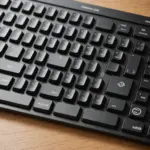
The RK Royal Kludge RK61 is a compact mechanical keyboard designed for users who want a smaller, more portable alternative to a traditional desktop board. Its 60 percent layout removes the number pad and dedicated function row, leaving more room for a mouse or other desk accessories. In exchange, several commands are accessed through the Fn key and secondary key layers.
That design makes the RK61 appealing for gaming setups, minimalist workstations, students, and anyone who regularly carries a keyboard between locations. It is not intended to replace every feature of a full-size keyboard, but it offers a practical balance of size, mechanical key switches, wireless flexibility, and affordability.
Compact design and everyday build quality
The RK61 uses a small plastic chassis that is light enough for travel while remaining suitable for everyday desktop use. Its reduced footprint is especially useful on crowded desks or beside a laptop. The keyboard generally has a clean, understated appearance, with backlit versions adding RGB lighting and preset effects controlled through keyboard shortcuts or software, depending on the model.
Most versions use replaceable keycaps, making it possible to change the appearance or experiment with a different keycap profile. The standard construction is functional rather than premium: buyers should expect a lightweight entry-level board rather than a heavy aluminum keyboard. Even so, the compact case and straightforward layout make it a sensible first mechanical keyboard for many users.
Switch choices and typing feel
RK61 variants may be sold with linear, tactile, or clicky mechanical switches. The familiar red, brown, and blue categories provide a useful starting point:
- Linear switches: Smooth key presses with no tactile bump, often preferred for fast and consistent inputs.
- Tactile switches: A noticeable bump during the press, which can provide feedback while typing.
- Clicky switches: Tactile and intentionally noisy, making them less suitable for quiet offices or shared rooms.
The exact switch brand and feel depend on the specific RK61 version. Some models use RK-branded or other budget mechanical switches, while certain editions include hot-swappable sockets. A hot-swappable board allows compatible switches to be changed without soldering, which is valuable for users who want to test different feels or upgrade gradually.
The 60 percent layout also requires an adjustment period. Keys such as the function row, arrows, Home, and Insert may be accessed through Fn combinations rather than dedicated buttons. Once those shortcuts become familiar, the compact arrangement can feel efficient, but users who frequently rely on navigation keys or a number pad may prefer a larger layout.
Wired and wireless connectivity
Many RK61 versions support wired USB-C operation as well as Bluetooth wireless use. Wired mode is useful for charging and for situations where a direct connection is preferred, such as gaming or troubleshooting. Wireless models can be convenient when moving between devices, including a laptop, tablet, and phone, although pairing features and the number of stored devices can vary by version.
Battery performance depends on the model and on how heavily the backlighting is used. RGB effects generally consume more power than using the keyboard without lighting. Buyers should therefore check the individual product description rather than assuming that every RK61 has identical battery capacity, wireless behavior, or charging specifications.
Gaming and productivity
For gaming, the RK61’s small footprint leaves additional space for mouse movement, which can be helpful for players who use lower sensitivity settings. Mechanical switches provide a distinct response, while wired operation can offer a simple, dependable connection. The lack of dedicated arrow keys and a function row is rarely a major issue for many games, but players who use macros, media controls, or a number pad should review the available Fn shortcuts first.
For writing, coding, and general office work, the keyboard can perform well once its layers become part of your muscle memory. It is also convenient as a secondary board for travel or as a compact workstation keyboard. Spreadsheet-heavy workflows and applications that depend on frequent navigation may be less comfortable without dedicated keys.
What to check before buying
The RK61 name covers multiple versions, so compare the listing details carefully. In particular, check:
- The included switch type and whether the switches are hot-swappable.
- Whether the keyboard supports Bluetooth, wired USB-C use, or both.
- The backlighting options and whether companion software is included.
- The keycap compatibility and layout of the specific model.
- Whether the board includes the shortcuts or remapping features you need.
Aftermarket keycaps and switches can improve the appearance and typing experience on compatible models, but compatibility should be confirmed before purchasing upgrades. Overall, the RK Royal Kludge RK61 is best suited to buyers who value portability, a small desk footprint, and mechanical switches more than a full set of dedicated keys. Choosing the right variant is the key to getting the connectivity, lighting, and customization features that fit your setup.