
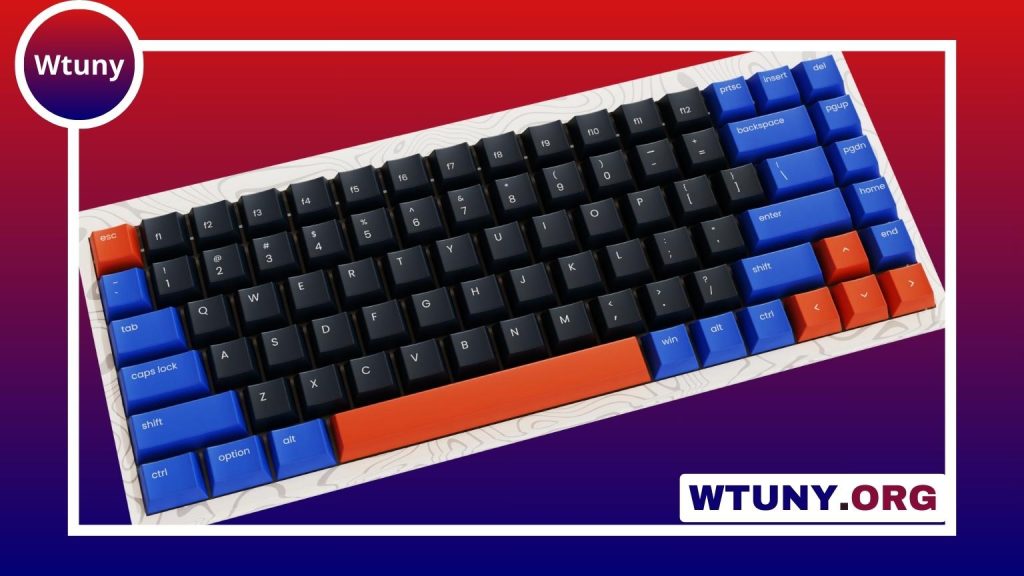
A small keyboard can make a major difference when desk space, portability, or comfortable device control matters. Compact models are useful for crowded workstations, travel setups, tablets, media centers, small computers, and shared offices. The best choice depends less on size alone and more on how you type, what devices you use, and which keys or features you cannot do without.
Why choose a small keyboard?
Compact keyboards reduce the space required for typing while leaving more room for a mouse, notebook, drawing tablet, or other equipment. Removing the numeric keypad is often enough to create a shorter layout without changing the familiar arrangement of the main letter and number keys.
A small keyboard is also easier to carry between locations. It can turn a tablet and stand into a more practical writing setup, or provide a separate input device when a laptop keyboard is uncomfortable for long sessions. In a living room, a wireless miniature keyboard can be more useful than a traditional remote when you need to search, browse, or enter passwords.
Types of small keyboards
Compact desktop keyboards
These keyboards reduce width by omitting the numeric keypad and, in some cases, compressing or rearranging navigation keys. They are a good all-purpose choice for work, study, and general computer use because they preserve much of a conventional typing experience.
Mini and micro keyboards
Mini keyboards use a smaller footprint than standard compact models. Micro keyboards go further, sometimes combining a keyboard with a touchpad, directional controls, or a small joystick. These designs are convenient for media centers, compact computers, and situations where a separate mouse would be inconvenient, although the reduced spacing may take time to adjust to.
Wireless keyboards for media and travel
Wireless miniature keyboards are designed for flexible positioning. Many include shortcut keys for volume, playback, or other common functions. Models with an integrated touchpad can control a computer or media device from a sofa without requiring a separate mouse.
Small keyboards for laptops and tablets
A separate compact keyboard can provide a more comfortable typing angle than a tablet cover or built-in laptop keyboard. Look for a stable base, sensible key spacing, and a design that works well with your stand or portable workstation.
Choose wired or wireless connectivity
Wired keyboards are straightforward: connect the cable and begin typing. They do not require charging and are well suited to fixed desktop, gaming, or compact PC setups. A wired model may also be preferable when you want to avoid pairing procedures or wireless receivers.
Wireless keyboards reduce cable clutter and are easier to position. Bluetooth is useful when connecting directly to compatible laptops, tablets, phones, or smart devices. Keyboards that use a USB receiver can offer a simple desktop connection, but the receiver occupies a USB port and may be easy to misplace. If you move the keyboard frequently, check whether the receiver can be stored in the keyboard.
Check compatibility before buying
Confirm that the keyboard supports the operating systems and devices you plan to use. A keyboard may connect successfully while still having limited support for special function keys, media controls, or shortcut combinations on a particular platform.
Multi-device Bluetooth models can be helpful if you regularly switch between a computer, tablet, or phone. Also consider the keyboard’s power system. Rechargeable batteries reduce the need for disposable batteries, while replaceable batteries can be convenient when you are away from a charger. Backlighting may improve visibility, but it generally increases power use.
Prioritise typing comfort
The smallest keyboard is not always the most practical. Closely spaced keys, shortened modifier keys, or unusual navigation layouts can slow down everyday typing. Before choosing a very compact design, consider how often you use the arrow keys, Home and End, function row, Delete key, or numeric entry.
- Key spacing: Look for enough room to avoid frequent mistypes.
- Layout: Check the position and size of Enter, Shift, Backspace, and arrow keys.
- Key feel: Choose a low-profile or more substantial design according to your typing preference.
- Stability: A firm base and non-slip feet help prevent movement during use.
- Angle: An adjustable or built-in tilt can make extended typing more comfortable.
Useful accessories
A compact sleeve or case protects a portable keyboard in a bag. A small USB hub can provide additional ports when a wired keyboard or wireless receiver competes with other accessories. For a living-room setup, a keyboard with an integrated touchpad—or a compact keyboard-and-mouse combination—can reduce the number of devices you need to keep nearby.
Find the right balance
Choose a small keyboard by matching its size and layout to your actual routine. A compact desktop model is usually the safest option for frequent typing, while a micro or wireless keyboard makes more sense for travel, media control, and space-limited computers. By checking compatibility, connectivity, battery needs, and key spacing first, you can gain portability without giving up the functions you use most.






