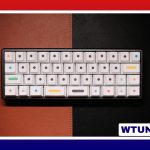
A cute keyboard can make an everyday desk feel more personal without giving up comfort or performance. Whether your ideal setup uses pastel colors, playful keycaps, a translucent case, or a coordinated gaming theme, the best choice is one you will enjoy using for hours at a time.
Appearance is only part of the decision. Layout, switch feel, keycap quality, connectivity, and ergonomics all affect whether a keyboard remains useful after the initial excitement wears off. Start with the way you work or play, then choose a design that fits those requirements.
Decide how you will use the keyboard
Your daily activities should guide the size and features you need.
- Writing and office work: Prioritize comfortable key spacing, a familiar layout, and a switch that feels pleasant during long typing sessions.
- Gaming: Look for responsive input, reliable rollover or anti-ghosting support, and software for lighting or macros if those features matter to you.
- Streaming or content creation: A compact 65% or tenkeyless layout can leave more room for a mouse, microphone, or other desk equipment.
- Number-heavy tasks: A full-size keyboard or a separate number pad may be more practical than a particularly compact board.
Choosing a smaller keyboard can create a cleaner-looking desk, but it may also remove dedicated navigation keys or the number pad. Make sure the layout supports your habits before choosing it for its appearance alone.
Choose a look that will be easy to live with
Cute keyboard designs do not have to rely on one particular color scheme. Soft pinks, creams, lavender, mint, bright accent colors, transparent cases, and retro-inspired combinations can all create a playful look. A simple board with carefully chosen keycaps may feel just as distinctive as a heavily decorated custom build.
For a coordinated setup, select one main color, one supporting neutral, and a small number of accent colors. This keeps the keyboard visually interesting without making the entire desk feel crowded. A themed set of novelty keycaps can provide a focal point, while a matching desk mat or cable can tie the rest of the workspace together.
Understand switches and keycaps
On a mechanical keyboard, the switch affects the force, movement, sound, and feedback of each keystroke. Linear switches provide a smooth press, tactile switches offer a noticeable bump, and clicky switches add a louder sound and distinct click. If you share a room or work near other people, sound may be as important as the visual design.
Some boards use hot-swappable sockets, allowing compatible switches to be changed without soldering. This is useful if you want to experiment with typing feel gradually. Examples mentioned by keyboard enthusiasts include Cherry MX Browns and Gateron Clears, but the most suitable option depends on your preferences and tolerance for resistance or noise.
Keycaps also influence the character of a keyboard. PBT keycaps are often chosen for their durable texture, while different profiles change the height and shape of the typing surface. Before buying a replacement set, check that its sizes and key arrangement match your keyboard, especially around the spacebar, shift keys, and bottom row.
Features worth considering
Once the design and typing feel are clear, compare practical features:
- Wired or wireless connectivity, depending on how you organize your desk.
- Backlighting or RGB controls that can be adjusted without distracting from the key legends.
- Removable keycaps and hot-swap support for easier customization.
- Sturdy construction and a comfortable typing angle.
- Software that is understandable and reliable if you need remapping, lighting, or macros.
A keyboard does not need every feature to be a good choice. Paying for functions you will never use can take money away from the elements that matter more, such as comfortable switches or quality keycaps.
Customize without replacing everything
If you already own a dependable keyboard, a few changes can create a completely different look. Replace the keycaps with a pastel or themed set, add one or two artisan keycaps, and use a coordinating cable or desk mat. These upgrades let you develop a cute setup in stages rather than buying an entirely new board.
Useful maintenance tools include a keycap puller, a soft brush, and a small cleaning cloth. If you plan to work on switches, a switch opener and other basic tools can help, but only modify components when you understand how the keyboard is assembled. Keep small parts organized so customization does not turn into a frustrating repair project.
Keep comfort and budget in the design
A decorative keyboard should still support a comfortable posture. Position it so your wrists remain relaxed, avoid excessive typing angles, and consider a wrist rest if it genuinely helps you. A cute design is not worthwhile if it causes discomfort during routine use.
To control costs, look for sales, consider secondhand components carefully, or improve an existing keyboard one part at a time. A modest board with attractive keycaps and a matching desk mat can look polished without requiring a complete custom build. The most successful cute keyboard setup balances personality, durability, comfort, and the way you actually use your desk.