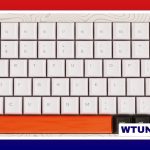
A 75% keyboard typically has between 80 and 84 keys, although the exact total depends on the layout and the manufacturer’s design. Unlike a 60% keyboard, a 75% model usually keeps a dedicated function row, arrow keys, and a navigation cluster while arranging them more closely together.
That combination makes the 75% layout a popular middle ground. It takes up less desk space than a tenkeyless or full-size keyboard but retains many of the keys people use for work, programming, gaming, and everyday navigation.
What is a 75% keyboard?
A 75% keyboard is a compact layout designed to preserve much of the functionality of a larger keyboard without including a dedicated number pad. The keys are arranged in a tighter, more vertically stacked format, with fewer gaps between sections.
Most 75% keyboards include:
- A standard alphanumeric typing area
- A dedicated row of F1 through F12 function keys
- Arrow keys
- Several navigation keys, such as Home, End, Page Up, or Page Down
- Modifier keys such as Ctrl, Alt, Windows, or Command, depending on the intended layout
The main keys normally left out are the numeric keypad and the wider spacing found on larger keyboard formats.
Why the key count varies
There is no single universal key count for every 75% keyboard. Many models use an 84-key arrangement, while others are built with 82 keys or another number within the common range. Small changes to the bottom row, navigation area, or extra controls can affect the total.
ANSI and ISO layouts
Regional layout conventions are one reason two 75% keyboards may not have the same number of keys. ANSI keyboards generally use a wide Enter key and a particular left-Shift arrangement. ISO keyboards use a taller Enter key and a narrower left Shift, which changes the surrounding layout and may result in a slightly different key count.
Navigation and extra keys
Some boards provide a complete group of dedicated navigation keys, while others reduce that area or place certain functions on a secondary layer. A manufacturer may also add a dedicated control, macro key, or media button. Split spacebars and other custom arrangements can change the number of physical keys as well.
For that reason, the percentage label should be treated as a general description of the keyboard’s footprint and layout rather than an exact key-count specification.
What a 75% layout is useful for
The dedicated function row is especially useful for people who regularly use keyboard shortcuts, function-key commands, or software-specific controls. Programmers and office users can also benefit from having arrow and navigation keys immediately available instead of accessing them through a function layer.
For gaming, the narrower design leaves more room for mouse movement than a full-size board. It also retains more directly accessible keys than a 60% keyboard, which can reduce the need to remember secondary-layer shortcuts.
A 75% board can also suit compact workspaces or portable setups. However, anyone who frequently enters numbers should remember that this layout does not include a dedicated numpad. A separate numpad, tenkeyless keyboard, or full-size model may be more suitable for number-heavy work.
What to check before buying
Rather than relying only on the “75%” label, check the keyboard’s layout diagram and product specifications. Pay particular attention to:
- Exact key count: Confirm whether the model has 82, 84, or another number of keys.
- ANSI or ISO format: Make sure the Enter, Shift, and bottom-row arrangement match your preferred keycap layout.
- Navigation keys: Check whether Home, End, Page Up, and Page Down are dedicated keys or secondary functions.
- Programmability: Remapping and custom layers can help replace keys that are not physically included.
- Connectivity: Decide whether you need wired USB, Bluetooth, or another connection option.
- Switch and keycap support: Hot-swappable switches and compatible keycap sizes may matter if you plan to customize the board.
Bottom line
Most 75% keyboards have about 80 to 84 keys, with 82-key and 84-key configurations being common examples. The precise number depends on the ANSI or ISO format, the size of individual keys, the navigation cluster, and any additional controls.
If you want a smaller keyboard without giving up the function row, arrow keys, and much of the navigation area, a 75% layout offers a practical balance. Just verify the exact arrangement before purchasing, especially if you depend on a numpad or specific navigation keys.