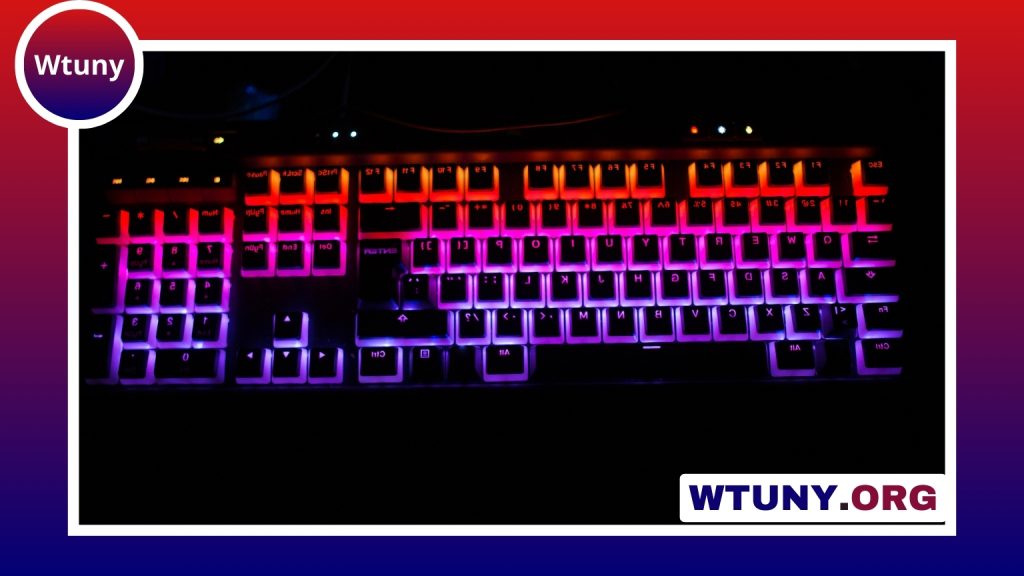
A 10-key keypad is a dedicated group of numeric and arithmetic keys designed for fast, convenient number entry. It may be built into a full-size keyboard or offered as a separate accessory for a compact keyboard, laptop, tablet, or desktop workstation.
Although many keyboards place numbers along the top row, a separate numeric layout can feel more natural for entering quantities, prices, dates, calculations, and spreadsheet values. The best choice depends on how often you enter numbers, which devices you use, and whether you value portability, comfort, or extra features.
What is a 10-key keypad?
A traditional 10-key section uses a compact grid of number keys, usually with arithmetic operators and function keys such as Enter, decimal point, and Num Lock. On a full-size keyboard, this block is normally positioned to the right of the main letter keys. Standalone models provide the same general layout without requiring a full-size keyboard.
Keyboard size is the main reason separate keypads are useful. Full-size keyboards include an integrated number pad, while smaller layouts may leave it out to reduce width. A standalone keypad lets you keep a compact or portable main keyboard while adding numeric input only when you need it.
Integrated or standalone?
Full-size keyboards
A full-size keyboard with an integrated number pad is a straightforward option for a permanent desk setup. The numeric block is always available, so there is no extra device to connect or store. This layout can be especially convenient when numeric entry is a regular part of your work.
Compact keyboards with a separate pad
A separate 10-key pad works well with compact keyboards that omit the number block. It gives you more flexibility over desk placement: you can position it on the right for conventional use, move it closer to your dominant hand, or put it on the opposite side to create more room for mouse movement.
Laptops and tablets
Some larger laptops include an integrated numeric section, but many portable models do not. An external keypad can restore that functionality without replacing a smaller laptop. Before buying, check the connection type, operating-system compatibility, and whether the device handles Num Lock and function keys as expected.
Wired versus wireless connectivity
Wired keypads generally connect through USB or USB-C. They are suitable for fixed workstations and do not require batteries or wireless pairing. A wired connection also keeps the setup simple when the keypad will remain attached to one computer.
Wireless models may use Bluetooth or a dedicated USB receiver. They can reduce cable clutter and make it easier to move between devices, although the exact features vary by model. If you choose wireless, consider battery type, charging arrangements, pairing stability, and whether the keypad can be connected to more than one host.
Who benefits from a 10-key layout?
A dedicated numeric pad is useful whenever numbers make up a significant part of your work. Common examples include:
- Accounting, bookkeeping, finance, and spreadsheet work
- Data entry involving quantities, prices, codes, or dates
- Inventory, ordering, logistics, and point-of-sale tasks
- Engineering, design, and other work involving repeated numeric values
- Everyday desktop use when the top-row number keys feel slow or awkward
Some programmable models can also assign shortcuts, macros, or application controls to additional keys. That can make a keypad useful beyond numeric entry, but it is worth choosing those features only if you have a clear use for them.
Features to compare before buying
Start with the way you expect to use the device. For frequent data entry, key feel, spacing, stability, and reliable operation may matter more than a particularly slim design. For occasional use or travel, a lightweight membrane keypad may be sufficient.
- Switch type: Mechanical switches can provide more distinct tactile feedback, while membrane designs are often quieter and more affordable.
- Layout: Check the position of Enter, decimal, arithmetic, and navigation keys before purchasing.
- Connection: Choose wired, Bluetooth, or receiver-based wireless operation according to your devices and workspace.
- Compatibility: Confirm support for your computer or tablet and check whether special keys need software.
- Programmability: Useful for shortcuts and custom controls, but unnecessary if you only need numbers.
- Portability: Look for a compact body, rechargeable battery, or protective storage if the keypad will travel.
Comfort and desk placement
Small details can make a noticeable difference during long sessions. Rubber feet help prevent movement, while a modest tilt can make the keys easier to reach. Consider the distance between the keypad, keyboard, and mouse so that you are not repeatedly stretching or twisting your wrist.
There is no requirement to keep the keypad on the right side. Left-side placement can leave the mouse closer to the keyboard or make number entry more comfortable for some users. Try to arrange the devices so your shoulders remain relaxed and your wrists stay as neutral as possible.
Choosing the right setup
Select an integrated number pad if you want an all-in-one keyboard and have enough desk space. Choose a standalone 10-key keypad if you prefer a compact main keyboard, use a laptop without a numeric section, or want the freedom to place the number pad independently. Once connectivity, layout, comfort, and compatibility match your routine, a 10-key keypad can make repetitive numeric tasks simpler and more efficient.