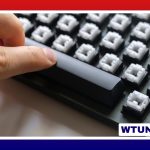
Replacing the keycaps is one of the simplest ways to change the character of a Wooting keyboard. A new set can alter the appearance, sound, surface texture, and overall typing feel without changing the board itself. Whether you use a compact Wooting 60HE or a larger Wooting 80HE, the most important considerations are layout compatibility, keycap material, profile, and the way you use your keyboard.
Why replace the keycaps on a Wooting keyboard?
Custom keycaps make it possible to personalize a Wooting board beyond its switches and software settings. A carefully chosen set can complement a desk setup, make important keys easier to identify, or provide a surface that feels more comfortable during long sessions.
Keycaps also influence sound. Thickness, plastic type, and profile all affect how much resonance or sharpness you hear when a key is pressed. This makes a keycap replacement useful for more than appearance: it can help create a keyboard that feels and sounds better suited to your preferences.
Check compatibility before buying
Most Wooting keyboards use MX-style stems, which means many aftermarket keycap sets will fit the switch stems. Stem compatibility alone is not enough, however. The shape and size of the keys on the board must also match the keys included in the set.
Before ordering, compare the keycap kit’s layout diagram with your exact Wooting model and variant. Pay particular attention to:
- The bottom-row modifier sizes
- The width and number of spacebars
- Right-side modifiers and navigation keys
- Enter, Backspace, and Shift key sizes
- Whether the set includes alternate keys for compact layouts
A set advertised for a 60 percent, tenkeyless, or other layout may not include every key required by your particular board. This is especially important when shopping for Wooting 80HE keycaps or any version with layout-specific keys. A kit with extra modifiers and alternative spacebars gives you more flexibility.
Keycap materials and legend methods
PBT
PBT is popular because it is durable and generally resists developing a glossy shine from regular use. Its slightly textured surface gives many users a secure, dry feel while typing. Dye-sublimated legends are commonly paired with PBT; the character is infused into the plastic, helping it remain clear through extended use.
ABS
ABS keycaps often have a smoother surface and are widely available in affordable and premium sets. With heavy use, the surface may become shinier over time. Doubleshot ABS keycaps form legends from a separate layer of plastic, so the characters do not rely on surface printing and are designed to resist fading.
Neither material is automatically the best choice. Choose PBT if texture and resistance to shine are priorities, or consider ABS if you prefer a smoother feel, a particular colorway, or doubleshot legends.
Choosing a profile for comfort and control
Keycap profile describes the height and shape of the caps across each row. It affects finger travel, hand position, and the amount of sculpting between rows.
- Cherry and OEM: Familiar sculpted profiles that suit general typing and gaming.
- SA: Taller, rounded keycaps with a distinctive retro appearance and pronounced shape.
- DSA: A flatter, uniform profile that allows keys to be rearranged more freely.
For a compact board such as the Wooting 60HE, a lower or medium-height profile may feel quick and controlled, particularly during gaming or frequent key combinations. Taller profiles can provide a more substantial typing feel, but may require an adjustment period. If possible, try individual sample caps before committing to a complete set.
Finding the best keycaps for Wooting 60HE
The compact layout of the Wooting 60HE makes kit coverage especially important. Look for sets that clearly support compact bottom rows and provide the required modifier sizes, including 1.5-unit and 1.75-unit keys where applicable. A set designed with multiple layout options is usually easier to fit than a basic kit with only one arrangement.
For regular gaming and typing, PBT with dye-sublimated legends is a practical choice. Cherry or OEM profiles offer familiar row shaping, while textured or gently concave key tops can help your fingers stay oriented during fast movement. If portability matters, a lower-profile set may also keep the keyboard easier to pack and carry.
Large keys and stabilizers
Keys such as the spacebar, Enter, Backspace, and Shift use stabilizers to prevent wobbling. The replacement keycaps must match the board’s stabilizer arrangement and the required key width. If a set includes multiple spacebars or alternate large keys, confirm that the options match your layout rather than assuming every included part will be used.
When installing the new caps, press them straight onto the stems and avoid forcing a key that does not align. If a large key feels loose or produces unwanted rattle, the stabilizers may need cleaning, lubrication, or replacement separately from the keycaps.
Installation and maintenance
Use a keycap puller to remove the existing caps, especially around stabilized keys. Arrange the removed keys so you can identify their original positions, then press each replacement cap down evenly. Check the full layout before applying pressure to any cap that seems difficult to fit.
For routine cleaning, remove the keycaps and wash them gently with mild soap and water. Let them dry completely before reinstalling them. Avoid harsh chemicals, aggressive scrubbing, and excessive force around legends. With the correct layout coverage and a profile that suits your hands, custom keycaps can give a Wooting keyboard a noticeably different look and feel while preserving the board’s existing functionality.