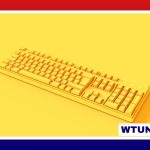
A keyboard is an input device used to enter text, numbers, commands, and shortcuts into a computer or another digital device. Although many keyboards share a familiar typewriter-style layout, they differ considerably in the way they detect keystrokes, the shape and arrangement of their keys, and the features they provide.
Understanding the main types of keyboard makes it easier to choose a model that suits writing, office work, gaming, programming, travel, or mobile use.
What is a keyboard?
When a key is pressed, the keyboard detects the action and sends an electrical signal to the connected device. The operating system then interprets that signal as a letter, number, command, or shortcut. A keyboard may connect through a USB cable, an older PS/2 connection, Bluetooth, or another wireless radio connection.
Most full-size keyboards include several groups of keys:
- Alphanumeric keys: Letters, numbers, punctuation marks, and other commonly used characters.
- Modifier keys: Keys such as Shift, Control, Alt, and Command that change the function of another key.
- Function keys: Special keys, often labelled F1 through F12, used by applications and operating systems.
- Navigation keys: Arrow keys, Home, End, Page Up, Page Down, and related controls.
- Numeric keypad: A separate number section found on many full-size keyboards.
Inside a physical keyboard are key mechanisms, electrical circuits, and a controller that scans the keys and communicates with the computer.
Types of keyboard by key mechanism
Membrane keyboards
Membrane keyboards use flexible layers containing conductive traces. Pressing a key pushes the layers together and completes an electrical circuit. They are generally affordable, relatively quiet, and common in standard office and home setups. Their key feel is often softer and less distinct than that of a mechanical keyboard.
Scissor-switch keyboards
Scissor-switch keyboards use a stabilising mechanism beneath each keycap. The mechanism allows for short key travel and a firm, low-profile design. This type is widely associated with laptops and compact keyboards. Scissor switches are useful for people who prefer a flatter keyboard with a relatively short and controlled press.
Chiclet keyboards
Chiclet keyboards have separate, flat keys with visible gaps between them. The term mainly describes the key shape and layout rather than one particular electrical technology. Many chiclet keyboards use rubber-dome or scissor mechanisms. Their spacing can make the layout look clean and can help distinguish neighbouring keys.
Mechanical keyboards
Mechanical keyboards use an individual switch beneath each key. These switches provide more noticeable feedback and are available in different designs:
- Linear switches move smoothly without a noticeable bump.
- Tactile switches provide a physical bump during the key press.
- Clicky switches provide tactile feedback along with an audible click.
Mechanical keyboards allow users to choose different actuation forces, travel distances, keycaps, and switch characteristics. They can offer a distinctive typing experience, although some models are louder and more expensive than basic membrane keyboards.
Virtual keyboards
A virtual keyboard appears on a touchscreen instead of using physical switches. Smartphones, tablets, and some computer interfaces use virtual keyboards. They are convenient because they require no separate hardware, but typing feel, key spacing, and accuracy depend on the screen and software.
Other keyboard designs and technologies
Keyboard technology is also available in specialised forms. Capacitive keyboards detect changes in an electrical field, while optical keyboards use light to detect a key press. Hall effect keyboards use magnetic sensing and can support highly durable switches and, in some designs, adjustable input based on how far a key is pressed.
Physical design is another important distinction. Full-size keyboards include a numeric keypad, while tenkeyless models remove it to save desk space. Compact and 60-percent layouts remove additional keys and rely more heavily on shortcuts or function layers. Ergonomic keyboards may use split layouts, angled sections, or tenting to create a more natural hand and wrist position. Folding and compact Bluetooth keyboards are designed for travel and mobile devices.
Useful keyboard features
The best features depend on how the keyboard will be used. Common options include:
- Backlighting: Makes key labels easier to see in dim conditions. Some keyboards also provide customisable RGB lighting.
- Programmable keys and macros: Allow a key to perform a shortcut or a sequence of actions.
- Hot-swappable switches: Let users replace compatible mechanical switches without soldering.
- Anti-ghosting and rollover: Help the keyboard recognise several keys pressed at the same time.
- Multimedia controls: Provide quick access to volume, playback, or other common functions.
- Detachable cables: Make storage, transport, and cable replacement more convenient.
- Spill resistance: Adds protection for keyboards intended for busy work areas, although it does not make every model waterproof.
How to choose the right keyboard
For long writing sessions, prioritise comfortable key feel, a suitable layout, and good wrist and hand positioning. A tactile mechanical keyboard may suit someone who wants clear feedback, while a quiet membrane or scissor-switch model may be better for shared spaces.
Gamers may look for reliable simultaneous-key recognition, responsive switches, programmable controls, and a layout that leaves enough room for mouse movement. Office users often value quiet operation, a familiar full-size layout, and straightforward connectivity. Developers and power users may benefit from programmable layers, macro support, and compact layouts that make frequently used shortcuts easier to access.
Before buying, check compatibility with the intended operating system and device, the connection type, the available desk space, and the keyboard’s noise level. If possible, try the keyboard in person: typing comfort and key feel are personal preferences that specifications alone cannot fully describe.