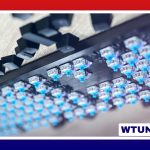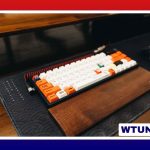
Optical switch keyboards use light to detect key presses instead of relying on the metal contacts found in conventional mechanical switches. This design can provide fast actuation, consistent performance, and strong durability, making optical keyboards worth considering for gaming, office work, programming, and custom keyboard projects.
How optical switches detect a key press
In a traditional mechanical switch, pressing a key brings electrical contacts together. An optical switch uses a light source and sensor instead. As the key moves, part of the switch interrupts a beam of infrared or visible light, changes the amount of reflected light, or otherwise alters what the sensor detects. The keyboard’s electronics interpret that change as a key press.
Because the switch does not need metal contacts to make and break the circuit, it can reduce contact-related wear and the debounce delay associated with mechanical contact. The exact behavior depends on the switch design, keyboard firmware, and electronics, so “optical” should not be treated as a guarantee of identical performance across every model.
Common optical switch designs
Optical switches use several approaches to sense movement:
- Beam-break designs: A moving stem blocks or restores a light beam as the key is pressed.
- Reflective designs: The switch changes how light is reflected toward a sensor.
- Light-intensity designs: The sensor detects a change in the amount of light reaching it.
These approaches can produce different actuation points, force requirements, sound levels, and typing feels. Like mechanical switches, optical models are commonly available in linear, tactile, and clicky forms. Linear switches move without a deliberate bump, tactile switches provide a noticeable change in resistance, and clicky switches add an audible click.
Optical versus mechanical switches
The main distinction is how the key press is registered. Mechanical switches use physical electrical contacts, while optical switches use a light-based sensor. This difference affects more than the internal mechanism; it can also influence switch compatibility, repair options, and the available range of replacement parts.
Optical switches may offer low debounce requirements and consistent actuation, which can appeal to people who value quick, repeatable input. Their lack of metal contact surfaces may also reduce one source of long-term wear. Many are rated for tens of millions of actuations, although the rating applies to the switch mechanism and does not describe every component of the keyboard.
Mechanical keyboards remain attractive because of their broad ecosystem and varied feel. Enthusiasts may prefer the precise tactile character, sound, or modification options of a particular mechanical switch. A high-quality mechanical keyboard can also deliver excellent rollover and responsiveness, so the choice should not be based on switch technology alone.
Who may benefit from an optical keyboard?
- Gamers: Fast, repeatable actuation can be useful in games where timing and rapid inputs matter.
- Frequent typists: A durable switch and consistent feel can suit long writing, coding, or office sessions.
- Noise-conscious users: Linear optical switches may be quieter than clicky designs, though the case and keycaps also affect sound.
- Keyboard builders: Optical switches can be appealing for customization, provided the PCB, sockets, firmware, and switches are designed to work together.
What to check before buying
Switch feel and actuation
Choose the feel that matches your use rather than selecting a keyboard solely for its optical mechanism. Linear switches suit users who prefer an uninterrupted key press, while tactile and clicky options provide more feedback. If a product specifies an actuation point or force, compare those details with keyboards you already enjoy.
Compatibility
Some optical switches use MX-style stems and accept familiar keycap profiles, but physical keycap compatibility does not mean the switches are interchangeable. Optical switch keyboards may require a specific PCB, socket, controller, or firmware. Check those details carefully before buying replacement switches or planning a custom build. Also confirm whether the board is hot-swappable or uses soldered switches.
Software and rollover
Features such as remapping, macros, lighting controls, and onboard profiles depend on the keyboard’s firmware and software. If you need programmable controls, review those capabilities separately from the switch specifications. Rollover and anti-ghosting performance should also be verified at the keyboard level rather than assumed from the word “optical.”
Maintenance and long-term care
Optical switches do not have metal contact surfaces that can oxidize or wear in the same way as conventional mechanical contacts, but they are not maintenance-free. Dust and debris can affect moving parts and, in some designs, interfere with the light path. Disconnect the keyboard before cleaning, remove loose debris carefully, and avoid forcing compressed air or liquid into the switch housing.
An optical switch keyboard can be a strong choice when you want responsive input and a durable alternative to conventional mechanical contacts. The best purchase still depends on switch feel, keyboard construction, software support, noise, and compatibility. Treat the optical mechanism as one part of the overall design, and compare the complete keyboard rather than its switch type alone.