
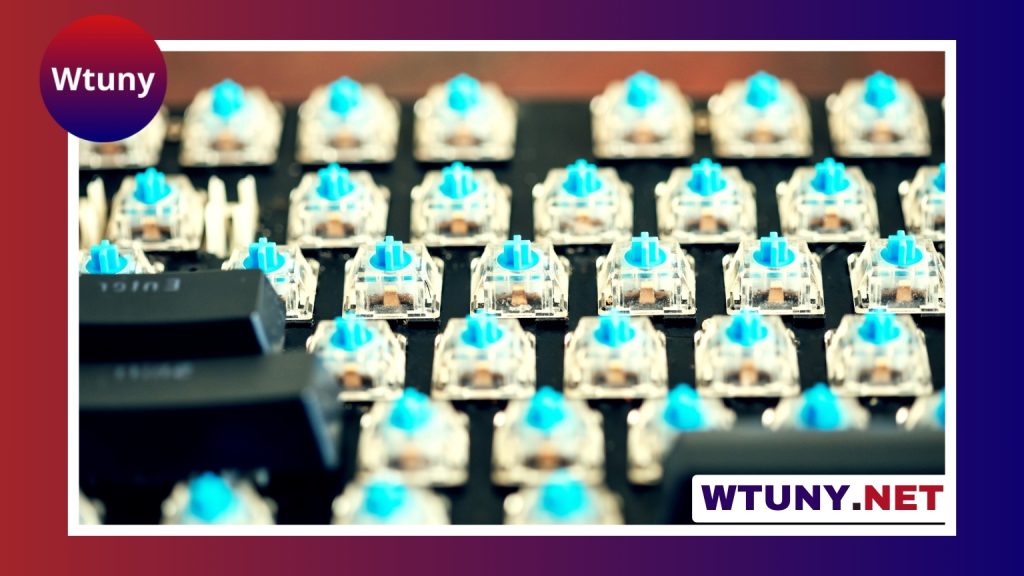
MX Black switches are a longstanding choice for mechanical-keyboard users who want a smooth, linear keypress with a firmer feel. Unlike tactile or clicky switches, they do not provide a bump or click during the keystroke. Instead, resistance increases as the key travels downward, producing a deliberate and controlled response. Readers comparing MX Black switches can explore components that shape feel, sound, and typing performance.
That combination can work particularly well for people who prefer a heavier switch, press keys forcefully, or want to reduce accidental inputs. It is less suitable for users who prefer a very light touch or rely on a tactile bump to confirm each keystroke.
What are MX Black switches?
Cherry MX Black is the best-known example of this switch style, although other manufacturers also produce compatible linear switches with similar characteristics. A typical Cherry MX Black has an actuation force of about 60 cN, total travel of approximately 4 mm, and an actuation point near 2 mm.
The switch operates in a straight, uninterrupted motion. There is no tactile event midway through the press and no built-in click mechanism. This makes the feel predictable from one key to the next, assuming the keyboard and switches are in good condition.
How MX Blacks feel to type on
The defining feature is resistance. Compared with lighter linear switches, MX Blacks require more force to press, giving them a substantial and grounded feel. Some users find this helps prevent accidental presses when resting their fingers on the keyboard or making rapid inputs. Others may find the heavier spring tiring during long typing sessions, especially if they use a light-touch technique.
Because the switch itself is linear, the force profile is smooth rather than stepped. The sound is also generally quieter than that of a clicky switch, although the final result depends on the keycaps, keyboard case, plate, stabilizers, typing technique, and whether the keys bottom out.
Who may prefer MX Black switches?
MX Blacks are worth considering if you want a firm, consistent keypress and do not need tactile feedback. They can be a practical match for:
- Users who regularly bottom out keys or type with considerable force
- Gamers who prefer heavier linear switches for deliberate inputs
- Typists who want a smooth motion without a tactile bump or audible click
- Office or shared-space users who want to avoid the characteristic sound of clicky switches
- Mechanical-keyboard builders looking for a traditional, durable-feeling linear option
They are not automatically the best choice for everyone. If you prefer minimal resistance, a lighter linear switch may feel faster and less fatiguing. If you want physical feedback during each press, a tactile switch may be a better fit.
MX Black compared with other common switches
MX Red: Both switches are linear, but Reds are lighter. They require less force and may feel easier for rapid typing or repeated gaming inputs, while Blacks feel more deliberate. If Mx Black appeals to you, compare loud mechanical switches to find a more expressive typing experience.
MX Brown: Browns add a tactile bump without the pronounced click of a clicky switch. They can suit users who want confirmation during a press rather than the uninterrupted travel of an MX Black.
MX Blue: Blues combine tactile feedback with an audible click. They offer a more noticeable typing event, but their sound may be unsuitable for shared workspaces or quiet rooms.
These comparisons describe broad switch characteristics. The final experience can vary with lubrication, manufacturing differences, keyboard construction, keycap design, and typing style.
Buying a Cherry MX Black keyboard or switch set
When shopping for a pre-built keyboard, confirm the exact switch specification rather than relying on a product name such as “black mechanical keyboard.” Some products use black-colored switches from another manufacturer, while others use a Cherry MX Black switch specifically.
For a custom build or replacement project, check the following before ordering:
- Mounting style: Determine whether the switches are intended for plate mounting, PCB mounting, or the board’s stated mounting system.
- Hot-swap support: A hot-swappable PCB allows switch replacement without soldering. A non-hot-swappable board generally requires desoldering and soldering.
- Keycap compatibility: MX-style stems are commonly used with compatible mechanical-keyboard keycaps, but confirm compatibility with the specific components you plan to use.
- Authenticity and condition: If genuine Cherry switches matter to you, use a reputable seller and check the listing details carefully.
Modifying MX Black switches
Switch modifications can change both the sound and the smoothness of an MX Black build. Lubricating suitable contact surfaces may reduce scratchiness and spring noise, while switch films can tighten a housing that has excessive wobble. These modifications require care: too much lubricant or incorrect application can affect switch operation.
Keycaps, stabilizers, case materials, and mounting choices also have a significant effect on the finished keyboard. A well-tuned board can make the firm, linear character of MX Blacks feel smoother and more controlled, while a basic stock build may emphasize their resistance and bottom-out impact.
Is MX Black right for you?
Choose MX Black switches when you want linear travel, a heavier spring, and a firm, intentional feel. Consider lighter linear switches if low resistance is your priority, or tactile switches if you want feedback during the press. Testing a switch or trying a keyboard in person is the most reliable way to judge the weight, sound, and comfort before committing to a full build.






