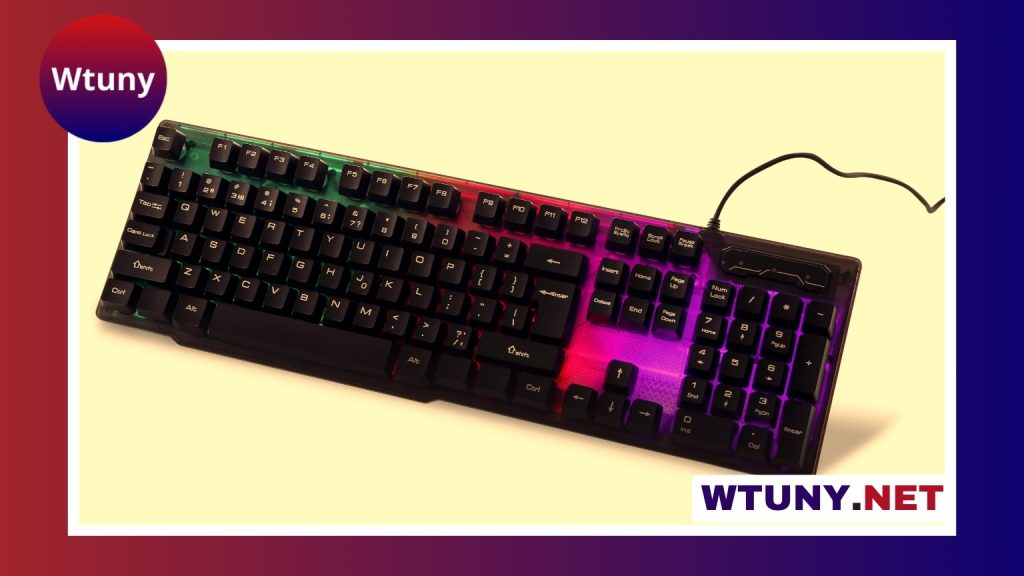
A miniature PC keyboard can make a compact computer, media center, travel workstation, or hobby project much easier to use. Smaller keyboards occupy less desk space and are easier to carry, but their reduced size usually means making decisions about layout, connectivity, and comfort. The best choice depends less on the smallest possible footprint and more on how you expect to use it.
Why use a miniature PC keyboard?
A compact keyboard is useful wherever a full-size model would be inconvenient. It can leave more room for a mouse on a small desk, fit beside a television or games console, or travel with a laptop without adding much bulk. A small keyboard can also suit custom computer builds, home lab equipment, embedded PCs, and other setups where space is limited.
Some miniature models include wireless connectivity, backlighting, programmable keys, or an integrated touchpad. These features can be particularly helpful when the keyboard is used from a sofa or at a distance from the computer. For extended typing, however, compactness should not come at the expense of a comfortable layout.
Choose the layout before the features
Keyboard size is often described by layout percentage or by the keys that have been removed. The exact arrangement varies between manufacturers, but the following categories provide a useful starting point:
- 60 percent: Removes the function row, arrow keys, and navigation cluster from the main layout. These keys are usually accessed through a function layer.
- 65 percent: Retains dedicated arrow keys and may include a small selection of navigation keys while remaining compact.
- 75 percent: Usually includes a function row in a condensed arrangement, offering more direct access to common keys.
- Compact tenkeyless: Keeps the main typing area and function row but omits the number pad, making it smaller than a conventional full-size keyboard.
- Handheld or thumb keyboard: Designed for remote control, television, and media-center use rather than long writing sessions.
Consider the keys you use most often. Developers, spreadsheet users, and people who work with shortcuts may prefer a slightly larger layout. If you rarely use function keys or navigation controls, a 60 percent model may be sufficient. A separate numeric keypad can add number-entry capability without requiring a full-size keyboard.
Switches and typing comfort
The switch mechanism strongly affects how a miniature keyboard feels. Mechanical switches are available with linear, tactile, or clicky characteristics and can provide clear feedback for typing or gaming. Scissor-switch and membrane designs are often thinner and quieter, making them suitable for travel, shared rooms, or living-room use.
Noise, key travel, and resistance all influence comfort. If you type for several hours a day, prioritize the feel of the keys over the absolute smallest dimensions. A compact keyboard with a solid frame, stable keycaps, and adjustable feet may be more comfortable than a thinner model that flexes during use.
Wired or wireless connectivity?
Wireless miniature PC keyboards commonly use Bluetooth, a dedicated 2.4 GHz receiver, or both. Bluetooth is convenient when pairing with several compatible devices, while a receiver can provide a simple connection for a computer that does not offer convenient Bluetooth support. Some keyboards can also operate through a USB cable.
For wireless use, check how the keyboard is charged, how the battery is accessed, and whether it can be used while connected to power. Wired USB operation avoids battery management and may be preferable for a permanent desk setup or long gaming sessions. If you frequently move between a computer, tablet, and media device, multi-device pairing can make switching more convenient.
Features that may matter
- Integrated touchpad: Helpful for controlling a television or media center without carrying a separate mouse.
- Backlighting: Useful in dim rooms, although it can affect battery use on wireless models.
- Programmable keys: Valuable for shortcuts, macros, and custom layers, provided the software supports your operating system.
- Adjustable tilt or tenting: Can improve wrist positioning, though these options are less common in very small designs.
- Multi-device support: Convenient when one keyboard is shared between several computers or mobile devices.
Match the keyboard to the setting
For a home theater PC, prioritize wireless operation, a touchpad, media controls, and easy use from a distance. For travel, look for a durable, portable design and a layout that does not interfere with your normal typing habits. A compact mechanical keyboard may suit writers or developers who want a familiar typing feel in a smaller bag.
For a desktop or custom PC build, you may prefer a wired model with a more complete layout. A 65 or 75 percent keyboard can preserve arrow keys and other frequently used controls while leaving considerable space for a mouse. In a server, embedded-computer, or repair setup, a very small keyboard may be appropriate because it will be used only for occasional commands.
Check compatibility and configure the layout
Before buying, confirm that the keyboard works with your operating system and intended devices. Advanced remapping, lighting, and macro functions may require companion software, and some features may not be available on every platform. Pay attention to how secondary functions are accessed, especially if the keyboard lacks dedicated arrow, function, or navigation keys.
After connecting the keyboard, adjust its position so your wrists remain relaxed. Configure key layers, repeat rates, lighting, and shortcuts only after becoming familiar with the default layout. If you move between computers, save a simple arrangement of essential shortcuts or choose a model that stores settings on the keyboard itself.
Final buying checklist
A miniature PC keyboard is a good choice when its smaller footprint supports the way you work rather than forcing constant compromises. Before choosing one, identify the keys you need, decide whether quiet or mechanical switches suit your environment, select wired or wireless connectivity, and check the comfort of the layout. The right compact keyboard can reduce clutter, improve portability, and provide a practical interface for even the smallest computer setup.