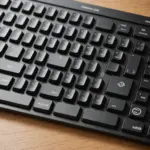
A keyboard is one of the most frequently used parts of a Mac setup, so the right choice can make typing, editing, coding, and everyday navigation more comfortable. The best option depends on where you use your Mac, how much desk space you have, and whether you prefer a quiet low-profile design or the tactile feel of mechanical switches.
Choose between wired, wireless, and Bluetooth
A wired keyboard connects directly to the computer and is ready to use without battery management. It can be a practical choice for a permanent desk, especially when consistent connectivity is more important than a cable-free workspace. A plug-in model may also be useful for users who do not want to pair devices or replace batteries.
Bluetooth keyboards provide a cleaner setup and are convenient for MacBook Air, MacBook Pro, iMac, and Mac mini users. They are especially useful when a laptop is connected to an external monitor or used with the lid closed. Many wireless keyboards can also switch between more than one device, which helps people who work across a Mac, tablet, or another computer.
Some wireless models connect through a USB receiver rather than Bluetooth. This can be a useful alternative in a busy wireless environment, although it requires an available USB port or suitable adapter. Wireless keyboard and mouse bundles are often a convenient way to create a matching desktop setup.
Find the right Mac layout
Mac keyboards use familiar Command and Option modifier keys, and their placement is important for shortcuts and muscle memory. Before buying, check that the keyboard has a dedicated Mac layout rather than relying on generic computer-key labels. A keyboard described as Mac-compatible may support macOS while still using different legends or a Windows-oriented arrangement.
Size is another important consideration:
- Compact keyboards: Save space and are easier to carry, making them suitable for travel or smaller desks.
- Tenkeyless models: Remove the numeric keypad while preserving a comfortable set of navigation keys.
- Full-size keyboards: Include a numeric keypad for spreadsheets, accounting, data entry, and other number-heavy work.
- Keyboards with a trackpad: Combine typing and pointer control in one device, which can be useful with a Mac mini, living-room display, or presentation system.
Compare key feel and ergonomics
Low-profile scissor-switch keyboards, including designs similar to Apple’s external keyboards, generally offer shallow travel and a quiet typing experience. They suit users who want a slim keyboard that resembles a laptop keyboard.
Mechanical keyboards use individual switches and are available with different levels of resistance and feedback. They can appeal to programmers, writers, and typists who prefer a more pronounced key press. Mechanical models may be larger or louder, so consider your workspace and the people around you before choosing one.
Comfort also depends on the keyboard’s angle, stability, key spacing, and available palm support. If you type for long periods, look for a solid base, a comfortable tilt, and a layout that does not force your wrists into an awkward position. A separate wrist rest can help, but it should not replace a sensible typing posture.
Consider charging, pairing, and device switching
A rechargeable keyboard reduces the need for disposable batteries, while replaceable-battery models can be convenient if you want to keep using the keyboard immediately after a battery change. Check how the keyboard charges and whether its cable uses a connector that fits your existing equipment.
For a multi-device workspace, look for straightforward pairing and dedicated switching controls. A keyboard and mouse that share a connection method can make setup simpler, while a Bluetooth keyboard and trackpad combination may be preferable if you rely heavily on macOS gestures.
Match the keyboard to your Mac setup
MacBook Air and MacBook Pro
An external keyboard is useful when a MacBook is placed on a stand or connected to an external display. A compact Bluetooth model works well for mobile setups, while a full-size keyboard may be more comfortable for a permanent home office. Pairing it with a wireless mouse or trackpad lets you position the laptop and display independently.
Mac mini and iMac
Mac mini users typically need to supply their own keyboard, making layout and connectivity especially important. A wireless keyboard and mouse can keep the desk uncluttered, while a wired keyboard may suit a fixed workstation. An integrated trackpad keyboard can be useful when the Mac is connected to a television or used from a distance.
Popular types and brands to compare
Apple’s Magic Keyboard range is designed around the Mac layout and is available in compact and numeric-keypad versions. Some versions include Touch ID support; if that feature matters, confirm compatibility with the particular Mac and keyboard model. The A1644 keyboard is another Apple model worth identifying by its layout, connection method, and compatibility with your computer.
Logitech offers low-profile options such as the MX Keys and MX Keys Mini, while Keychron is known for Mac-compatible mechanical designs in several sizes. Satechi and Matias also produce keyboards with an appearance that complements Apple hardware. These examples are starting points rather than a single best choice: key feel, connection type, size, and required features should guide the final decision.
A practical buying checklist
- Confirm the keyboard has the Mac modifier layout you want.
- Choose wired, Bluetooth, or receiver-based connectivity based on your workspace.
- Decide whether you need a numeric keypad, function row, or compact design.
- Compare low-profile and mechanical key switches for sound and feedback.
- Check charging, battery, pairing, and device-switching arrangements.
- Verify macOS and Touch ID compatibility where relevant.
- Choose a separate mouse, trackpad, or integrated pointing surface to match your workflow.
The right Mac keyboard is the one that fits both your hands and your routine. Start with the layout and connection method, then narrow the choice by size, key feel, charging, and pointing-device needs. Whether you are building a Mac mini desk, improving a MacBook workstation, or adding a travel keyboard, those decisions will lead to a more comfortable and dependable setup.