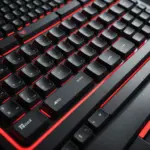
A small mobile keyboard can make a phone, tablet, or compact laptop far more practical for extended typing. While touchscreen keyboards are convenient for short messages, physical keys are usually more comfortable for writing emails, taking notes, editing documents, or managing work while away from a desk.
The best choice depends on the balance you need between portability and typing comfort. A keyboard that fits in a pocket may be easy to carry but less stable to use, while a larger compact model can offer a more familiar layout at the cost of extra weight.
Why use a small mobile keyboard?
Physical keys provide tactile feedback that can make longer typing sessions feel more controlled than tapping on glass. A compact keyboard is particularly useful for commuters, students, remote workers, travellers, and anyone who regularly moves between locations.
Pairing a keyboard with a smartphone or tablet can also create a more focused workspace. Instead of carrying a full laptop, you may be able to handle messages, notes, drafts, and other text-based tasks with a mobile device and a lightweight accessory.
Common types of compact keyboards
Ultra-compact layouts
Very small keyboards reduce or remove dedicated number rows, function keys, and navigation controls. Their reduced footprint makes them easy to pack, but frequently used commands may require shortcut combinations. This type suits users who value minimum size above a conventional desktop layout.
Compact desktop-style layouts
Some small keyboards retain more of the familiar arrangement while shortening the space around the keys. They are often easier to adapt to, especially if you regularly switch between a mobile setup and a standard computer. They may also provide a steadier typing surface than extremely thin or foldable designs.
Foldable and rollable models
Foldable keyboards collapse into a smaller form for storage, while rollable designs are made to be especially flexible and portable. These models are useful when bag space is limited, but they can feel less rigid than a traditional keyboard. A locking mechanism, firm hinge, or stable support can make a significant difference during use.
Choosing the right key feel
Switch design affects both the typing experience and the size of the keyboard. Mechanical switches generally offer pronounced feedback and a distinct actuation feel. Many users enjoy this response for accuracy and longer writing sessions, although mechanical keyboards can be heavier, thicker, or louder.
Low-profile scissor and membrane keyboards are common in travel-focused designs. They are usually flatter and can feel closer to a laptop keyboard. If you plan to carry the device every day, a low-profile model may provide a better compromise between comfort and portability.
Connectivity and power considerations
Bluetooth is a common choice for mobile keyboards because it avoids the need for a cable between the keyboard and the device. Before buying, check that the keyboard supports the operating systems and devices you intend to use. Compatibility can affect shortcut keys, modifier labels, and available functions.
Multi-device pairing is useful if you work across a phone, tablet, and computer. With a dedicated switching control, you can move between paired devices without repeatedly starting the connection process. Some keyboards also include a USB receiver or wired connection, which may be helpful with devices that do not offer convenient Bluetooth support.
Battery capacity and charging arrangements deserve equal attention. Consider how often you want to recharge the keyboard, whether the charging cable is easy to carry, and whether the keyboard can still be used while connected to power. A model with excellent portability is less convenient if its battery requires frequent attention during your normal routine.
Features that may matter in daily use
- Device switching: helpful when moving between several mobile and desktop devices.
- Backlighting: useful in dim environments, though it can affect battery use.
- Operating-system layouts: important when using Android, iOS, Windows, or more than one platform.
- Key stability: especially important on foldable models or when typing without a desk.
- Numeric input: worth prioritising if your work involves figures, spreadsheets, or frequent number entry.
- Weight and folded size: compare both, since a keyboard can be compact but still inconvenient to carry.
Match the keyboard to your routine
Writers and journalists may prefer a more tactile layout with comfortable key spacing. Students using a tablet for notes may value a slim keyboard that fits easily in a backpack. Remote workers who move between locations may want a sturdier compact model with reliable multi-device pairing. For occasional use, a foldable design may be more practical than a heavier mechanical keyboard.
Think about where you will type, not only where you will store the keyboard. A model that works well on a desk may be awkward on a lap, while a highly portable design may feel unstable during long sessions.
Care and maintenance
Keep the keyboard free of dust and debris by cleaning the surface regularly with a soft cloth and using appropriate air cleaning around the keys. Follow the manufacturer’s instructions before removing keycaps or servicing mechanical switches.
Foldable keyboards should not be bent beyond their intended range, and hinges should be kept clear of dirt. If you will not use a rechargeable keyboard for an extended period, store it according to the maker’s battery guidance rather than leaving it neglected in a fully depleted state.
The right small mobile keyboard should make mobile typing easier without becoming a burden to carry. Compare layout, key feel, stability, connectivity, battery arrangements, and compatibility against the tasks you perform most often. A thoughtful choice can turn a phone or tablet into a considerably more comfortable writing tool.