
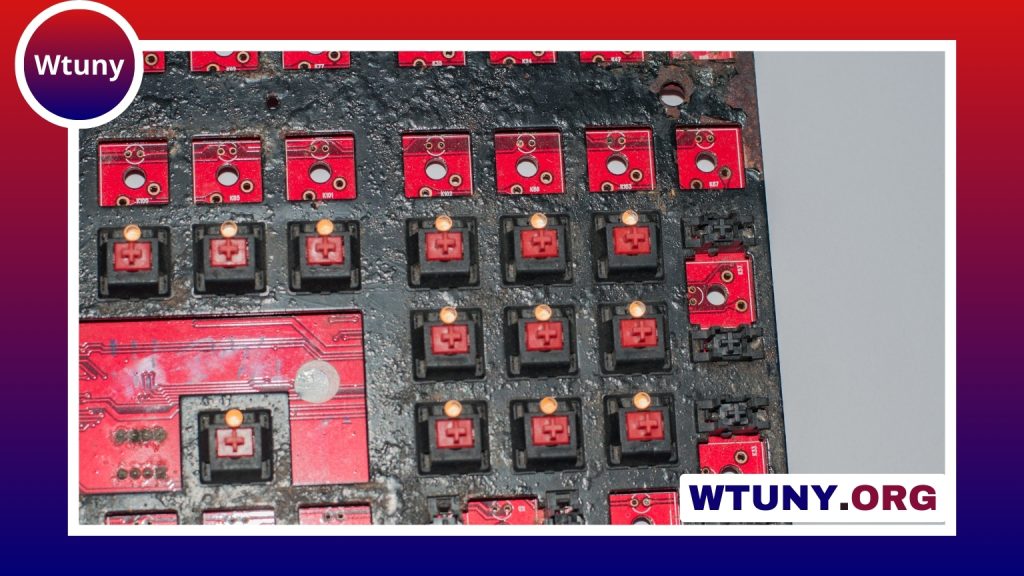
A compact mechanical gaming keyboard can make a noticeable difference when desk space, portability, and precise control matter. By removing less-used keys while retaining mechanical switches, these keyboards leave more room for mouse movement and create a cleaner setup without necessarily sacrificing gaming performance.
The right choice depends on how much space you want to save, which keys you use most often, and whether the keyboard will also serve for work, study, or travel. Layout, switch feel, connectivity, and build quality are the main factors to compare.
Why choose a compact mechanical keyboard for gaming?
The most obvious benefit is a smaller footprint. A compact board can give your mouse more room, which is especially useful for players who use low sensitivity and make broad movements in first-person games. It can also reduce the amount of reaching between the keyboard and mouse, helping create a more comfortable desk position.
Compact keyboards are practical beyond competitive gaming. They leave space for microphones, cameras, controllers, notebooks, or other equipment, making them useful for streaming and hybrid workstations. Smaller models are also easier to pack for travel, LAN events, or use with a laptop and tablet.
Understand the main keyboard layouts
Compact keyboards are available in several sizes. The best layout is the one that removes keys you rarely use without making everyday tasks unnecessarily difficult.
- Tenkeyless (TKL): Removes the dedicated number pad but generally keeps the function row, arrow keys, and navigation cluster. It is a good option for users who want a smaller board without relying heavily on function layers.
- 75%: Keeps many of the same functions as a TKL keyboard in a more tightly arranged design. It offers a useful balance between desk space and accessibility.
- 65%: Usually removes the function row while retaining arrow keys and some navigation controls. It is compact but remains convenient for many games and general tasks.
- 60%: Removes the function row, arrow keys, and navigation cluster from the primary layout. Secondary commands are accessed through function-layer shortcuts, making this format highly portable but less immediately accessible.
A full-size keyboard remains more suitable if you regularly use a number pad for spreadsheets, data entry, or productivity software. For gaming and general use, however, TKL, 75%, 65%, and 60% layouts cover a wide range of preferences.
Choose a switch type that suits your hands and games
Mechanical switches determine how each key feels and sounds. Linear switches have a smooth press with no tactile bump and are often preferred by users who want an uninterrupted keypress. Tactile switches provide a noticeable bump during the press, offering physical feedback without necessarily producing the pronounced sound associated with clicky designs. Clicky switches add an audible click as well as tactile feedback.
There is no universally best switch. Actuation force, travel, sound, and personal preference all matter. If possible, test different switch types before buying. A hot-swappable keyboard can be especially useful for enthusiasts because it allows compatible switches to be changed without soldering.
Gaming features worth comparing
Look for reliable key registration and anti-ghosting support so simultaneous inputs are handled consistently. Full n-key rollover is useful for users who frequently press many keys at once, although the practical requirement depends on the games and shortcuts you use.
Build quality also affects long-term satisfaction. Pay attention to the firmness of the case, the stability of larger keys such as the space bar and Shift keys, and the quality of the keycaps. A solid construction can improve the typing feel, while well-supported stabilizers reduce unwanted movement and noise.
Some compact keyboards include RGB lighting, programmable layers, macros, or onboard memory. These features can be valuable if you want custom controls or lighting profiles, but they should not outweigh basic concerns such as layout, switch feel, and comfortable key spacing.
Wired or wireless connectivity?
A wired USB connection is simple and avoids battery management. It is a sensible choice for a permanent gaming desk and for anyone who wants a direct connection with minimal setup.
Wireless models offer a cleaner desk and greater portability. Depending on the keyboard, wireless operation may use a dedicated receiver, Bluetooth, or both. Bluetooth can be convenient for switching between devices, while a dedicated wireless mode may be more appropriate for a gaming setup. Dual-mode keyboards provide added flexibility, but check how the included connection methods fit your devices before purchasing.
How to select the right compact gaming keyboard
Start with the keys you cannot do without. Choose TKL or 75% if you want easy access to function and navigation keys. Consider 65% or 60% if saving space and carrying the keyboard easily are higher priorities, and make sure you are comfortable using function layers.
Next, decide whether you prefer linear, tactile, or clicky switches, then compare wired and wireless options. Finally, review the keyboard’s software, customization features, keycap quality, and overall construction. A compact mechanical gaming keyboard is a long-term interface for both play and daily use, so comfort and layout should come before decorative extras.






