
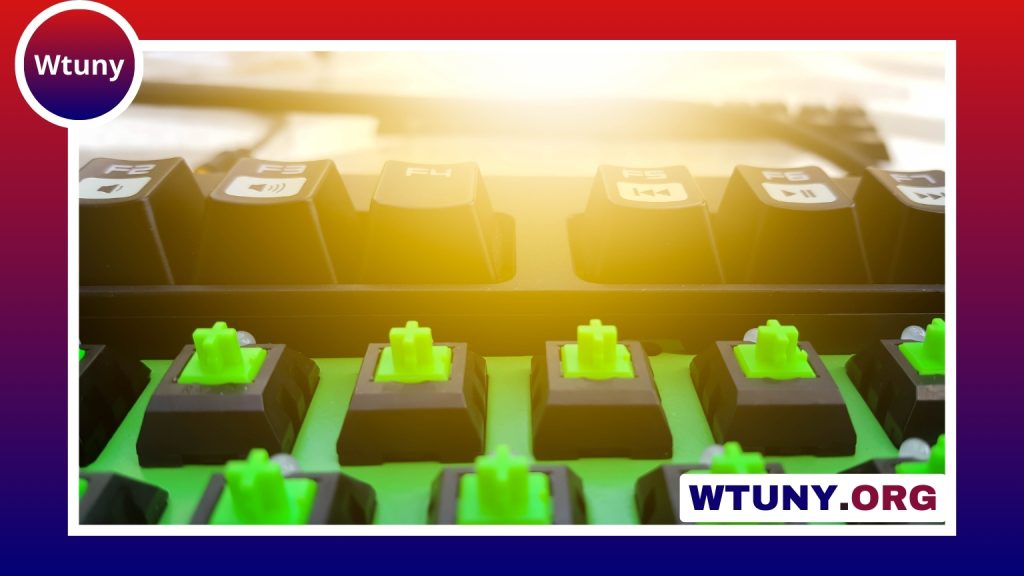
Backlit custom keycaps can change both the appearance and usability of a mechanical keyboard. They make legends easier to see in dim lighting, help important keys stand out, and give a desk setup a more personal look. The right set should do more than add color: it should fit your keyboard, support your typing habits, and work well with the lighting built into your board. Discover how custom backlit keycaps transform typing feel while complementing wider keyboard accessory collections.
Why choose backlit custom keycaps?
The main practical advantage is visibility. Keycaps with translucent legends or illuminated edges allow light from the keyboard’s LEDs to show through, making keys easier to identify during late-night work, gaming, or shortcut-heavy tasks. This can be particularly useful on programmable keyboards where layers, macros, and custom commands are part of the workflow.
Backlighting also creates a straightforward way to personalize a keyboard. White backlit keycaps provide a clean, restrained appearance and pair well with neutral desk arrangements. Colored keycaps can add contrast, highlight frequently used keys, or create a more expressive look for gaming and streaming setups.
Materials and construction
Material affects the texture, durability, appearance, and light transmission of a keycap set. The two most common plastics are ABS and PBT, each with different characteristics.
- ABS: Often thinner and well suited to bright illumination because light can pass through the legends easily. Its surface may develop a smoother, shinier appearance with extended use.
- PBT: Known for a textured feel and stronger resistance to surface shine. PBT backlit keycaps are available with designs that still provide effective legend illumination.
Manufacturing method is also important. Double-shot keycaps form the legend and the surrounding keycap from separate pieces of plastic. This produces clearly defined legends that do not rely on surface printing. Dye-sublimated keycaps use heat to infuse a design into the plastic and are commonly associated with PBT, although their designs must be planned carefully when backlighting is required.
For RGB or LED keyboards, look for keycaps specifically designed around illuminated legends or translucent sections. A set can be attractive but still produce weak or uneven lighting if its legends do not align well with the keyboard’s LEDs.
Check compatibility before buying
Compatibility should be the first step in choosing a backlit keycap set. Confirm that the keycaps use the correct switch stem, with Cherry MX-style stems being common on mechanical keyboards. Then check the keyboard layout and the number and size of its keys. Full-size, tenkeyless, and compact 60 percent boards do not use the same keycap arrangement.
Pay special attention to non-standard keys. Spacebars, shift keys, the enter key, and bottom-row modifiers can vary in width or placement between keyboards. A set may fit the alphabet keys but still be unsuitable if it lacks the correct sizes for these larger keys.
Keycap profile affects the typing experience as well as the visual design. OEM, Cherry, SA, and DSA profiles differ in height, shape, and row arrangement. Choose a profile that suits your preferred typing angle and comfort rather than selecting only by color or lighting style. Backlit custom keycaps pair well with integrated power controls for a cohesive, functional keyboard setup.
Match the set to your workflow
Choose the lighting and color scheme according to how you use the keyboard. Writers and programmers may prefer muted colors, clear legends, and a consistent white or warm glow. Gamers may use contrasting colors to distinguish movement keys, modifiers, or other frequently used controls. Streamers and content creators can use accent keycaps to make hotkeys more visible on camera and easier to locate quickly.
Legends can also serve a functional purpose. Illuminated media controls, macros, or shortcut keys can make a custom layout easier to learn. If your keyboard supports software-controlled lighting, different profiles can provide separate visual arrangements for coding, gaming, or general work without replacing the keycaps.
Installation tips
A keycap puller makes installation safer and more consistent than pulling caps by hand. Remove the original keycaps carefully and keep them organized until the new set is installed. When replacing larger keys, take care around the stabilizers: the spacebar, shift keys, enter key, and backspace may require the stabilizer stems to line up correctly before the keycap is pressed into place.
Install a few keys first and test their lighting and movement before completing the entire board. This makes it easier to identify a compatibility or alignment issue early.
Cleaning and long-term care
For routine cleaning, wipe the keycaps with a soft microfiber cloth. If they need a deeper clean, remove them and soak them in mild soapy water, then rinse and allow them to dry completely before reinstalling them. Avoid harsh chemicals, abrasive tools, and excessive heat, which may affect the plastic or legends.
Dust can also collect around switches and stabilizers. Periodic cleaning helps preserve the appearance of the board, while checking the stabilizers can help identify rattling or uneven movement. If key presses become scratchy, the switches or stabilizers may need attention separately from the keycaps.
A balanced upgrade for a custom keyboard
Backlit custom keycaps are most successful when appearance, compatibility, and comfort are considered together. Start with the keyboard’s layout and switch stem, compare material and construction options, then choose a profile and color scheme that support your daily use. Whether you prefer understated white illumination or bold colored accents, a well-matched set can make the keyboard easier to use and more cohesive with the rest of your accessories.






