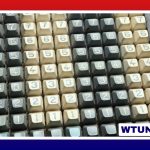
ASMR typing turns an everyday activity into a focused listening experience. The sound may be a sharp mechanical click, a soft tactile bump, or the deeper tone of a damped linear switch. For creators, the keyboard acts almost like a musical instrument: its switches, keycaps, case, plate, and stabilizers all contribute to the final recording.
For listeners, typing audio can provide a relaxing background for studying, working, or winding down. The most effective recordings usually combine a pleasing keyboard sound with consistent rhythm, low background noise, and enough detail to make each keystroke feel clear without becoming harsh.
What gives a keyboard its ASMR sound?
No single keyboard sound is universally best. The right choice depends on whether you prefer bright and energetic clicks, textured tactile presses, or a smoother, lower-pitched profile.
Switch type
- Clicky switches: Switches such as Cherry MX Blue and some Kailh Box models produce a distinct, percussive click. They can work well for fast, articulate typing demonstrations.
- Tactile switches: Cherry MX Brown and Zealios-style switches provide a noticeable bump without the separate click mechanism. Their sound often sits between crisp and muted.
- Linear switches: Smooth linear switches can produce a deep, even tone, particularly when they are lubricated and paired with case or plate dampening.
The switch is only part of the result. Aluminum cases may sound brighter and more resonant, while plastic and polycarbonate cases can produce a warmer or more subdued character. Plate construction, internal space, and the way the keyboard is mounted also affect resonance.
Keycaps and alternative switch designs
Keycap material and shape influence both the attack of each keystroke and the overall pitch. PBT keycaps are often chosen for a more solid, less ringing presentation, while ABS keycaps can provide a sharper or brighter sound. Profiles such as Cherry, OEM, and SA change the distance between the fingers and the surface, as well as the way sound reflects around the keys.
Topre and other electrostatic-capacitive keyboards, including Realforce and HHKB examples, offer a distinctive cushioned sound that differs from conventional mechanical keyboards. They are worth considering if you prefer a softer, less metallic typing texture.
Keyboard styles worth exploring
Several types of boards can serve as a strong starting point for ASMR typing. Ducky One and Ducky Shine keyboards are associated with consistent construction and clear acoustic feedback. Keychron models such as the K2 and K8 offer switch choices and, on some versions, hot-swappable functionality that makes experimentation easier.
Leopold and Varmilo keyboards are useful options for people seeking a more refined, stable presentation, while Realforce and HHKB boards provide the quieter, cushioned character associated with Topre-style switches. Hot-swappable boards such as the Glorious GMMK, Drop Control, and selected Keychron models are especially practical for creators who want to compare switch and keycap combinations without soldering.
There is no need to begin with an expensive enthusiast keyboard. A board that feels comfortable, has minimal unwanted rattle, and allows a clean recording can be more useful than a premium model with a sound profile you do not enjoy.
Simple modifications for cleaner typing audio
Tuning can make a larger difference than changing brands. Start by identifying the problem in a short test recording: excessive spring noise, hollow case resonance, scratchy switches, or rattling larger keys each require a different solution.
- Lubricate switches: Proper lubrication can reduce scratchiness and smooth the sound of compatible switches.
- Dampen the case: Foam, cork, neoprene, or similar material can reduce unwanted resonance when installed appropriately inside the case.
- Improve stabilizers: Space bars, Enter keys, and other large keys often need careful lubrication and adjustment to reduce rattle.
- Change keycaps: A different material or profile can alter brightness, depth, and the perceived impact of each press.
- Test one change at a time: Recording after every modification makes it easier to understand what actually improved the result.
Recording ASMR typing
A capable keyboard still needs thoughtful microphone placement. Small-diaphragm condenser microphones can reveal high-frequency click detail, while large-diaphragm condenser and dynamic microphones may produce a fuller presentation. Binaural microphones can add a more spacious, three-dimensional perspective when that style suits the content.
Place the microphone close enough to capture individual keystrokes, but not so close that every impact becomes overwhelming. A slightly greater distance can provide a more balanced mix and reduce the prominence of isolated noises. Record a short sample while testing several positions rather than relying on the sound heard from the keyboard itself.
The room matters as much as the equipment. Rugs, curtains, and other soft furnishings can reduce reflections, while a quiet recording space helps preserve subtle switch sounds. During editing, restrained equalization can soften harsh frequencies, and gentle compression can make volume changes less distracting. Heavy processing may remove the natural variation that makes typing sound realistic.
Finding your preferred ASMR typing profile
Begin with the sound you want to hear: crisp click, rounded tactile texture, or deep linear thock. Then choose a keyboard that supports that direction and adjust the switches, keycaps, stabilizers, and case treatment gradually. Comparing short recordings is more reliable than judging a board from specifications alone.
The most convincing ASMR typing setup is ultimately a combination of comfortable hardware, controlled acoustics, and careful recording. Whether the final result is bright and rhythmic or soft and subdued, the goal is a clean, intentional sound that remains pleasant over an extended listening session.