
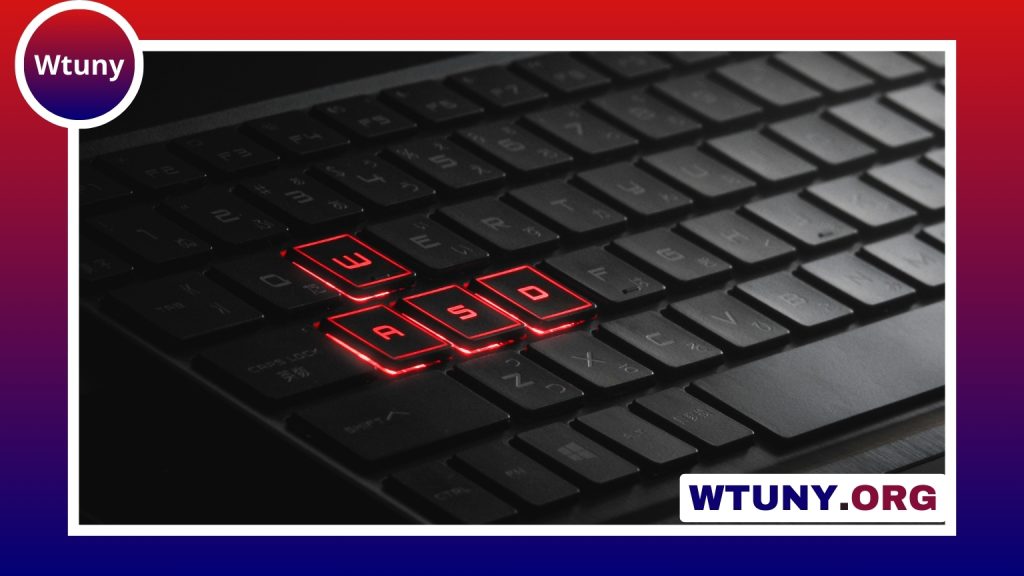
A mechanical keyboard tester is a practical tool for anyone choosing switches, troubleshooting a custom build, or refining an existing keyboard. Instead of installing a complete set of switches before knowing whether they suit you, a tester lets you compare feel, sound, travel, and consistency with less time and expense. Follow the keyboard testing workflow to verify switches, stabilizers, and PCB compatibility for DIY builds.
Testers range from simple online key-checking tools to compact hot-swappable boards and larger rigs that approximate a keyboard layout. The best option depends on whether you are evaluating switch characteristics, checking key signals, or testing components during a DIY build.
What a mechanical keyboard tester can help you evaluate
A physical switch tester is useful because it exposes qualities that software cannot reproduce. Pressing several switches side by side can help you compare:
- Switch feel: Determine whether linear, tactile, or clicky switches match your typing preferences.
- Actuation and travel: Notice when a switch begins to register and how its movement feels through the press.
- Sound: Compare the volume and character of the switch, including differences between pressing and releasing the key.
- Consistency: Check whether samples feel similar or whether one has noticeably different resistance, wobble, or noise.
- Modification results: Test a switch before and after lubrication, filming, or another adjustment.
A tester does not replace a full keyboard for judging long-term comfort or an entire layout, but it can prevent unsuitable switch purchases and make component decisions more deliberate.
Types of keyboard testers
Online keyboard tester websites
An online keyboard tester is useful when you need to confirm that a key press is reaching the computer. These tools can display pressed keys, help identify key codes, and provide basic feedback for layout or remapping work. They are particularly useful during initial setup or when checking whether a keyboard is sending input at all.
Software cannot reproduce switch sound, spring resistance, tactile feedback, or physical travel. Use an online tool for signal and mapping checks, then use hardware when the decision depends on how a switch feels or sounds.
Compact switch testers
A small switch tester usually holds several samples and may use hot-swap sockets. This format is convenient for comparing switches without soldering them into a complete PCB. It is also easy to keep beside a keyboard or carry between workspaces.
Full-plate and layout testers
A larger tester can provide a more realistic mounting surface and may accommodate longer keys, stabilizers, or a broader selection of switch positions. This makes it more useful when you want to judge the behavior of a switch under something closer to a normal typing setup, including the sound and movement of stabilized keys.
Handheld testers
Handheld designs prioritize portability. They are suitable for carrying switch samples and making quick physical comparisons, although their small size may provide less information about a complete layout or longer stabilized keys.
How to use a switch tester effectively
Start by deciding what you are testing. If the goal is sound, compare switches in the same mounting conditions and in a quiet environment. Press each sample repeatedly rather than relying on a single keystroke. If the goal is feel, alternate between samples and pay attention to resistance, the tactile event, return movement, and any housing or stem wobble. After testing each key, learn the switch removal process to replace faulty mechanical keyboard components safely.
For a useful comparison, keep the test consistent:
- Use the same keycaps, where possible, so keycap differences do not affect the sound or feel.
- Compare switches at similar positions and with similar mounting support.
- Test both slow presses and normal typing-speed presses.
- Record observations immediately instead of relying on memory.
- Repeat the comparison after any modification to identify what changed.
When diagnosing a keyboard, first use an online tester or operating-system input tool to see whether the key is registering. A physical tester can then help determine whether the switch itself behaves differently from a known working sample. This separates a possible switch problem from an issue involving the PCB, socket, connection, or trace.
Using a keyboard tester on Mac
Mac users can use an online key tester or a compatible key-checking application to verify key presses, modifiers, and key codes. Testing on the target computer matters because operating systems may handle certain keys and modifier combinations differently. Check the keys you plan to remap, including modifier behavior, rather than assuming that every key will be interpreted identically across platforms.
A Mac-compatible software tester confirms the signal being received, but it still cannot measure mechanical feel or acoustic output. Pair it with a physical switch tester when selecting switches or investigating noise.
Building a DIY key switch tester
A DIY tester can be tailored to a growing collection of switches or a particular keyboard project. A basic design may use a small PCB with hot-swap sockets. Another approach is to wire switches to a breadboard and microcontroller for key detection. A larger matrix may require diodes, unless the chosen controller already supports the necessary scanning arrangement.
Useful design priorities include:
- Make switches easy to remove and replace.
- Provide stable mounting so physical comparisons are repeatable.
- Allow room for the switch types and key sizes you actually plan to test.
- Add an enclosure or padding if you want a more controlled testing surface.
- Connect the controller as a USB input device if you also need to verify key codes.
A DIY tester is most valuable when it remains flexible. Designing around hot-swap components makes it easier to compare new samples, modified switches, and replacement parts as your keyboard projects develop.
Choosing the right tester
Choose an online tester when you mainly need key detection, modifier checks, or layout troubleshooting. Choose a compact physical tester for quick switch comparisons and portability. A full-plate tester is better when realism, stabilizers, and larger keys are important. For ongoing building and repair work, a hot-swappable tester with a working USB controller offers both physical evaluation and input diagnostics.
Used as part of a consistent workflow, a mechanical keyboard tester reduces guesswork. It helps you select switches with clearer expectations, identify faulty components sooner, and confirm that changes to a custom keyboard have produced the intended result.






