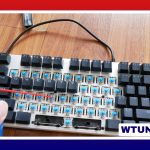
A quiet switches keyboard is designed for people who want the feel and responsiveness of mechanical keys without loud clacking. It can be a practical choice for shared offices, bedrooms, libraries, co-working spaces, and any home where typing noise is distracting.
Mechanical keyboard noise does not come from one source. Sound can be created by the switch itself, the keycap striking the housing, the stem reaching the end of its travel, stabilizers rattling under larger keys, and vibrations echoing through the case. Choosing quieter switches helps, but the keyboard’s construction and your typing technique also have a noticeable effect.
What makes a mechanical keyboard quiet?
Quiet mechanical keyboards generally combine switches with noise-reducing construction. Silent switches commonly use internal dampers or modified stems to cushion the movement of the switch during both the downward and upward portions of a key press. This reduces the sharp impact associated with standard mechanical switches.
The case can also influence the sound. A hollow plastic enclosure may amplify vibrations, while a denser case or a keyboard with sound-absorbing material can produce a softer, less resonant profile. Keycap thickness, plate design, stabilizer quality, and the way a person presses the keys all contribute to the final result.
Quiet switch types to consider
Silent linear switches
Silent linear switches move smoothly without a tactile bump or audible click. Their built-in dampening makes them one of the most popular choices for low-noise typing. They suit users who prefer an uninterrupted keystroke and do not need a physical bump to confirm activation.
Silent tactile switches
Silent tactile switches retain a noticeable bump while reducing the impact noise produced by the switch. They can be a better fit for writers, programmers, and other users who prefer feedback during each keystroke but still need to keep volume under control.
Quiet linear switches without dampers
Some conventional linear switches, including red-style switches, are relatively restrained because they do not include a click mechanism. However, a standard linear switch is not automatically silent. Bottoming out, releasing the key, housing movement, and case resonance can still create considerable sound.
Are red switches quiet?
Red switches are linear, so they are usually less sharp and loud than clicky switches. That does not make every red switch a silent switch. A stock red switch can still produce a clear bottom-out sound and may transmit vibration through the case.
If you like the smooth feel of red switches, you can reduce their volume with several changes:
- Choose a red-style switch specifically designed with internal dampening.
- Add case foam or another suitable layer of sound-absorbing material.
- Lubricate compatible switches to reduce friction and unwanted mechanical noise.
- Use thicker keycaps, which can produce a deeper and less sharp sound than thin caps.
- Consider landing pads or O-rings if you want to soften bottom-out impact.
Keep in mind that O-rings and similar dampers change the key’s travel and feel. They may reduce impact noise, but they are not always the best choice for users who want a full, unrestricted keystroke.
Ways to make a keyboard quieter
Switch selection is only the starting point. Stabilizers beneath the spacebar, Enter, Shift, and Backspace keys can create a separate rattling sound. Cleaning up and lubricating suitable stabilizer components can make these larger keys noticeably less distracting.
Case dampening is another useful modification. A thin foam layer placed between the circuit board and case can reduce internal echo and limit vibration. The material must fit without interfering with the board, battery, cables, or other components, so modifications should be made carefully.
Keycaps also affect acoustics. Thicker PBT or high-profile ABS keycaps may produce a fuller sound than very thin keycaps, although the result depends on the entire keyboard. A heavier plate or denser case can likewise reduce the hollow character often associated with lightweight enclosures.
Choosing the right quiet switches keyboard
Begin with the typing feel you prefer rather than focusing only on advertised noise levels. Choose silent linear switches if smooth travel and minimum mechanical impact are most important. Choose silent tactile switches if you want a quieter board with a defined bump.
It is also worth considering the keyboard’s size and layout. Compact and full-size keyboards can respond differently to vibration, and the case shape affects how sound is reflected. If possible, listen to sound tests or try switches in person, since the same switch can sound different depending on the plate, keycaps, case, and stabilizers.
Finally, decide whether you want a ready-to-use keyboard or one that can be modified. An out-of-the-box silent model requires less effort, while a board with accessible switches and a serviceable case may allow targeted upgrades such as lubrication, foam, quieter keycaps, and stabilizer tuning.
Who benefits from a quiet mechanical keyboard?
A quiet switches keyboard can help reduce distractions in open-plan offices and shared homes. It is also useful for late-night work, classroom or library environments, and streaming or recording setups where microphones may pick up key presses. The goal is not necessarily complete silence, but a controlled sound profile that preserves mechanical responsiveness without overwhelming the surrounding space.