
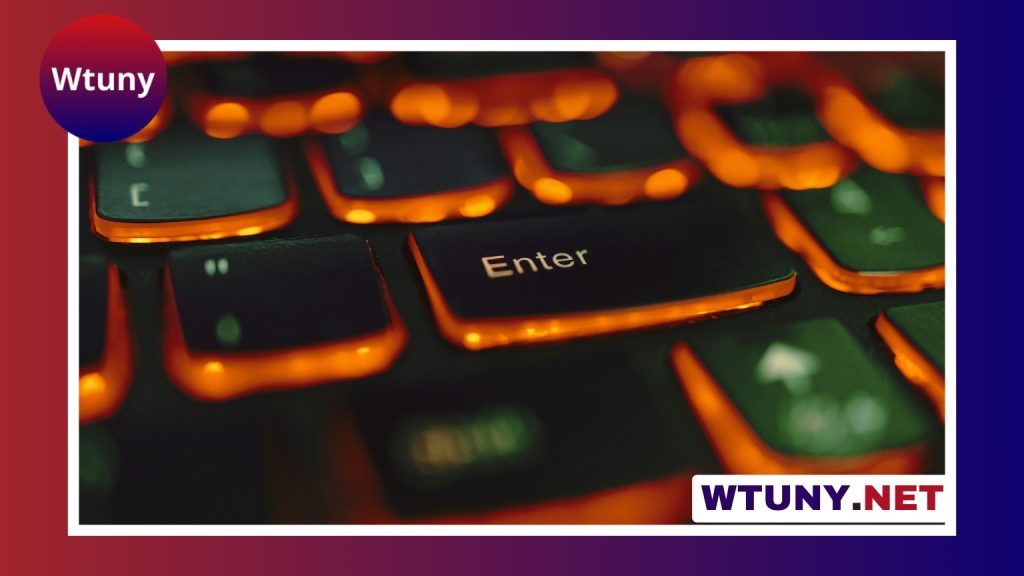
OEM keycaps are one of the most familiar choices for mechanical keyboards. Their sculpted shape, broad availability, and balanced height make them a practical option for both first-time builders and experienced enthusiasts. Before choosing a set, it helps to understand how the OEM profile affects typing, how materials change the feel and sound, and whether the included sizes match your keyboard layout. OEM keycaps can streamline aesthetics, but many enthusiasts customize layouts through custom keyboard projects.
What is the OEM keycap profile?
OEM refers to a sculpted keycap profile commonly found on mass-market mechanical keyboards. Instead of every row having the same shape, each row uses a different height and angle. Together, these rows create a gentle contour across the keyboard that guides the fingers during normal typing.
OEM keycaps are generally taller than low-profile keycaps but lower and less pronounced than profiles such as SA. This middle-ground design is one reason they are so widely used. The shape feels familiar to many typists while still providing the distinct look and sound associated with a mechanical keyboard.
How material affects feel and durability
The plastic used to make a keycap has a noticeable effect on its texture, appearance, and long-term wear. The two materials most often considered are ABS and PBT.
- ABS: Often found in mass-produced sets, ABS keycaps usually have a smoother surface. With extended use, the areas touched most frequently may become glossy or develop visible shine.
- PBT: Popular among custom-keyboard builders, PBT is known for a more textured feel and better resistance to surface shine. It is available in many colors and finishes, although the exact result depends on the manufacturing process.
Neither material automatically determines whether a set is good or bad. Your preference may depend on whether you value a smooth surface, a textured finish, a particular sound, or resistance to visible wear.
Legend and printing methods
The legends are the letters, numbers, and symbols printed or molded into the keycaps. Their production method affects both appearance and longevity.
- Pad printing: Applies ink to the surface of the keycap. It allows detailed designs but may show wear sooner than other methods.
- Dye sublimation: Embeds the legend into the plastic, commonly on PBT keycaps. It produces durable legends without adding a separate layer to the surface.
- Doubleshot molding: Forms the legend from a separate piece of plastic inside the keycap. Because the character is part of the keycap structure, it is considered one of the most durable options for legends.
Compatibility with mechanical keyboards
Most OEM keycap sets are made for switches with Cherry MX-style stems, which covers a broad range of mechanical switches. However, stem compatibility is only one part of the check. The size of each key must also match the keyboard.
Standard alphanumeric keys are often 1u wide, while modifiers may use sizes such as 1.25u or 1.5u. Larger keys, including the spacebar and some shift, enter, backspace, and bottom-row keys, vary between layouts. A set designed for a conventional full-size keyboard may not include the sizes needed for a 65% board, split keyboard, or ortholinear layout.
Before buying, compare the keycap set’s size chart with your keyboard. Pay particular attention to the bottom row, right shift, spacebar arrangement, and any unusual stabilised keys. Sculpted profiles also require the correct row keys in the correct positions; mixing rows casually can produce inconsistent angles and an uncomfortable typing surface. Explore personalized key options to complement OEM keycaps with a distinctive look and comfortable typing experience.
Why choose OEM keycaps?
OEM keycaps suit many DIY projects because they offer a useful balance of comfort, availability, and price. Their familiar sculpted arrangement is an approachable starting point for a first custom keyboard, especially when you do not yet know which profile you prefer.
They are also useful as a baseline for experimentation. You can compare different switches, stabiliser adjustments, cases, or sound treatments without introducing an unusually tall or specialised keycap profile. Replacing the keycaps alone can also change the keyboard’s appearance and contribute to a different acoustic character.
When another profile may be a better fit
OEM is not the only suitable profile. A low-profile set may appeal to someone who prefers a shorter key travel experience, while a taller profile may be chosen for its distinctive appearance or sound. Flat, uniform profiles can also be useful for users who prefer consistent key shapes across rows.
The best choice depends on hand comfort, visual style, keyboard layout, and the amount of adjustment you are willing to make. If possible, trying different profiles before committing to a full set is helpful.
Cleaning and customization
For routine maintenance, remove the keycaps and clean them with mild soap and water. Let them dry completely before reinstalling them. Avoid harsh treatments that could damage printed legends or alter the surface finish.
OEM sets are also easy to personalize with alternate colors, novelty keys, or artisan keycaps, provided the replacement keys use a compatible stem and the appropriate row profile. When reinstalling keys, make sure each cap is seated evenly and that stabilised keys move freely. Correct alignment can make a noticeable difference to the typing experience.
OEM keycaps remain a dependable all-purpose option for custom mechanical keyboards. Their sculpted shape is familiar, their materials and legend methods offer plenty of choice, and their widespread sizing makes them suitable for many standard layouts. Checking the profile, construction, and exact key sizes before purchase will help ensure that the set matches both your keyboard and your preferences.






