A keyboard can make a noticeable difference when you write, code, study, or handle office work for several hours at a time. The right model should feel comfortable, respond consistently, and suit the way you work. Although features such as lighting and programmable keys may be appealing, typing comfort usually depends more on the switch mechanism, key layout, build quality, and ergonomics.
What makes a keyboard good for typing?
A good typing keyboard helps you press keys accurately without requiring unnecessary force. It should remain stable on the desk, provide a layout that feels familiar, and offer enough feedback to help you know when a key has registered.
Key travel and actuation force strongly influence the typing experience. Some people prefer deeper keys with a noticeable tactile bump, while others like the short travel and light feel of a laptop-style keyboard. Neither approach is universally best, so personal comfort matters more than a particular category.
Ergonomics are especially important for long sessions. A comfortable typing setup may include an adjustable keyboard angle, a suitable wrist position, or a split and tented design that allows the hands to rest more naturally. A wrist rest can also be useful, provided it does not force the wrists into an awkward position.
Keyboard types and who they suit
Mechanical keyboards
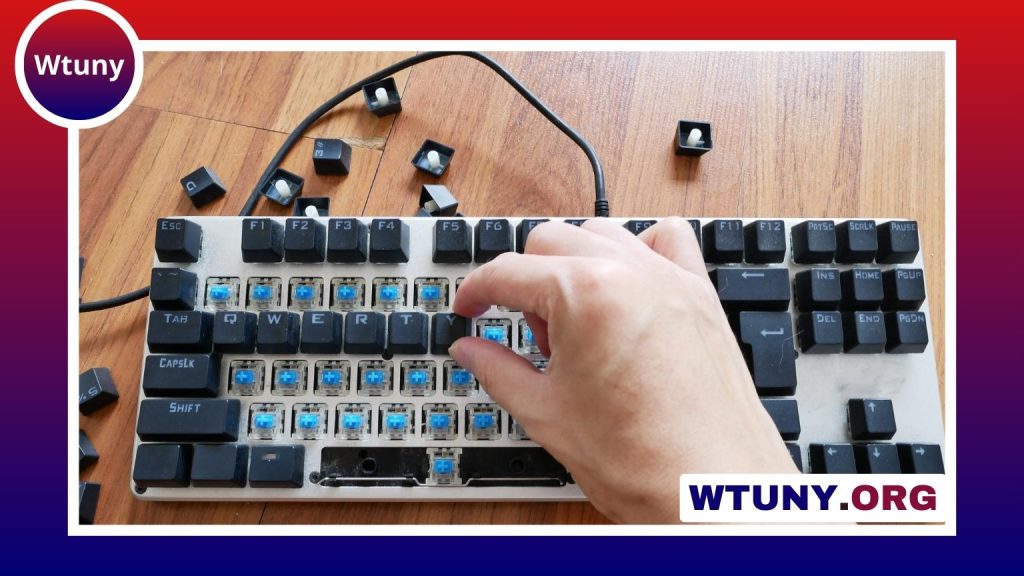
Mechanical keyboards use individual switches beneath the keys. They are available with different force requirements and feedback styles. Tactile switches provide a noticeable bump, while linear switches move more smoothly. Mechanical models are often chosen by writers, programmers, and other heavy typists because they offer consistent key feel and can be highly durable.
They can, however, be louder and more expensive than simpler alternatives. If you share an office or work near other people, look for quieter switches or models with sound-dampening features.
Scissor-switch and membrane keyboards
Scissor-switch keyboards have a low-profile design commonly associated with laptops. They usually offer a shorter key press and a quieter sound, making them suitable for offices, travel, and users who prefer a compact feel. Membrane keyboards are widely available and can provide reliable typing at a lower price, though their key feel varies considerably between models.
Ergonomic keyboards
Ergonomic keyboards may use a split layout, curved key arrangement, or tenting to change the position of the hands and wrists. They can be helpful for people who experience discomfort during extended typing, but their layouts may require an adjustment period. Try one if possible before committing to a major change from a conventional keyboard.
Features worth prioritising
- Comfortable key feel: Choose a switch type and actuation force that let you type without pressing harder than necessary.
- Stable construction: A solid frame and non-slip feet prevent the keyboard from moving while you work.
- Suitable layout: Decide whether you need a full-size keyboard, a compact tenkeyless model, or a smaller layout for portability.
- Numeric keypad: A number pad is useful for spreadsheets, finance work, and frequent data entry, but it increases the keyboard’s width.
- Quiet operation: Low-profile, scissor-switch, and dampened mechanical keyboards are better choices for shared spaces.
- Reliable connection: USB provides a straightforward wired connection, while Bluetooth can reduce desk clutter and support compatible devices.
- Durable keycaps: Keycap material and overall construction affect how well the keyboard withstands regular use.
Wired or wireless?
A wired keyboard is simple, dependable, and does not require battery charging. It is a practical choice for a permanent desktop workstation, particularly if you want a consistent connection with minimal setup.
Wireless keyboards offer a cleaner desk and are convenient when switching between a computer, tablet, or laptop. Bluetooth models may pair with multiple devices, while other wireless keyboards use a dedicated receiver. Check the connection method and battery arrangements before buying, especially if the keyboard will be used away from a desk.
How to choose a keyboard for your work
Start with the way you type rather than with a brand or a list of fashionable features. For long writing or coding sessions, focus on key feel, noise, wrist position, and build quality. For office work, a quiet full-size or low-profile keyboard may be more practical. If you frequently travel, a compact external keyboard can provide a more comfortable layout than a laptop keyboard without taking up much space.
Gamers may value programmable keys, media controls, or low-latency performance, but those features are not essential for ordinary typing. Similarly, decorative lighting should not outweigh comfort, layout, or reliability.
Try before you buy
Typing preference is personal, and product descriptions cannot fully communicate how a keyboard feels under your fingers. If possible, test different switch styles or borrow a keyboard before making a purchase. Pay attention to whether you bottom out the keys forcefully, whether your hands feel tense, and whether the layout causes frequent mistakes.
Reviews can help you assess construction, noise, connectivity, and long-term reliability, but a generous return policy is valuable because comfort cannot always be predicted. The best keyboard for typing is the one that matches your workspace, workload, and natural typing style—not necessarily the most expensive model or the one with the longest feature list.