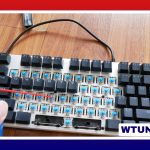
A pocket keyboard gives you a practical way to type on a smartphone or tablet without carrying a full-size computer. These compact accessories are designed for travel, commuting, field work, note-taking, and any situation where a touchscreen keyboard feels slow or uncomfortable.
What is a pocket keyboard?
A pocket keyboard is a lightweight physical keyboard made for easy transport. Most models connect through Bluetooth, while some use a wired connection or a device-specific adapter. Depending on the design, a pocket keyboard may work as a standalone accessory, fold into a smaller shape, or attach to a phone or tablet cover.
Physical keys can make longer writing sessions more comfortable and precise than typing on a touchscreen. They are particularly useful for mobile professionals, students, writers, field workers, and anyone who regularly enters notes, messages, documents, or data away from a desk.
Popular pocket keyboard designs
Folding keyboards
Folding keyboards use hinges or sections that collapse for storage. They offer a useful compromise between portability and typing comfort because they can provide more space than extremely small one-piece keyboards while still fitting into a bag or coat pocket. Some are designed to sit alongside a phone or tablet, creating a compact mobile workstation.
Roll-up keyboards
Roll-up keyboards are made from flexible material and can be rolled for transport. Their main strengths are light weight and easy storage. However, the flexible construction may provide less key travel and tactile feedback than a rigid or mechanical-style keyboard, so they may be better suited to occasional typing than extended writing.
Compact mechanical-style keyboards
Some portable keyboards focus on a more familiar desktop typing feel. These models may be less compact than folding or roll-up designs, but they can be a better choice for users who value key response and feedback. Consider this format if typing comfort matters more than achieving the smallest possible packed size.
Keyboard covers and attachable models
A keyboard cover combines physical keys with protection for a compatible phone or tablet. This arrangement keeps the keyboard and device together, which can make travel and setup simpler. The trade-off is that compatibility may be limited to particular device sizes or models.
Compatibility with iPhone, Android, and tablets
Many pocket keyboards use standard Bluetooth input, allowing them to pair with different mobile devices. Even so, compatibility should be checked before purchase. Confirm that the keyboard supports your phone or tablet, uses the appropriate layout, and offers the functions you need.
Some accessories are designed specifically for one phone family or use a proprietary dock, magnetic connection, or protective case. Android users may want features such as customizable keys, shortcuts, or a dedicated function row. iPhone users may prefer a keyboard cover for a tidy, integrated setup or a larger keyboard with more comfortable spacing.
If your work involves spreadsheets, accounting, or frequent numeric entry, a separate number pad phone keyboard can be useful. It adds dedicated number keys without requiring you to carry a full-size desktop keyboard.
Where a pocket keyboard is useful
- Travel and commuting: Draft documents, emails, or notes when a laptop is inconvenient to carry.
- Field work: Enter customer, inspection, or job-related information more efficiently than with a touchscreen.
- Education: Take notes, prepare coursework, or grade work using a phone or tablet.
- Content creation: Write captions, metadata, scripts, or longer messages while working away from a desk.
- Mobile productivity: Combine a phone stand with a folding keyboard for a compact workstation.
- Numeric tasks: Add a number pad when entering figures on a mobile device.
How to choose the right model
Start with your normal typing habits rather than choosing solely by packed size. A very small keyboard may be easy to carry but can make frequent typing less comfortable or increase errors. If you regularly write long documents, prioritize key spacing, key travel, and tactile feedback.
Also consider the following features:
- Connection method: Bluetooth is convenient, while wired models may suit users who prefer a direct connection.
- Battery and charging: Check how the keyboard is powered and whether its charging routine suits your travel habits.
- Multi-device pairing: Useful if you switch between a phone, tablet, and another compatible device.
- Backlighting: Helpful in dim environments, though it may require more frequent charging.
- Trackpad or shortcuts: Valuable if you want a setup that feels closer to using a laptop.
- Durability: Choose a rigid, folding, or flexible design according to how it will be carried and stored.
Setup and care
For a Bluetooth keyboard, enable Bluetooth on the phone or tablet, place the keyboard in pairing mode, and select it from the available devices. Wired models may require a compatible adapter or USB setting. If the manufacturer provides a companion app, check it for firmware updates and additional configuration options.
Keep the keyboard clean with a gentle wipe and protect it during transport. Store folding models in a sleeve so grit does not collect around the hinges, and keep charging cables with the keyboard. A separate number pad should also be stored securely so it does not get lost in a bag.
Final considerations
The best pocket keyboard is the one that matches your balance of portability, comfort, and functionality. A folding model may suit frequent travelers, a keyboard cover may appeal to users who want an integrated phone setup, and a dedicated number pad may be worthwhile for numeric work. Compare the packed size with the usable typing area, confirm device compatibility, and choose the design that fits the way you actually work.