
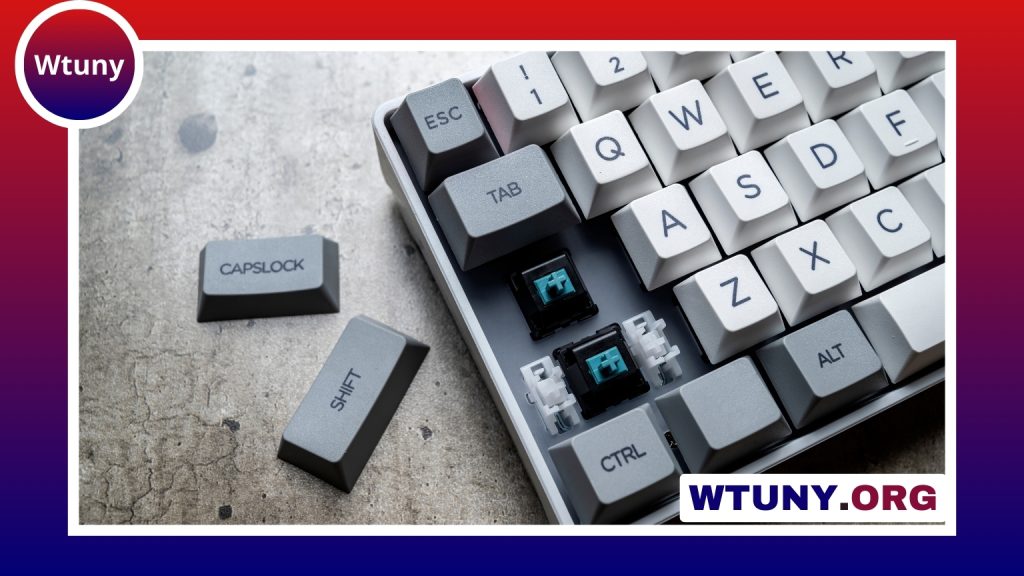
An RGB keyboard can add more than color to a Mac or MacBook setup. Depending on the model, customizable lighting can make frequently used keys easier to find, distinguish shortcuts, and create separate visual profiles for work, creative software, or gaming. An external keyboard can also provide a more comfortable typing experience than a built-in laptop keyboard, particularly when a MacBook is used at a desk.
Why use an RGB keyboard with a Mac?
Lighting is most useful when it supports a task rather than simply adding animation. You might highlight modifier keys such as Command, Option, and Control, mark a group of shortcuts, or use a different color for each application profile. Softer static lighting can also improve visibility in a dim room without requiring a bright animated effect.
An external Mac-compatible keyboard may offer other benefits as well:
- A mechanical or low-profile typing feel instead of the built-in laptop keyboard.
- A larger layout with dedicated navigation, function, or media keys.
- Bluetooth, USB-C, or 2.4GHz connectivity for different desk arrangements.
- Programmable keys, layers, and macros on supported models.
- A choice of compact, tenkeyless, or full-size designs.
Popular RGB keyboard options for Mac users
Several established keyboard lines are commonly considered by Mac users, although features can differ between individual models. Keychron’s K-series, including the K2, K6, and K8, is known for offering Mac keycaps and layouts on selected versions, along with Bluetooth and wired connections. Some models also include hot-swappable switch sockets, allowing compatible switches to be replaced without changing the entire keyboard.
Logitech’s G915 TKL and G815 use low-profile mechanical switches and provide RGB lighting with desktop-oriented designs. Depending on the model and connection method, they can be suitable for users who want a slim keyboard or wireless flexibility. Corsair’s K70 RGB family is another option for users who prefer a larger desktop keyboard, per-key lighting, an aluminum frame, and dedicated media controls. Its macOS software support may not provide every feature available on Windows, so compatibility should be checked before purchase.
Other examples include the compact Anne Pro 2, SteelSeries Apex Pro models with adjustable actuation on supported versions, and selected Razer keyboards with extensive lighting systems. Software and macOS support vary across these brands and even between products in the same range. Treat model-specific compatibility as an important part of the buying decision rather than assuming that every feature will work on a Mac.
Features to compare before buying
Mac layout and size
Check the position and labeling of the Command and Option keys. Some keyboards include Mac keycaps or a dedicated Mac mode, while others use a primarily Windows layout that requires remapping. Choose a size that suits your work: full-size keyboards include a number pad, tenkeyless models remove it to save space, and compact layouts are easier to carry with a MacBook.
Switches and typing feel
Mechanical switches are generally described as linear, tactile, or clicky. Linear switches feel smooth, tactile switches provide a noticeable bump, and clicky switches produce a more pronounced sound. Hot-swappable models offer more flexibility because compatible switches can be changed later.
Lighting control and software
Per-key RGB allows individual keys to be assigned colors and is the most flexible choice for task-based profiles. Zone lighting is simpler and may be sufficient if you mainly want ambient color. Also investigate whether the manufacturer’s configuration software supports macOS and whether important settings can be stored in onboard memory.
Connection options
Bluetooth is convenient for MacBook users and multi-device setups. USB-C wired connections provide a straightforward desktop connection, while a 2.4GHz dongle may be preferred for a wireless desktop setup. If you regularly switch between devices, look for reliable pairing and multiple device profiles.
Setting up an RGB keyboard in macOS
Connect the keyboard through Bluetooth, USB-C, or the supplied wireless receiver. macOS generally recognizes standard keyboard input automatically, but advanced lighting, remapping, and macro controls may require the manufacturer’s Mac software. After installing it, check for available firmware updates and select the keyboard’s Mac mode if one is provided.
Use the configuration software to remap keys, create lighting profiles, and assign application-specific shortcuts. Keyboards that support QMK or VIA may provide another way to configure layers, key assignments, and lighting on macOS. If you use the keyboard with more than one computer, save profiles to onboard memory when that option is available.
Using RGB lighting productively
Keep profiles simple and name them according to their purpose. A coding profile might highlight modifiers and navigation keys, while a creative-work profile could mark playback or editing controls. Gaming profiles can use brighter colors, but static or subdued lighting is often less distracting during long work sessions.
The best RGB keyboard for a Mac is the one that matches your layout preferences, typing style, connection needs, and software expectations. Compare the exact model’s macOS support before buying, then configure the lighting to improve visibility and workflow rather than letting it become a distraction.






