
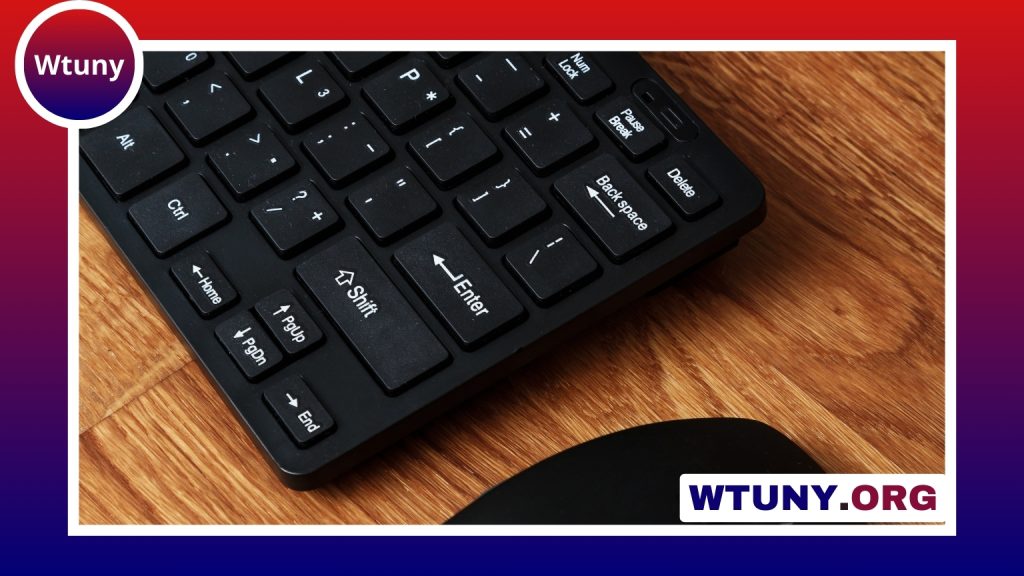
The Logitech MX series is designed for people who want comfortable, precise peripherals for work, creative tasks, and everyday computing. The range includes ergonomic mice, compact pointing devices, and low-profile keyboards, with many models supporting wireless connections, rechargeable batteries, and software-based customization. Consult the brand-and-model pages for Logitech MX models to compare features and compatibility quickly.
Because features vary between models and generations, the best choice depends on how you work. Hand size, preferred grip, typing style, number of computers, and the need for extra controls all matter when comparing MX devices.
Design and comfort
Comfort is a central part of the MX design. Many mice in the MX Master family use a sculpted shape intended to support the hand during long sessions. Their surfaces typically combine matte plastic with softer-feeling areas around the palm, while the scroll wheels and buttons are built for frequent use.
MX keyboards generally take a low-profile approach. Stable key surfaces, a slim design, and discreet backlighting on applicable models create a typing experience suited to offices, home workstations, and shared spaces. The relatively quiet operation of some MX keyboards and mice can also be useful where reducing noise is important.
Tracking, controls, and connectivity
MX mice are built around smooth, accurate tracking, with sensor capabilities depending on the specific model. Some generations are designed to track across challenging surfaces, including glossy desks or glass, although users should check the specifications of the model they are considering.
Wireless connectivity is available through Bluetooth and, on compatible devices, Logitech receiver technology. A receiver can help keep a desktop setup tidy by reducing the number of separate USB dongles, while Bluetooth is convenient for computers that already support it. Many MX devices can switch between as many as three paired computers, making them practical for people who divide their time between a work computer, personal system, or laptop.
Rechargeable batteries are another common feature. Depending on the device and usage pattern, a charge may last for weeks or months. Short charging sessions can provide useful additional operating time when the battery is low. Logitech MX Series fans may appreciate these cute wireless options for lighter desktop setups.
Which type of MX device suits you?
- MX Master mice: A good fit for power users who want an ergonomic shape, additional thumb controls, gesture functions, and a separate wheel for horizontal scrolling.
- Compact MX mice: Better suited to smaller desks, travel, or users who prefer a lighter and more portable design while retaining core MX features.
- MX keyboards: Appropriate for writers, developers, office workers, and anyone who prefers low-profile keys with a restrained, productivity-focused layout.
- Advanced or professional-oriented models: Worth considering when precise tracking, extra customization, or specialised controls are more important than portability.
Before buying, consider whether you need a right-handed ergonomic shape, a compact footprint, a full-size keyboard, or controls that support horizontal navigation. Also verify operating-system compatibility and the connection method required by your computer.
Customization and multi-computer work
Logitech’s configuration software can make an MX device more adaptable. Depending on the model and software version, users may be able to remap buttons, change scrolling behaviour, adjust pointer sensitivity, and assign different functions to particular applications.
App-specific profiles are useful when the same mouse is used for different tasks. For example, buttons can be assigned differently in a browser, document editor, design application, or media tool. Flow functionality can also allow the cursor and selected content to move between multiple computers on the same network, provided the devices and software support it.
Practical setup advice
- Use Bluetooth when you want a cable-free connection without a receiver.
- Choose a compatible Logitech receiver when you want a consolidated wireless setup.
- Adjust pointer speed and scrolling to match your screen size and working habits.
- Test button assignments in the applications you use most often rather than relying only on default settings.
- Enable multi-computer features only when the relevant systems are connected to the same network and supported by the device.
Battery care and maintenance
Recharge MX devices before extended work sessions and use their indicator lights or software notifications to monitor charge levels. Keeping firmware and configuration software updated may help maintain compatibility, although available update options vary by model.
For cleaning, a slightly damp microfiber cloth is generally more appropriate than harsh chemicals or abrasive materials. Pay particular attention to the scroll wheels, key gaps, and palm-contact areas, and avoid allowing moisture to enter the device. Since many MX products use sealed rechargeable designs, careful everyday handling is important for long-term service.
Final considerations
The Logitech MX series offers a consistent focus on comfort, precision, wireless flexibility, and productivity features. An MX Master-style mouse is usually the strongest choice for extensive pointer work and multitasking, while an MX keyboard can provide a quieter, low-profile alternative for regular typing. Compare the exact model specifications before purchasing, then choose according to your hand size, work habits, preferred connection, and need for multi-device control.






