
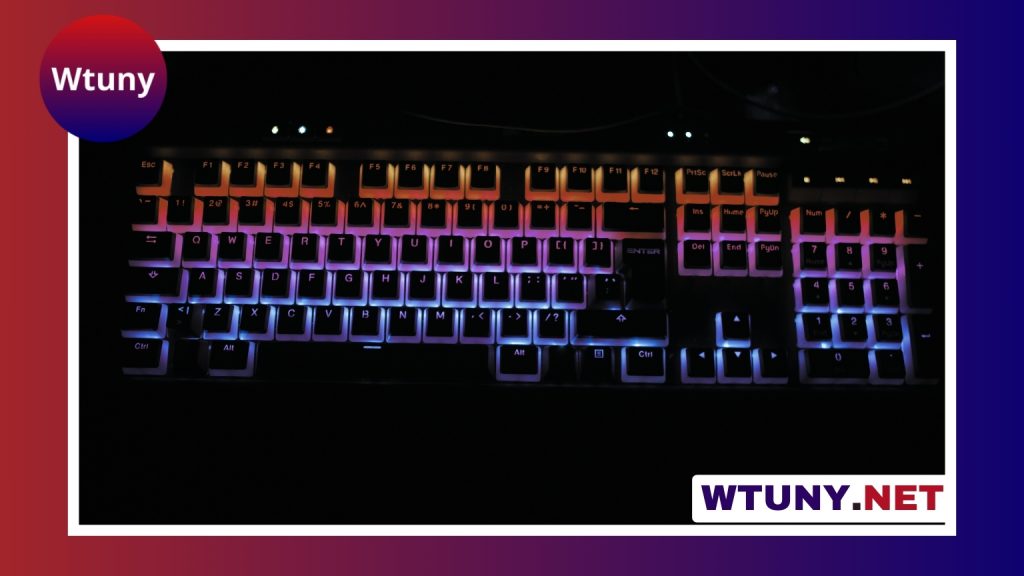
A Logitech illuminated keyboard is designed for people who need clear, comfortable typing in dim rooms. Its built-in backlighting makes letters and symbols easier to see without requiring bright overhead lighting. Depending on the model, you may also get wireless connectivity, rechargeable power, brightness controls, quiet keys, or software-based customization. For compatibility and replacement parts, consult Logitech model details to find exact mainstream brand and model information.
The best choice depends less on the word “illuminated” and more on how and where you plan to use the keyboard. A wired model may suit a fixed desk, while a wireless version can provide a cleaner setup and more freedom to move. Layout, key feel, battery arrangements, and available controls also vary, so it is important to check the specifications for the exact Logitech model.
Why choose an illuminated keyboard?
Backlighting is most useful when the room is dark enough that printed key legends are difficult to read. It can help during late-night work, study, gaming, or general computer use while allowing you to keep the room lighting low. This is particularly useful in shared spaces, where a bright desk lamp or overhead light may disturb other people.
Illumination is not a substitute for good ergonomics, but it can make keyboard use more convenient. You spend less time searching for commonly used keys and can maintain a more comfortable setup without increasing screen or room brightness.
Features to compare
Backlight controls
Look for practical control over the lighting rather than assuming every illuminated model behaves the same way. Some keyboards provide several brightness levels, while others may include automatic adjustment or settings that control when the backlight turns off. A lower brightness setting can reduce glare, whereas a stronger setting may be easier to see in a very dark room.
Connection type
- Wired USB: A straightforward option for a permanent desk setup, with power supplied through the cable.
- Wireless USB receiver: Reduces cable clutter while maintaining a dedicated connection between the keyboard and computer.
- Bluetooth: Convenient for compatible devices and setups where a USB receiver is undesirable.
Wireless models require attention to charging or battery replacement, while wired keyboards avoid that responsibility. Choose based on your workspace and routine rather than treating one connection method as universally better.
Keyboard layout and size
A full-size keyboard is useful if you regularly enter numbers or rely on a dedicated number pad. A compact or tenkeyless layout can leave more room for a mouse and may be easier to move between locations. Also check the placement of navigation keys, function keys, and any special media or shortcut controls.
Typing comfort and construction
Key shape, travel, noise, and resistance all affect how a keyboard feels over a full day. Logitech illuminated models may use different designs, so comfort should be judged from the particular model rather than the product category alone. Adjustable tilt, stable feet, a low-profile design, or a palm rest can make a noticeable difference during extended sessions.
Build details are equally practical. A solid frame and secure feet help prevent movement, while spill-resistant construction—when specifically stated for the model—can provide additional protection against minor accidents. Do not assume that every illuminated keyboard has the same level of resistance. For a slimmer wireless alternative, compare Logitech's illuminated design with Apple's latest keyboard before choosing your next typing companion. If you like the Logitech Illuminated Keyboard, consider a backlit wireless combo for flexible, cordless typing and control.
Who benefits most?
Remote workers, writers, students, and night-shift users may appreciate being able to type without turning on bright room lighting. Gamers can also benefit from easier key recognition in a darkened room, although backlighting alone does not determine gaming performance. Anyone who frequently works in changing light conditions may find adjustable illumination especially useful.
Software and personalization
Some Logitech illuminated keyboards work with Logitech’s companion software. On supported models, the software may provide options for assigning shortcuts, changing function-key behavior, and controlling lighting settings. The level of customization varies: a basic single-color backlight should not be expected to offer the same controls as a model designed for extensive lighting effects.
Before buying, confirm that the exact keyboard supports the operating system and software features you intend to use. Model-specific documentation is also the best source for replacement parts, compatibility information, and detailed control instructions.
How to choose the right model
- Choose wired if you want continuous power and a fixed, dependable desk connection.
- Choose wireless if reducing cables or moving the keyboard matters more than charging convenience.
- Select a full-size layout if you use a number pad frequently.
- Choose a compact layout if desk space and portability are priorities.
- Check brightness controls if you work in both moderately lit and very dark rooms.
- Review battery or charging details before choosing a wireless model.
- Compare the key feel, palm support, tilt adjustment, and construction with your daily habits.
Reviews can help reveal real-world typing noise, battery performance, and backlight behavior, but always compare feedback with the specifications for the exact model. Price should be considered alongside build quality and the features you will actually use.
Troubleshooting backlight and connection problems
If the keys are not illuminated, check the brightness control, keyboard switch, and software settings first. On a wireless keyboard, confirm that the battery is charged and that the USB receiver is connected or Bluetooth pairing is active. Reconnecting the device, updating supported software or firmware, or reinstalling the companion application may resolve unusual behavior.
For keys that do not respond, inspect the area around the keycap and remove visible debris carefully. If the problem continues, consult the documentation for the specific model before removing keycaps or attempting repairs.
Final considerations
A Logitech illuminated keyboard can be a useful upgrade for low-light typing, provided its layout, connection method, and key feel match your needs. Focus on the exact model’s lighting controls, power arrangement, ergonomics, and software support. With those details in mind, you can choose a keyboard that improves visibility without sacrificing comfort or a tidy workspace.






