A spider keyboard combines the everyday function of a computer keyboard with a distinctive arachnid-inspired design. Some models use subtle web patterns and dark finishes, while others make the theme the centrepiece with illustrated keycaps, dramatic lighting, or a full spiderweb layout across the case.
Beyond appearance, the right spider keyboard can provide the same practical features expected from a modern gaming, work, or enthusiast keyboard. The key is to evaluate the underlying construction, typing experience, layout, and connectivity rather than choosing on appearance alone.
What gives a spider keyboard its distinctive look?
The visual theme can be expressed in several ways. A keyboard may feature a web-like pattern etched into its case, arachnid artwork on selected keycaps, or a dark surface designed to make the details stand out. Some designs are restrained, using a small spider emblem or web accent, while others cover much of the keyboard with a bold decorative pattern.
Colour and lighting also influence the overall effect. A black spider web keyboard creates a high-contrast look that can suit a minimalist desk, while backlighting can emphasize transparent or textured parts of the design. Adjustable lighting may allow the keyboard to blend with an existing setup or create a more theatrical appearance for a themed workspace.
Build quality and typing feel
A striking design is useful only if the keyboard is comfortable and durable enough for regular use. Cases are commonly made from plastic, with some higher-end designs using a metal plate for additional rigidity. A stable case helps prevent movement during fast typing or gaming and can make the keyboard feel more substantial.
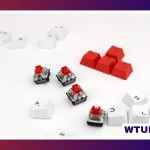
Keycap material is another important consideration:
- ABS keycaps: Often provide a smooth surface and can support detailed designs, though their finish may change with heavy use.
- PBT keycaps: Usually have a more textured feel and are valued for resisting shine over time.
- Double-shot or dye-sublimated legends: These methods can help keep printed characters readable during extended use.
Mechanical spider keyboards may be available with tactile, linear, or clicky switches. Tactile switches provide a noticeable bump, linear switches offer a smoother press, and clicky switches add an audible response. The best option depends on personal preference, noise tolerance, and whether the keyboard will be used in a shared space.
Features to compare before buying
Spider-inspired styling does not determine the keyboard’s technical capabilities, so compare the practical specifications carefully. Useful features may include:
- Layout: Full-size keyboards include a number pad, tenkeyless models save desk space, and compact 60 percent layouts remove additional keys for a smaller footprint.
- Connectivity: Wired USB-C connections are a straightforward choice, while Bluetooth and 2.4 GHz wireless options can reduce cable clutter.
- Programmability: Remapping and macros can help with games, editing, development, or repetitive office tasks.
- Hot-swappable switches: This feature allows compatible switches to be replaced without soldering.
- Lighting controls: Adjustable brightness, colours, and effects can either highlight or soften the spiderweb theme.
- Software support: Configuration software may provide deeper control over key assignments, lighting, and saved profiles.
Where a spider keyboard works well
Gaming setups
A spider keyboard can add a strong visual identity to a gaming desk, especially when its lighting and keycap artwork match the rest of the setup. Mechanical switches, programmable keys, and a layout suited to the player’s available space may be more important than the theme itself.
Streaming and creative work
Themed equipment can reinforce the visual identity of a streaming or content-creation area. A spiderweb keyboard may also suit seasonal decorations or a dark, dramatic backdrop. For creative and editing work, programmable keys and a comfortable typing layout can make the keyboard more useful than a purely decorative accessory.
Home and office use
For everyday writing, browsing, and administration, focus on comfort, noise level, and connectivity. A black spider web keyboard can add personality without introducing bright colours, but make sure the legends are clear and the switch type suits long typing sessions.
Maintenance and customization
Dust can collect around textured web designs and between switches, so regular cleaning helps preserve both appearance and performance. Use a soft brush or compressed air carefully around the keys, and wipe the case with a microfiber cloth. A mild cleaner can help with marks, but avoid applying liquid directly to the keyboard.
Mechanical models may offer additional customization through replacement keycaps, compatible switches, stabilizers, or remapped keys. Themed keycap sets can make a subtle keyboard more distinctive, while a simpler set may improve readability for daily work.
How to choose the right model
Start by deciding whether the priority is visual impact, typing comfort, gaming features, or a balance of all three. Then check the layout, switch type, connection method, keycap material, and software support. Measure the available desk space before choosing a full-size or compact design, and confirm that wireless compatibility meets your needs.
Entry-level keyboards can provide the spider-inspired appearance at a lower cost, while premium options may add stronger construction, hot-swappable switches, detachable cables, or artisan keycaps. Choose the features you will genuinely use. A well-built keyboard with a theme you enjoy is more valuable than an elaborate design that compromises comfort or functionality.