Choosing a Japanese keyboard layout involves more than deciding where the letters appear. The layout affects the keyboard’s physical shape, the position of punctuation and symbols, and the way you switch between English, hiragana, katakana, and kanji. These details matter whether you are buying a laptop in Japan, setting up a desktop for bilingual work, learning to type Japanese, or customizing a mechanical keyboard.
What makes a Japanese keyboard different?
The term “Japanese keyboard layout” can describe two related things:
- The physical layout: the arrangement and size of keys on the keyboard.
- The input method: the software behavior used to enter Japanese text.
Japanese text is commonly entered with an input method editor (IME). With romaji input, you type Japanese sounds using Latin letters, and the IME converts them into hiragana, katakana, or kanji. Kana input uses kana printed on the keys and enters Japanese syllables more directly. Users can normally switch between these methods according to their preferences and the task at hand.
Many Japanese keyboards include both Latin-letter and kana legends. They may also include dedicated keys for changing input behavior, such as Henkan for conversion and Muhenkan for disabling or changing conversion. The exact behavior of these keys depends on the operating system and input settings.
JIS layout versus US ANSI layout
Most physical Japanese keyboards follow the JIS standard and are commonly described as 106-key or 109-key layouts. Compared with a typical US ANSI keyboard, a JIS keyboard may have several noticeable differences:
- A smaller left Shift key.
- Additional keys around the spacebar for input-mode switching.
- A different Enter key shape, often taller and narrower.
- Different positions or legends for the backslash and Yen symbol.
- Modified spacing in the bottom row and modifier-key area.
These changes can affect more than typing comfort. They also influence keycap compatibility, stabilizer placement, and the way familiar shortcuts feel. A keyboard advertised as Japanese may use JIS physical spacing while printing only Latin characters on its keycaps, so it is important to check the specifications rather than relying on the product name alone.
Keyboard sizes and form factors
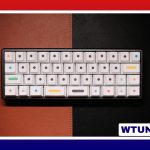
Japanese keyboards are available in many of the same sizes as other layouts. A full-size model includes a number pad and can suit office work or frequent numeric entry. Tenkeyless, or TKL, keyboards remove the number pad to create more desk space. Smaller 65% and 60% models reduce the footprint further and may be useful for compact work areas, portability, or gaming.
Size does not determine whether a keyboard is JIS or ANSI. A compact keyboard can still use JIS spacing, but its bottom-row modifiers and spacebar arrangement may differ from compact ANSI models. Before buying a mechanical keyboard, confirm that the case, PCB, plate, and keycap set support the intended layout.
Which users benefit from a JIS keyboard?
A JIS keyboard can be convenient for people who regularly type Japanese and want dedicated keys for switching input modes. Kana legends may also help learners become familiar with kana positions, although many users prefer romaji input instead.
Bilingual writers can use a JIS keyboard to move between Japanese and English without changing hardware. Developers and technical users should pay particular attention to punctuation and symbol positions, since characters used in code, terminals, and editor shortcuts may not be located where they are on a US keyboard. Gamers should likewise check the key arrangement and confirm that the model provides the features they require.
Setting up Japanese input
The physical keyboard and the software input source work together. On Windows, add the Japanese input method and use the language controls to switch between available modes. On macOS, add the Japanese input source and choose either romaji or kana input according to your workflow.
If the keyboard produces unexpected symbols, first check whether the operating system is configured for the correct physical layout. A mismatch between a JIS keyboard and a US software layout can make punctuation, the Yen or backslash key, and modifier shortcuts behave differently from the printed legends. Remapping tools can also assign frequently used functions to more convenient keys.
Buying and compatibility checklist
- Confirm whether the keyboard is physically JIS, ANSI, or another layout.
- Check the keycap sizes and bottom-row spacing before ordering replacement keycaps.
- Look for Henkan, Muhenkan, or other input-control keys if you want hardware-based switching.
- Test symbol locations in your programming tools, terminal, or specialized software.
- Verify that a compact mechanical keyboard supports JIS spacing rather than only offering Japanese legends.
- If buying a laptop in Japan but preferring US-style typing, look specifically for an English or international layout.
The best Japanese keyboard layout depends on how often you type Japanese, whether you prefer romaji or kana input, and how important standard key positions are in your work. Understanding the difference between physical JIS hardware and Japanese software input will make it easier to choose, configure, and customize a keyboard that fits your workflow.