
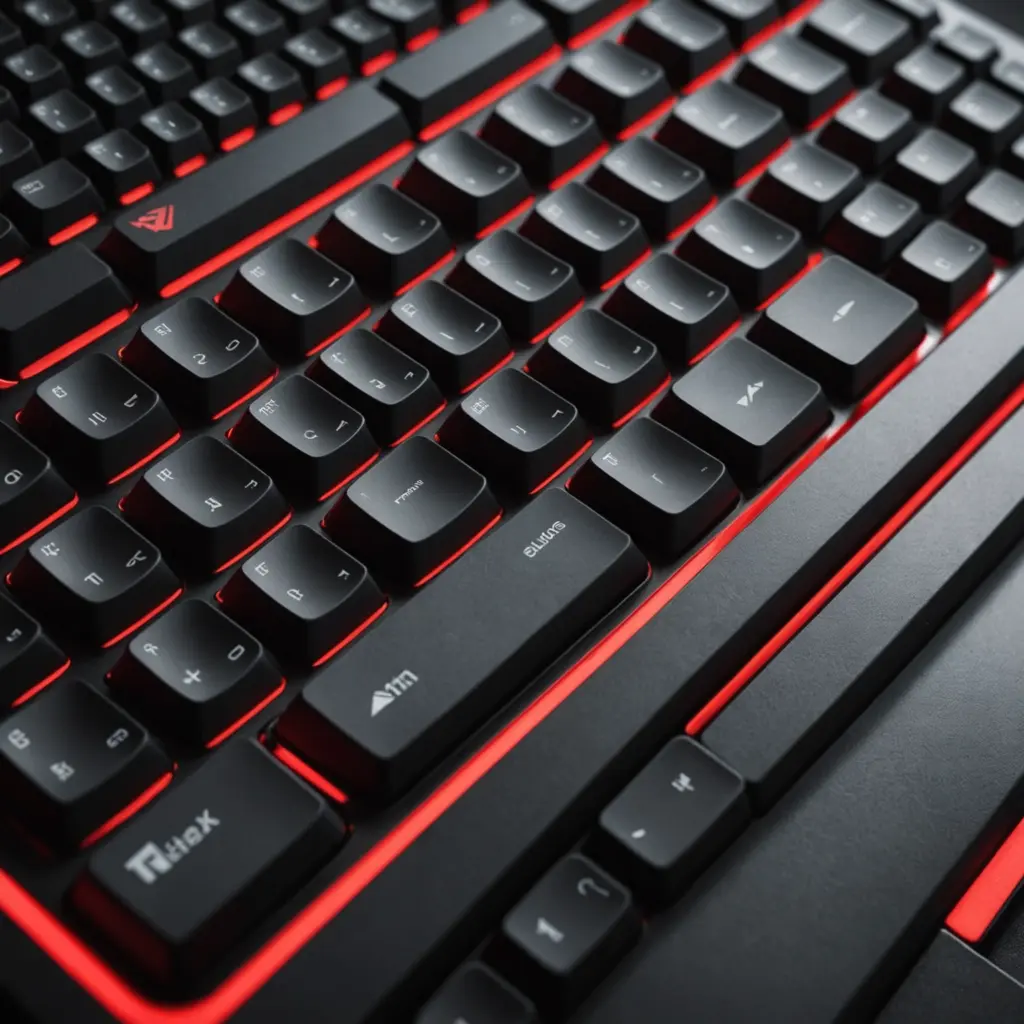
Bubble keyboards stand out through their rounded, dome-like key surfaces and distinctive soft or cushioned feel. Some use silicone or membrane layers to create a springy “bubble” press, while others are mechanical keyboards fitted with rounded custom keycaps. The result can be playful, tactile, and visually different from a conventional flat or sharply sculpted keyboard. Bubble keyboards illustrate key spacing variations that affect typing comfort across different layout and size options.
The bubble style is not tied to one particular keyboard size. You can find the look and feel across layouts ranging from full-size desktop boards to compact travel keyboards. Choosing the right one depends less on the novelty of the design and more on how you type, which keys you use, and how much space you have available.
What defines a bubble keyboard?
“Bubble keyboard” generally describes one of two constructions:
- Rounded keycaps: A mechanical or other conventional keyboard is fitted with curved, dome-shaped keycaps. The switches beneath them determine whether the keystroke feels linear, tactile, or clicky.
- Soft bubble-style keys: A silicone or membrane surface creates a flexible, cushioned press. These keyboards usually emphasise softness and a unified appearance rather than switch customisation.
Rounded keycaps can give each key a more pronounced fingertip contact area, while silicone designs often provide a noticeably bouncy sensation. Neither style is automatically better for every typist, so trying the keyboard in person—or checking return options—is useful when possible.
How layout and size change the experience
The keyboard’s layout affects functionality, portability, and desk space just as much as the keycap design does.
- Full-size: Includes the number pad and is a practical choice for frequent spreadsheet work, accounting, or number entry.
- Tenkeyless: Removes the number pad while retaining the main navigation and function-key areas. It offers more room for a mouse without changing the standard typing area substantially.
- 75%: Keeps many essential keys in a compact arrangement, making it a useful compromise between features and desk space.
- 65%: Usually retains arrow keys and some navigation functions while eliminating the dedicated function row.
- 60%: Saves considerable space by omitting the arrows, navigation cluster, and function row as dedicated keys. These functions are accessed through layers or key combinations.
- 40% or ortholinear: Offers an especially compact or unconventional arrangement, but requires more adjustment and deliberate use of layers.
Rounded surfaces may make individual keys feel easier to distinguish by touch, but they do not remove the learning curve of a smaller layout. Before choosing a compact bubble keyboard, check where the arrow keys, Delete key, function row, and other shortcuts are located.
Who might enjoy a bubble keyboard?
Bubble keyboards appeal to people who want their desk equipment to have a strong visual identity. Bright colourways, rounded profiles, and themed keycaps can make a keyboard a noticeable part of a creative workspace, gaming desk, or streaming setup. A pink bubble keyboard, for example, may suit a colourful desktop, while a pink-and-black design can provide a higher-contrast alternative.
The soft or rounded key feel may also appeal to writers and general typists who prefer cushioned feedback over a sharp or loud keystroke. For children or people who find small key targets difficult to identify, larger rounded surfaces may be worth exploring, although comfort and accuracy vary from person to person. A keyboard should be tested for its actual size, spacing, and required key pressure rather than selected on appearance alone. Bubble keyboards can inspire playful mobile typing layouts that make phone-based messaging feel more expressive and comfortable.
Choosing the right construction
Mechanical bubble keyboards offer more opportunities for personalisation. Depending on the model, you may be able to choose tactile, linear, or clicky switches, replace keycaps, or use a hot-swappable PCB to experiment with compatible switches. This route suits users who want to tune both the sound and feel of the board.
Silicone and membrane versions typically focus on a soft, unified press and may be simpler to wipe clean. They are less suited to users who want to change individual switches or build a highly customised mechanical setup. Compare the key feel, actuation force, noise, and construction instead of assuming that every rounded keyboard will feel the same.
Connectivity, ergonomics, and customisation
Wired models avoid battery management and are a straightforward choice for a fixed desk. Wireless models reduce cable clutter and can be convenient for flexible or living-room setups. If you use a keyboard for gaming or other timing-sensitive work, consider whether a wired connection better suits your preferences.
Layout customisation can make a compact keyboard more practical. Programmable layers allow missing keys to be reassigned, while split designs or ergonomic tenting may be worth considering if wrist position is a major concern. These features add complexity, so make sure the keyboard’s software and remapping options support the shortcuts you rely on every day.
Care and maintenance
For mechanical models, remove keycaps periodically with a keycap puller and clear dust with air or a soft brush. Keep replacement or artisan keycaps away from excessive heat, which can contribute to warping. Silicone and membrane surfaces can usually be wiped according to the manufacturer’s care instructions; avoid assuming that a soft surface is fully waterproof. Prolonged exposure to sunlight may also affect some plastics, rubber, or silicone materials.
The best bubble keyboard balances its distinctive appearance with the demands of your workflow. Start with the required layout, then compare key feel, connectivity, customisation, cleaning, and available desk space. Whether you choose a full-size board for number entry or a compact model for travel, the rounded design should enhance the way you use the keyboard rather than make essential tasks harder.






