
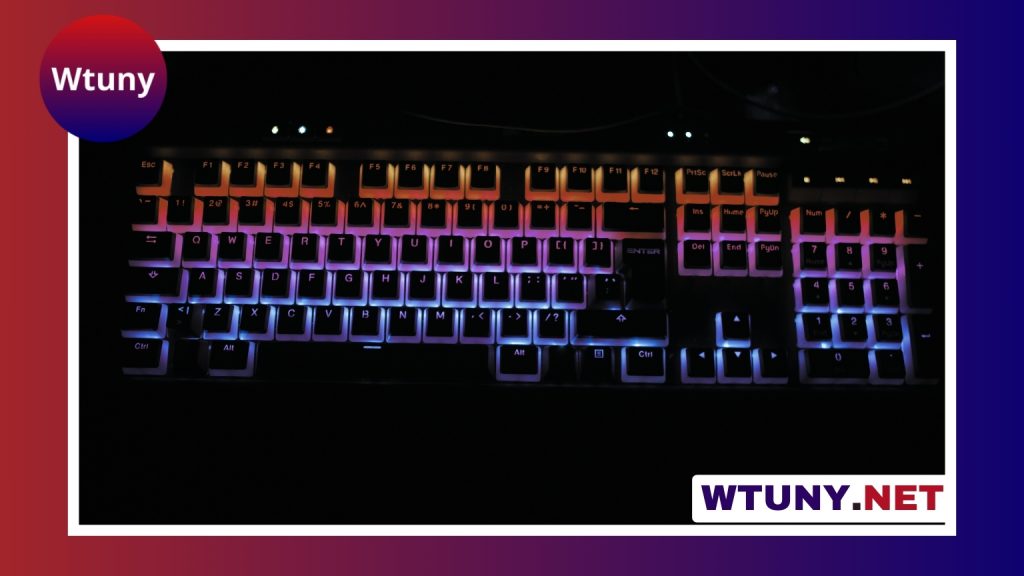
Key size is easy to overlook when choosing a keyboard. Most people compare layouts, switches, and features first, but the physical size and spacing of the keys can have a direct effect on typing accuracy and comfort. A keyboard with larger keys creates a broader target for each press and may be easier to use for people who find small, closely spaced keys difficult to see or control. For larger keycaps, consult our overview of key sizes and layouts to ensure proper fit and spacing.
Big keys can be found on dedicated accessibility keyboards, some full-size layouts, and customized mechanical keyboards. The best choice depends on how you type, which keys cause problems, and whether you need a simple keycap change or a completely different layout.
Why larger keys can make typing easier
A larger key surface requires less precision to press the intended character. This can help reduce accidental presses, particularly when a user has limited dexterity, reduced tactile sensitivity, or difficulty distinguishing neighboring keys. Clear, high-contrast legends can also make the keyboard easier to read.
Big keys are not only useful for accessibility. Some users prefer more space around commonly used controls because it makes the keyboard feel less crowded. Larger Space, Enter, Backspace, and Shift keys can also make frequently used actions easier to locate, although the benefit depends on the overall layout and the user’s typing habits.
Where larger keys appear on common layouts
Standard full-size keyboards already include several oversized keys. The Space bar is usually much wider than the letter keys, while Enter, Backspace, and the Shift keys are elongated. These larger keys are supported by stabilizers that help them move evenly when pressed away from the center.
Compact layouts have less physical room. Tenkeyless keyboards remove the number pad, while smaller layouts may also omit dedicated navigation or function keys. They generally preserve familiar key sizes, but their reduced footprint can make the arrangement feel more condensed. Enlarging many alphanumeric keys on a compact board may require changes to spacing, key placement, or the entire case design.
Ergonomic and split keyboards approach the issue differently. Their keys may be staggered, angled, or separated into two sections. Even when the keycaps are not physically larger, this arrangement can create more distinct targets and reduce crowding. Some split designs also provide additional room for thumb keys or wider Space keys.
Who may benefit from a big keys keyboard?
A keyboard with large, well-spaced keys may be worth considering for:
- People with low vision who need larger surfaces and clearer legends.
- Older adults who find small or tightly packed keys difficult to identify.
- Users with arthritis, reduced coordination, or other movement-related challenges.
- People recovering from an injury that affects hand control or typing posture.
- Children learning to identify keys and develop basic typing skills.
- Anyone who frequently misses large modifier keys during work, data entry, or gaming.
A larger key does not automatically solve every typing problem. Switch force, layout, hand position, and visual contrast are also important. The goal is to create a keyboard that matches the user’s abilities and daily tasks. For easier access, larger keypad buttons can complement Big Keys when entering numbers on touchscreen devices.
Important design details beyond key size
Spacing and layout
Large keycaps need enough surrounding space to remain easy to target. Simply placing oversized caps into a standard arrangement can make neighboring keys feel crowded or cause compatibility problems. Check the key pitch, row arrangement, and location of non-standard keys before buying replacement keycaps.
Switch feel and actuation force
Mechanical switches differ in the amount of force and feedback they provide. Tactile or clicky switches give a noticeable response during a press, while linear switches provide a smoother motion. Neither option is universally best, so consider whether feedback helps you avoid accidental presses or whether a lighter, smoother action feels more comfortable.
Keycap profile and material
Keycap shape affects how easily your fingers find the center of each key. Sculpted profiles can guide the fingers between rows, while different materials vary in texture and durability. If you are replacing keycaps, confirm that the set supports your keyboard’s layout, switch stems, and stabilizer positions.
Stabilizers for wide keys
Wide keys such as Space, Enter, Backspace, and Shift need stable support. Poorly fitted stabilizers can make a large key wobble, feel uneven, or require extra force near one edge. A well-built keyboard should keep these keys level and consistent across their full surface.
Choosing or customizing a big keys keyboard
Start by identifying the problem you are trying to solve. If you mainly need clearer targets for Space, Enter, or the modifier keys, a keyboard with an accessible layout or a compatible keycap set may be enough. If you need larger letter keys, increased spacing, bold legends, or a substantial change in arrangement, a purpose-built big keys keyboard is usually a more practical option.
Try the keyboard before buying it whenever possible. A display model can reveal whether the keys are genuinely easy to distinguish, whether the switch force is comfortable, and whether the layout supports your normal workflow. Also consider the keyboard’s frame and construction; oversized keys still need a stable base and properly tuned support.
Finding the right balance
Big keys are a functional design choice, not merely a visual feature. The most effective setup balances key size with spacing, contrast, switch feel, and a familiar arrangement. A full-size accessibility keyboard may be ideal for desk use, while a compact layout may be preferable for portability. Ergonomic or split designs offer another path by changing the position of the keys rather than enlarging every keycap.
Choose the arrangement that reduces errors and strain in the situations where you use it most. Whether you select a dedicated large-key model or customize an existing keyboard, careful attention to compatibility and stabilization will help ensure that larger keys provide a real improvement.






