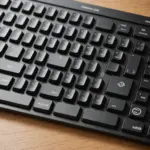
A wireless keyboard can make a desk easier to organise, provide a more comfortable typing surface for a tablet or laptop, and simplify control of a television or home-theater computer. The right model depends on your devices, working habits, preferred layout, and willingness to manage batteries or charging.
Choose the right wireless connection
Wireless keyboards generally connect through Bluetooth or a dedicated USB receiver. Each option suits a different kind of setup.
Bluetooth keyboards
Bluetooth is useful when you want to connect directly to laptops, tablets, phones, and other compatible devices without leaving a receiver in a USB port. It is particularly convenient for travel and multi-device work. Before buying, confirm that the keyboard supports the operating systems and devices you plan to use.
USB receiver keyboards
A keyboard with a dedicated receiver can be a practical choice for a desktop or office workstation. It may also suit users who prefer a straightforward connection for responsive typing, gaming, or other tasks where input delay matters. Check that your computer has a suitable USB port and note whether the receiver can remain connected without interfering with other equipment.
Match the size and layout to your work
Keyboard size affects portability, desk space, and the amount of adjustment required when you type. Consider the keys you use most often rather than choosing solely by appearance.
- Full-size keyboards: Include a dedicated numeric keypad and are well suited to spreadsheets, accounting, data entry, and traditional desktop work.
- Compact keyboards: Take up less space and are easier to carry. They work well with laptops, tablets, small desks, and mobile workstations.
- Mini keyboards with touchpads: Combine typing and pointer control for televisions, streaming setups, and home-theater computers.
Compact models may omit the number pad or reposition navigation keys. If you rely on Home, End, Page Up, arrow keys, or a numeric keypad, compare the physical layout before purchasing.
Features that can make a difference
Multi-device pairing
If you regularly move between a laptop, tablet, and phone, look for a keyboard that can remember multiple connections and provides an accessible way to switch between them. Some Logitech keyboards, for example, use Easy-Switch controls for this purpose. Multi-device support is most useful when switching is quick and the keyboard layout works comfortably across all your devices.
Battery and charging options
Wireless keyboards may use replaceable batteries or an integrated rechargeable battery. Rechargeable models reduce the need to keep spare batteries available, while replaceable batteries can be convenient when you need to restore power immediately. Consider how often you want to charge the keyboard, whether the charging connection is convenient, and how you will manage power while travelling.
Backlighting, media keys, and touchpads
Backlit keys can help when you type in a dim room, although they may affect battery life depending on the design and usage. Dedicated media controls make it easier to adjust volume or control playback without reaching for another device. For a living-room setup, a built-in touchpad can remove the need to keep a separate mouse nearby.
Check compatibility beyond the connection
A keyboard can pair successfully and still provide an awkward experience if its shortcuts do not match your device. Function-row behaviour, modifier keys, and shortcut labels may differ between Windows, macOS, ChromeOS, iPadOS, Android, and other systems.
Review the manufacturer’s compatibility information and confirm that the keyboard supports the commands you use most. Tablet users may want a compact Bluetooth model for more comfortable long-form typing. If the tablet is being used as a broader productivity setup, a keyboard-and-mouse combination may be more practical. Chromebook users should pay particular attention to ChromeOS-specific keys and shortcut arrangements.
Compare the exact model, not just the brand
Logitech offers several wireless keyboard formats, including compact multi-device models such as the K380, full-size designs, backlit keyboards, and keyboard-and-mouse bundles that use a shared receiver. This range can provide useful starting points for comparison, but no brand is automatically the best choice for every situation.
Compare the individual model’s connection method, layout, power system, compatibility, size, and controls. A portable keyboard, an office keyboard with a number pad, and a touchpad-equipped living-room keyboard are designed for different priorities.
Wireless keyboard buying checklist
- List every device you expect to connect before choosing Bluetooth, a USB receiver, or both.
- Decide whether you need a numeric keypad, backlighting, media controls, or a touchpad.
- Check the key layout and operating-system support, especially for tablets and Chromebooks.
- Choose rechargeable or replaceable-battery power according to your preferred routine.
- Consider size and weight if the keyboard will travel regularly.
- Make sure the layout includes the navigation and shortcut keys you use every day.
Basic care and maintenance
Keep the keyboard free of dust and debris, and avoid eating over it when possible. Follow the manufacturer’s charging guidance for rechargeable models. If storing a keyboard with replaceable batteries for an extended period, remove the batteries to reduce the risk of leakage.
With the right balance of connection type, layout, power, and controls, a wireless keyboard can support everyday desk work, mobile typing, and home entertainment without adding unnecessary complexity.